

My team schedules thousands of posts a year for clients in tech, healthcare, and B2B services. That kind of volume has a way of exposing every weak point in your workflow fast.
The wake-up call came during a product launch. We were pushing a roadmap announcement across six networks and lost a post to a broken workflow. Client noticed before we did. That one hurt, and it sent me on a proper search for a better stack.
I wanted fewer tabs, cleaner approvals, and reporting I could actually put in front of a client. Simple ask. Harder to find than it should be — pricing is all over the place, feature lists read the same, and the real gaps don’t show up until you’re three weeks into a campaign with no room to switch.
What I’ve learned after testing these tools under real deadlines is to keep the system simple first. Build a repeatable content workflow, then layer in UTM tracking, approval chains, and analytics as your volume grows. You don’t need every feature on day one — you need the ones your team will actually use.
This guide covers the five scheduling tools that held up in real client campaigns at Relevance. Where each one shines, where it struggles, and how costs scale as you grow.
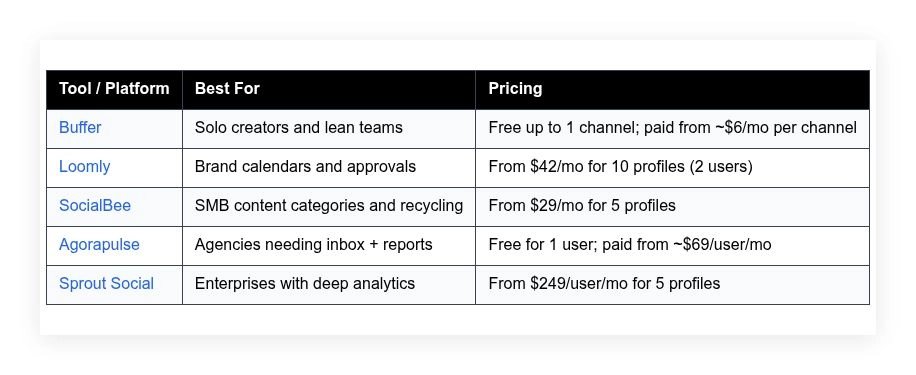
Quick summary table is below. Scroll past it for the full no-fluff breakdown.
My favorite social media scheduling tools for 2026
Scroll down for my full take on each option, including where they shine, where they frustrate, and which one I personally picked. I’ll flag the best free path if you’re just starting.
What is a social media scheduling tool?
A social media scheduling tool is software that lets you plan, create, and queue posts across multiple networks from one dashboard. Its main job is to publish on time, every time.
In marketing, “what gets measured gets managed.” Scheduling tools make that real by centralizing publishing and reporting. You gain control, reduce manual work, and keep a reliable posting cadence—key for reach and brand recall.
Think of it like email marketing vs. sporadic DMs. A steady schedule that hits peak times can double impressions compared to posting on the fly, even with the same content budget. The difference compounds week after week.
At its core, this category serves creators, startups, agencies, and in-house teams who draft posts, attach media, tag links with UTMs, route for approval, and publish to reach audiences reliably while tracking results.
People often pair schedulers with AI writing tools, design apps like Figma or Canva, link shorteners, and analytics platforms. Some teams add social inbox tools for replies and community care.
Not every scheduler fits every team, so it pays to evaluate features, pricing, and workflow carefully before you commit.
How to choose the best social media scheduling tool
Picking a scheduler can feel overwhelming. There are dozens of tools, similar feature names, and pricing that swings based on users and profiles. It’s a lot.
I wrote this guide to help you match a tool to your channels, volume, and approval needs—without wasting a month testing dead ends.
Most guides you’ll find are written by the platforms or media sites selling placement. That’s not what this is. I’m not sponsored by any platform on this list. These notes come from real usage in client campaigns and my own stack.
Here are some questions you should ask when looking for a scheduler:
- How generous is the free tier, and what are the hard limits?
- Can I schedule, edit, and approve posts fast without extra clicks?
- Will it scale with more profiles, users, and content volume?
- How does pricing climb as I add profiles and users?
- Does it cover my must-haves: reels, stories, carousels, UTM tags?
- Are the analytics useful for decisions, not just vanity charts?
- How hard is it to export data and migrate if I outgrow it?
- What uptime, API limits, and posting safeguards does it have?
- Does it integrate with my DAM, Slack, and link shortener?
It’s a lot to weigh, but I’ll cover each point in the reviews below so you can skip to the tool that fits your stage.
Okay, enough of me rambling, let’s get into the list.
5 best social media scheduling tools in 2026
Here are my top picks for the best social media scheduling tools:
- Buffer
- Loomly
- SocialBee
- Agorapulse
- Sprout Social
Let’s see which one is right for you.
1. Buffer
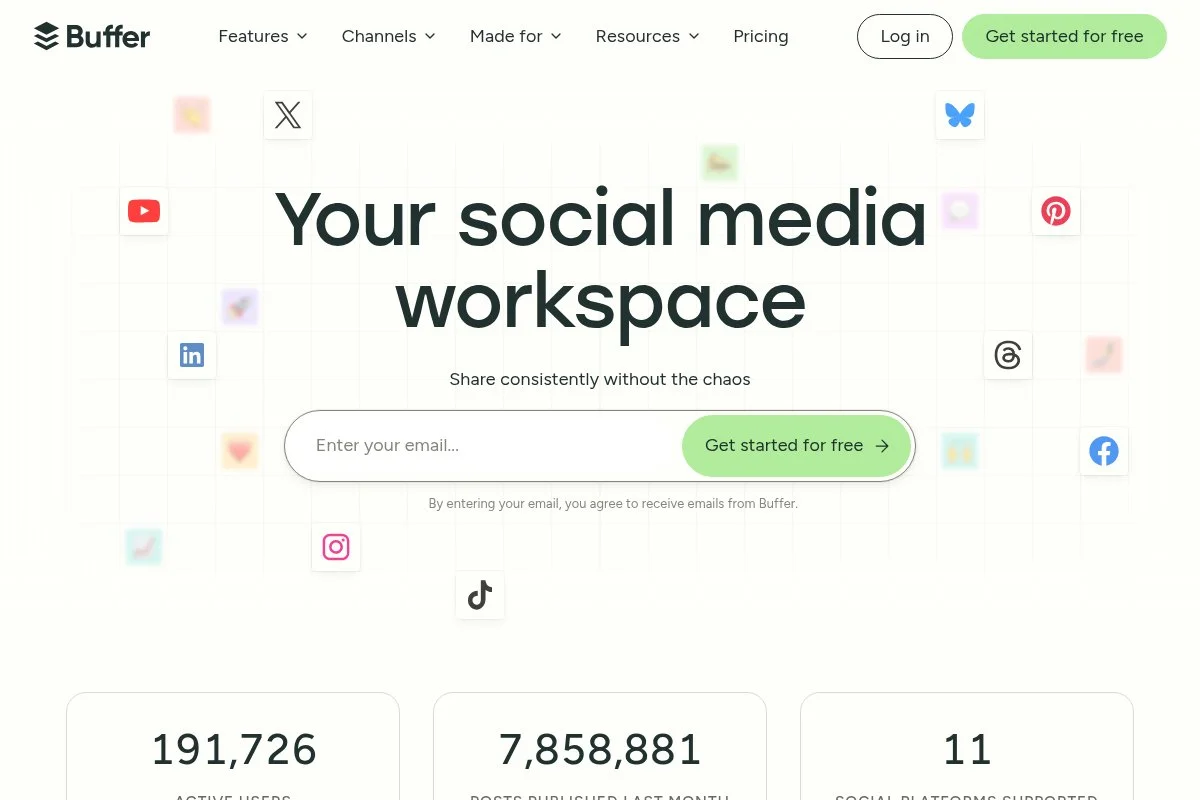
Buffer is a clean, creator-friendly scheduler built for speed and simplicity. The company has been around for over a decade and is known for transparent culture and steady product updates. It’s a safe, proven choice.
You can start on a free plan for one social channel, then add paid channels as you grow. Onboarding takes minutes. The queue and calendar views are fast, with drag-and-drop reordering, post previews, and link tracking.
Recent updates improved Instagram Reels support, TikTok scheduling, and AI assist for captions. The Shopify integration helps track sales from social, which is handy for small stores and DTC tests.
On higher tiers, you get team collaboration, approval workflows, campaign tagging, and deeper analytics. The landing page builder is simple but useful for link-in-bio and quick offers you don’t want on your main site.
I use Buffer for my personal channels and quick experiments. It keeps me posting without overthinking the setup. For solo creators, it nails the basics and stays out of the way.
One more plus: Buffer’s help docs are clear, and support has been responsive when I hit API quirks with Instagram or LinkedIn.
How Buffer works and key features
The interface is minimal and fast. You create posts in a simple editor with previews for each network. Templates help reuse hashtags and UTM tags. You can customize per-platform text and media, then add to the queue or schedule at a time.
Advanced users get campaign tagging, URL parameters, and native integrations with tools like Shopify and Google Analytics. Reports cover clicks, reach, engagement, top posts, and posting frequency, with exports for clients.
Automation includes posting at best times, first comment on Instagram, and content recycling for evergreen posts. Link-in-bio pages and basic landing pages extend campaigns without extra tools. Support runs through email and a solid knowledge base.
“Buffer makes our weekly content cadence painless,” one client told me after moving off spreadsheets for good. Overall, it’s friendly for beginners yet flexible enough for small teams.
Who Buffer is for
Best for solo creators, consultants, small startups, and nonprofits that want a fast, clean scheduler. It shines for Instagram, LinkedIn, and TikTok basics with light collaboration. If you need heavy approvals, deep paid social reporting, or a complex inbox, consider Loomly or Agorapulse. No technical skill needed.
Buffer pricing
Buffer uses a channel-based model. You can start free and add paid channels as needed. Pricing scales with the number of social channels and collaboration features.
- Free: $0/month, 1 channel, basic scheduling and link-in-bio
- Essentials: ~$6/month per channel, unlimited scheduling, analytics
- Team: ~$12/month per channel, approvals and collaboration
- Agency: packaged pricing for 10+ channels, team features
Value is strong for solo users and small teams because you only pay for channels you use. Annual billing lowers the monthly rate. If you manage many profiles, compare costs with Loomly’s bundled plans.
Buffer pros and cons
Pros
- Clean, fast calendar and queue
- Free plan for simple setups
- Channel-based pricing can be affordable
- Solid support for Reels and TikTok
Cons
- Limited native approvals on lower tiers
- Analytics are basic compared to enterprise tools
- No advanced shared inbox
If you want speed and simplicity, choose Buffer. If you need agency-grade approvals and reporting, jump to Loomly or Agorapulse.
Buffer reviews
G2: strong 4+ star rating (public reviews). Capterra: positive 4+ star rating. Ratings are consistently favorable across major review sites.
2. Loomly
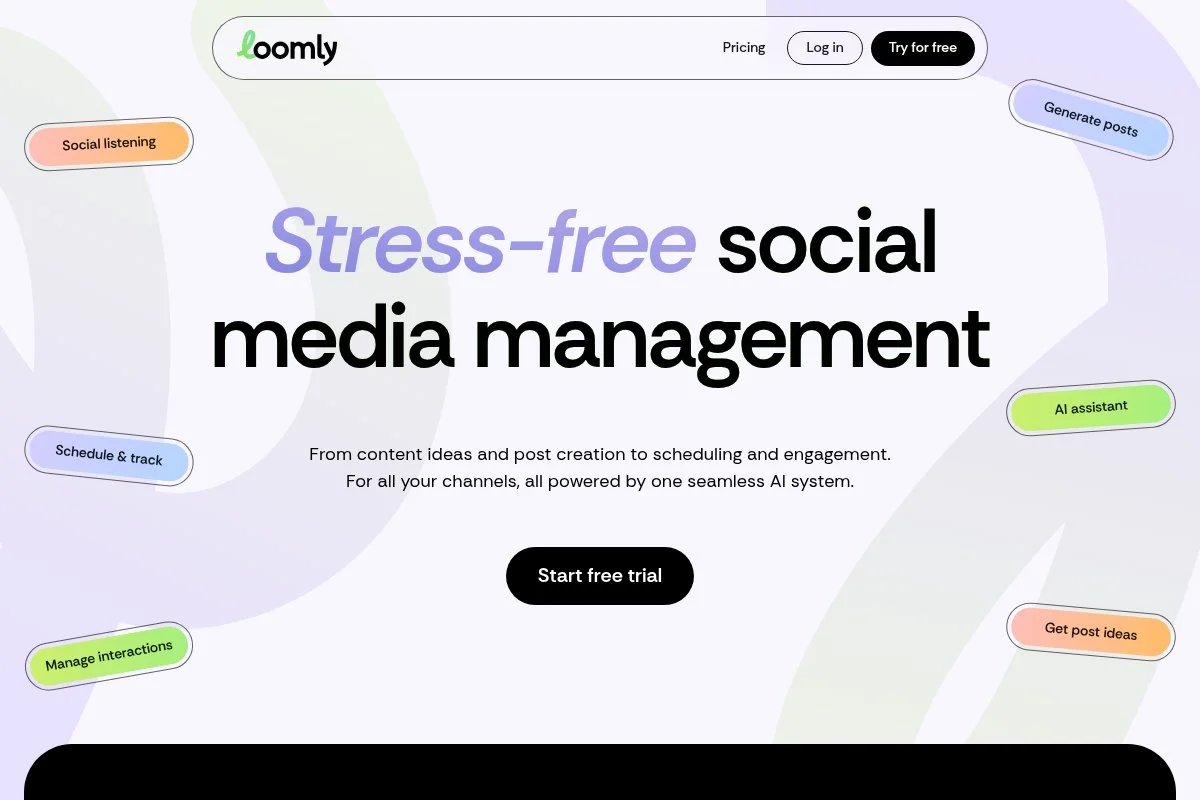
Loomly is built for brand calendars, team approvals, and tidy workflows. It’s popular with in-house marketing teams that need structure without heavy enterprise overhead.
Getting started is smooth: connect profiles, set posting slots, and create your content calendar. The post builder supports per-channel variants, asset libraries, and link tracking so you can stay organized.
Recent additions tightened collaboration with comment threads, versioning, and roles. The ideas feature and optimization tips help non-technical teammates craft posts aligned to best practices.
On higher plans, Loomly adds advanced approvals, custom workflows, and analytics reports that clients love. The built-in ad mockups are helpful for content planning, even if you manage paid in native ads managers.
We use Loomly on brand accounts that need multiple reviewers and a reliable audit trail. It gives stakeholders clarity without forcing them to learn a complex tool.
Support has been dependable in my experience, with quick answers on channel quirks and CSV imports.
How Loomly works and key features
Loomly’s calendar is the hub. Draft posts in a WYSIWYG editor, tweak per network, and save templates for common campaigns. Asset libraries keep media organized. Bulk upload speeds up months of content, and the approval path is clear.
Analytics cover engagement, reach, best time to post, and top-performing content. Automation includes posting presets, category slots, and link tracking. Integrations with Slack and cloud drives help with reviews and assets.
The tool also offers idea prompts and optimization checks. Support includes live chat on business hours and detailed guides. The experience balances ease for coordinators with enough control for managers.
Who Loomly is for
Great for in-house teams, agencies with client approvals, nonprofits with stakeholders, and franchises needing consistency. It excels at structured calendars, bulk planning, and clear sign-offs. If you want an advanced inbox or deep enterprise analytics, Sprout Social may fit better. No coding needed.
Loomly pricing
Loomly uses tiered plans based on users and profiles. There’s a free trial, then monthly or annual billing.
- Base: $42/month, 2 users, 10 social profiles, core scheduling and calendar
- Standard: $80/month, more users and profiles, analytics and collaboration
- Advanced: $175/month, expanded users/profiles, workflows and custom roles
- Premium: $369/month, larger teams, priority support and features
- Enterprise: custom pricing, SSO and advanced controls
Compared to competitors, Loomly’s bundled profiles can be better value than per-channel pricing, especially for teams with many brands. Annual billing can reduce your cost. If you manage only a few profiles, compare with Buffer’s per-channel plans.
Loomly pros and cons
Pros
- Excellent approvals and audit trails
- Bundled profiles offer predictable costs
- Helpful idea prompts and optimization tips
- Clean calendar for multi-brand planning
Cons
- Inbox features are lighter than Agorapulse/Sprout
- Advanced reporting is good, not enterprise-grade
- Costs climb as you add many users
If approvals and structure are your pain points, Loomly is a strong pick. If you need deep listening and service-level inbox, look at Sprout or Agorapulse.
Loomly reviews
G2: positive 4+ star rating. Capterra: positive 4+ star rating. Users often praise its calendar and approvals.
3. SocialBee
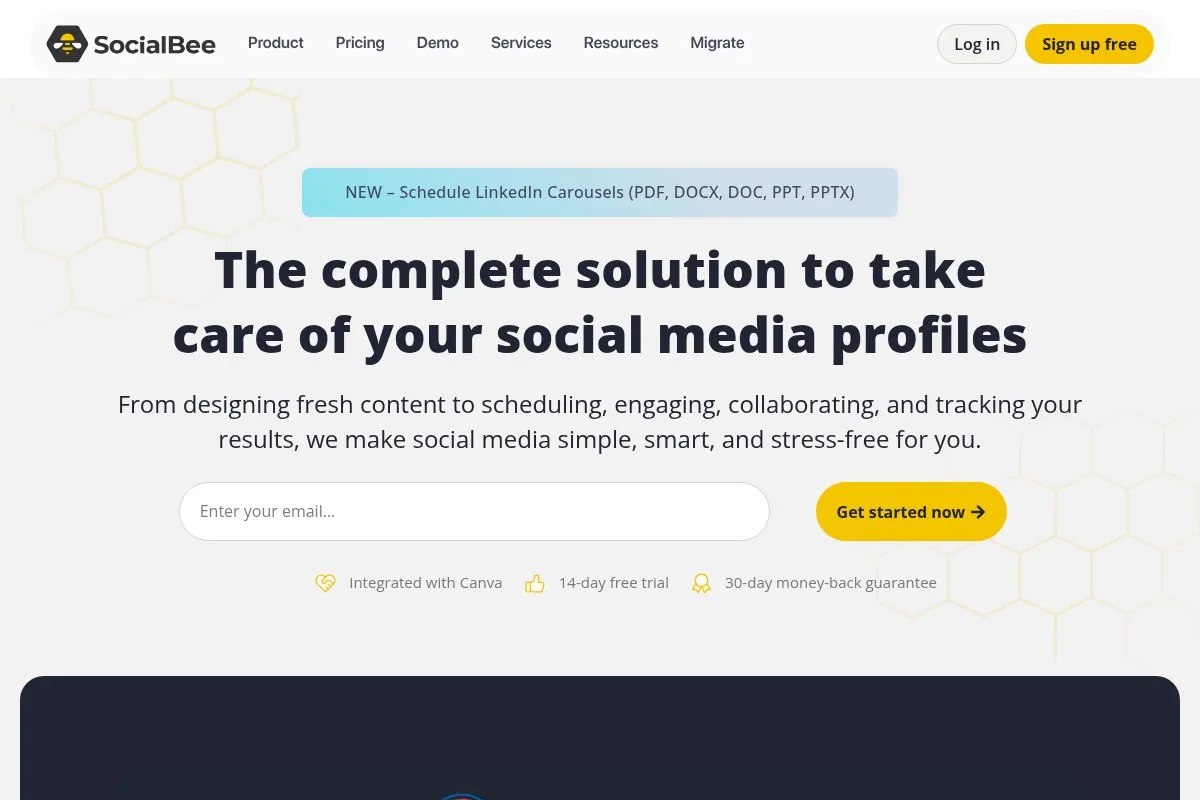
SocialBee focuses on content categories, evergreen recycling, and time-saving presets. It’s loved by SMBs that want consistent publishing without reinventing the wheel every week.
Setup is quick. You define categories, add posts to each bucket, and let SocialBee rotate content on your schedule. The editor lets you tweak by network and reuse variations.
Recent improvements added AI caption help, better Instagram features, and more flexible category rules. That makes it easier to keep a steady mix of thought leadership, promos, and curated links.
Higher tiers add more profiles, users, and analytics. You also get URL tracking, bulk import, and workspace separation for clients. It’s not trying to be everything—just very good at repeatable social.
I recommend SocialBee to teams that struggle with consistency. If your calendar is empty every Friday, this helps you fill it without burning out.
Documentation is thorough and the onboarding checklist is helpful for non-marketers.
How SocialBee works and key features
The main experience centers on categories and queues. You assign time slots to categories, drop content in, and SocialBee cycles posts based on your rules. The editor supports per-platform copy, UTM tags, and media variants.
Templates speed up recurring campaigns. Analytics cover clicks, engagement, and best-performing categories so you know which buckets to scale. Automations include recycling, time-slot presets, and bulk editing for seasonal changes.
There are extras like link shorteners and workspaces for agencies. Support is responsive with chat and guides. The tool balances ease with enough control for growing teams.
Who SocialBee is for
Ideal for SMB owners, coaches, service pros, local businesses, and small agencies. It excels at evergreen rotation, curated content, and keeping a steady cadence. If you need enterprise reporting or a sophisticated social inbox, consider Agorapulse or Sprout. Beginner-friendly, no technical skill required.
SocialBee pricing
SocialBee offers tiered plans based on profiles and features, with a free trial to test drive.
- Bootstrap: $29/month, 5 social profiles, category-based scheduling
- Accelerate: $49/month, 10 profiles, analytics and collaboration
- Pro: $99/month, 25 profiles, advanced features and workspaces
- Higher tiers and add-ons: for agencies and larger teams
Pricing is fair for SMBs and beats enterprise tools by a wide margin. Annual billing usually lowers the effective monthly rate. If you only manage one or two profiles, compare with Buffer’s free or low-cost per-channel plans.
SocialBee pros and cons
Pros
- Category queues make consistency easy
- Strong evergreen recycling
- Good value for SMBs and small agencies
Cons
- Inbox and listening are basic
- UI feels utilitarian vs. polished
- Limited enterprise integrations
If you want a set-it-and-maintain system, SocialBee is great. If you need advanced service workflows or deep analytics, look higher on this list.
SocialBee reviews
G2: high 4+ star rating. Capterra: high 4+ star rating. Users often praise the category system and recycling.
4. Agorapulse
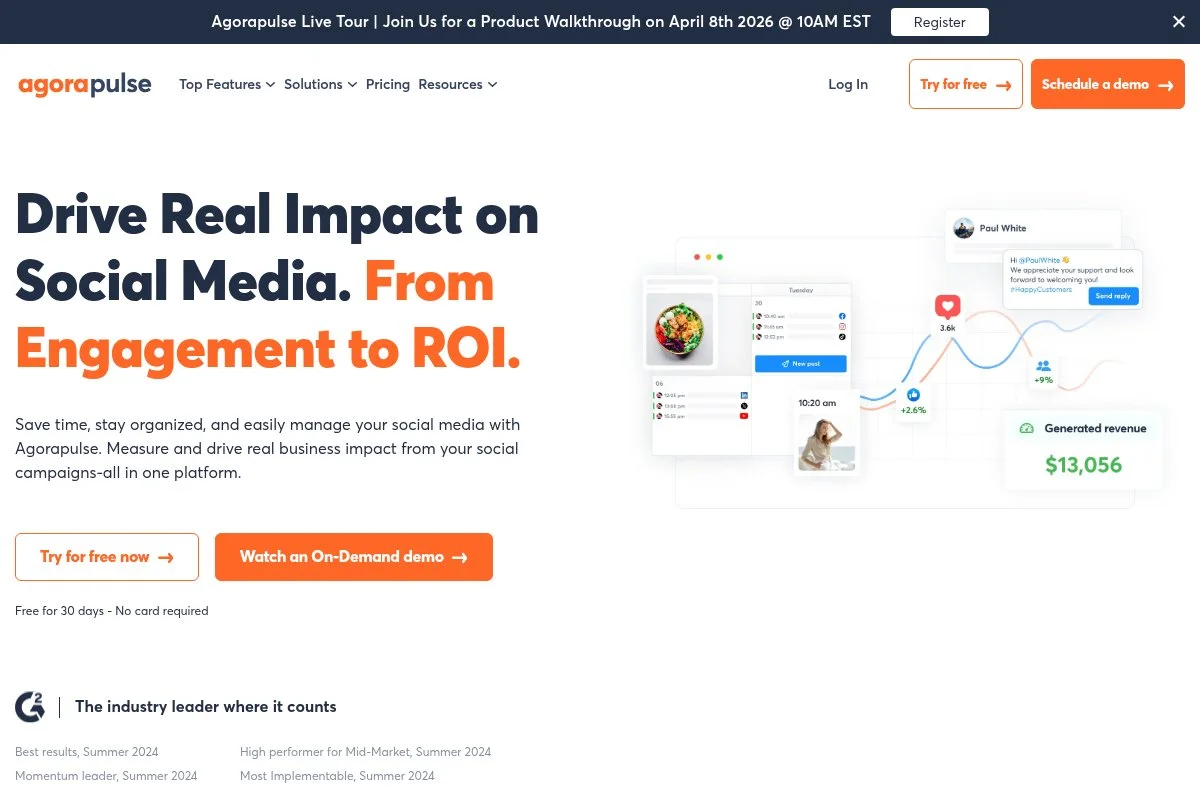
Agorapulse is a full suite for scheduling, unified inbox, and client-ready reporting. Agencies like it because it blends publishing with community management and clean exports.
Setup is straightforward. Connect profiles, invite teammates, and build your calendar. The inbox unifies comments and messages so your team doesn’t chase notifications across apps.
Recent enhancements strengthened reporting, including Power Reports and labeling. That makes it easier to show what’s working at campaign and content-type levels.
Premium plans add approval workflows, ROI tracking for some networks, team assignments, and listening for competitive checks. Those features are hard to find in lighter tools.
We’ve used Agorapulse for accounts with steady inbound questions. The inbox saves hours and reduces missed replies, which matters for brand trust.
Their support team knows the channel APIs well and gives practical advice on workarounds when platforms change rules.
How Agorapulse works and key features
You work from a central calendar and a unified inbox. The post editor handles per-network tweaks, media, tagging, and scheduling. Asset libraries and labels help keep campaigns organized across brands.
Analytics go deeper than basics: label-based reports, profile comparisons, and team response times. Automations include routing incoming messages, saved replies, and moderation rules. Listening surfaces mentions and keywords for quick checks.
Extras include competitor benchmarking and Power Reports for stakeholders. Support is strong, with live chat and solid onboarding for agencies. The day-to-day flow fits teams that publish and engage in one place.
Who Agorapulse is for
Great for agencies, customer support teams, franchises, and B2C brands with active comments and DMs. It excels at inbox management, label-based reporting, and multi-user workflows. If you only need scheduling and a light calendar, Buffer or SocialBee may be cheaper. Beginner-friendly with room to grow.
Agorapulse pricing
Agorapulse uses tiered, per-user pricing with a limited free plan for simple needs. Pricing varies by features and number of profiles.
- Free: $0/month, for 1 user with basic scheduling
- Standard: ~ $69/user/month, core scheduling and reports
- Professional: ~ $99/user/month, inbox, reports, and collaboration
- Advanced: higher per-user pricing, advanced reporting and listening
- Custom: enterprise features and SSO
It’s priced higher than creator tools but lower than many enterprise suites for similar features. Annual billing can reduce costs. If you have many light users, price it out carefully since it’s per-user.
Agorapulse pros and cons
Pros
- Unified inbox saves real time
- Label-based reporting and Power Reports
- Good agency features and workspaces
Cons
- Per-user pricing adds up
- Learning curve for inbox rules
- Listening is lighter than pure listening tools
If you manage engagement and publishing together, Agorapulse is worth it. If you only post and don’t handle replies, a lighter tool may save money.
Agorapulse reviews
G2: solid 4+ star rating. Capterra: solid 4+ star rating. Reviewers highlight the inbox and reporting.
5. Sprout Social
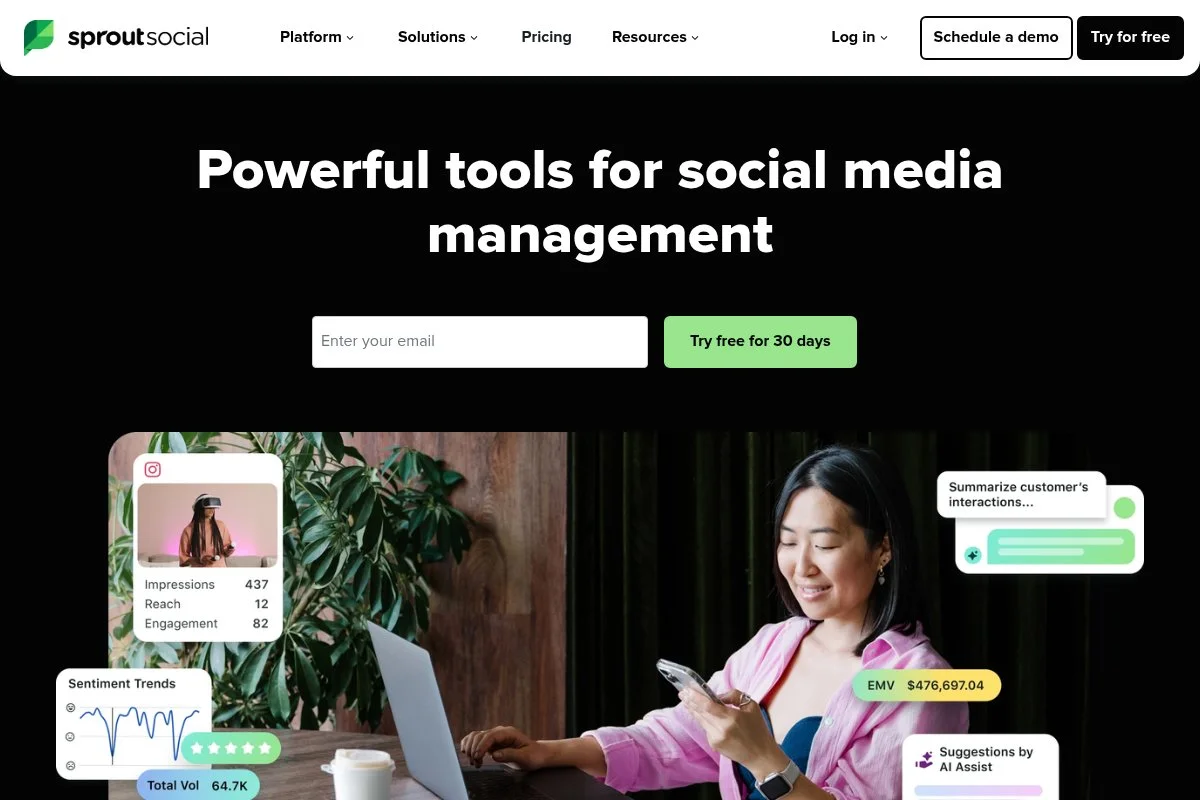
Sprout Social is the enterprise choice for scheduling, analytics, listening, and service. It’s used by larger organizations that need advanced reporting and team management.
You start with profiles and roles, then build calendars and queues. The interface is polished and consistent. The shared inbox and tasking features make collaboration with customer care smooth.
Recent feature work expanded analytics depth and listening coverage. For teams that must justify budgets with detailed reports, this matters. It’s overkill for small teams, but a powerhouse for big ones.
Premium tiers add custom permissions, automated workflows, asset management, and advanced listening. The reporting templates save time at month-end, which leaders appreciate.
I reach for Sprout on enterprise audits and when a client’s executive team needs roll-up dashboards. It’s expensive, but it checks boxes procurement cares about.
Support and onboarding are strong, with training resources for larger teams.
How Sprout Social works and key features
Sprout’s editor is clean, with per-network variants, asset libraries, and approval paths. The analytics suite is a highlight: profile-level and cross-network reports, tagging, and attribution options. Listening surfaces trends and brand mentions.
Automations include best-time scheduling, routing in the inbox, and tag-based workflows. There are extras like employee advocacy modules and asset management. Support includes onboarding, training, and a help center aimed at larger orgs.
Day-to-day, it feels enterprise-grade but still usable. It’s powerful for managers who need both control and clarity.
Who Sprout Social is for
Best for enterprises, universities, multi-brand retailers, and regulated industries. It excels at analytics, listening, and team workflows across departments. If you only need a scheduler and basic reports, the price won’t make sense. Not technical to use, but setup time is longer.
Sprout Social pricing
Sprout prices per user with tiers that expand features and profiles. No free plan; trials are sometimes available.
- Standard: $249/user/month, includes core scheduling and 5 profiles
- Professional: $399/user/month, advanced analytics and features
- Advanced: $499/user/month, automation and premium tools
- Enterprise: custom, with SSO and advanced governance
It’s pricey but delivers deep analytics and listening. If you have many light users, costs rise fast. Annual agreements can help. Compare against the cost of separate tools for scheduling, listening, and reporting—you may consolidate.
Sprout Social pros and cons
Pros
- Enterprise analytics and listening
- Strong inbox and team routing
- Executive-ready reporting templates
Cons
- High per-user pricing
- Longer setup and training time
- Overkill for small teams
If leadership needs sophisticated reports and listening, Sprout fits. If you just need to post and measure basics, go with a lighter pick.
Sprout Social reviews
G2: positive 4+ star rating. Capterra: positive 4+ star rating. Reviewers praise analytics and team workflows.
What is the best social media scheduling tool right now?
My top picks this year are Buffer, Loomly, and Agorapulse. Buffer wins for creators and lean teams. Loomly is my go-to for clean approvals. Agorapulse is the choice when engagement and reporting are equally important.
Buffer is my personal daily driver. No sponsorship, no special deal—just the tool I reach for because it helps me post consistently. I found it years ago while hunting for a simple queue that didn’t slow me down. The calendar, quick edits per network, and fair pricing sold me.
From a value angle, Buffer scales well. If you run two or three profiles, paying per channel stays cheaper than enterprise per-user plans. As you add channels, Loomly’s bundles may beat it—but until then, Buffer’s simplicity saves time and money.
Loomly is a close second. Its approval flow and brand calendar keep multi-stakeholder teams aligned. Recent workflow improvements make it even better for in-house teams that live in content plans.
What I like most about Loomly is the balance: structured calendar, tidy approvals, and enough analytics to brief leadership. If I were running only brand accounts with multiple reviewers, I’d pick Loomly without hesitation.
Agorapulse is my third pick, especially if you handle replies at volume. The unified inbox and label-based reporting are worth the premium over lighter tools. There’s a free plan to try basics before you commit.
On bigger programs, I’ll mix tools. I might use Buffer for quick testing on my personal LinkedIn while a client team runs Loomly or Agorapulse for approvals and inbox. Use what fits the job, not what’s trendy.
Choosing between these is a real decision. I stuck with Buffer because it keeps me consistent with the least friction, and my heavier client needs are covered by Loomly or Agorapulse when they make sense.
I hope this helped you land on the right fit. If you’re still unsure, start with Buffer’s free plan or Loomly’s trial and run a week of posts. You’ll know fast which one feels right. Happy scheduling.
Frequently Asked Questions
Q: What social networks can these tools post to?
Most cover Facebook, Instagram, LinkedIn, X (Twitter), Pinterest, and TikTok. You’ll also see YouTube and Google Business Profiles in some plans. Always check per-network limits like reels, stories, and carousels.
Q: Do I need an approvals workflow if I’m solo?
Probably not. A simple queue and calendar are enough when you’re the only reviewer. As soon as clients or execs get involved, approvals and comment threads save headaches.
Q: How do I estimate monthly costs as I grow?
List profiles and users now and six months out. Compare per-channel vs. bundled profile plans. Per-user pricing can spike, so map roles carefully and remove unused seats.
Q: Can I recycle content without hurting reach?
Yes, if you space it out and vary captions and media. Tools like SocialBee help rotate evergreen posts. Track performance; if repeats dip, refresh the creative or timing.
