

A client in a competitive fintech niche came to us plateauing. Good domain, decent content, but rankings had flatlined and the editorial team was spending more time on rewrites than on publishing. Something in the workflow was broken.
That kicked off a deep stretch of testing content tools — not demos, but actually running briefs, drafts, and optimization checks through them on live articles with real deadlines on the other side. Some tools that looked impressive in a walkthrough turned out to slow everything down once we were under pressure. Others quietly became things I’d fight to keep.
What I’ve noticed about the teams that consistently produce content that ranks — and increasingly, content that gets cited in AI answers — is that they’re not using the most sophisticated setup. They’ve got a tight loop they actually stick to: brief, draft, optimize, fact-check, publish, look at what happened, repeat. The tools they use slot cleanly into that loop without adding friction or requiring a meeting to figure out.
I’ve spent a lot of time this year inside content tools on live client work across search, AI visibility, and editorial quality. Not reading feature pages — actually using them to produce articles that have to perform.
This guide covers the eight that held up. Where each one genuinely helps, where it falls short, and which type of team or workflow it’s best suited for.
What I’d recommend to someone who has to defend their content investment in a client report.
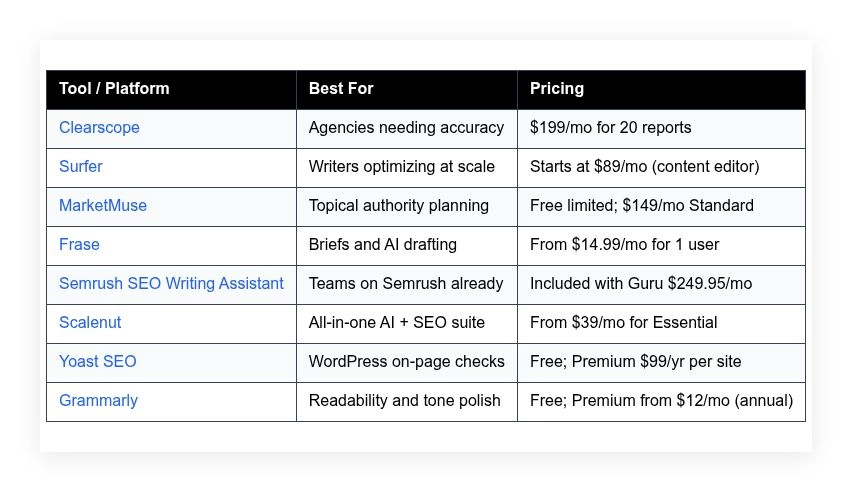
Quick summary table is below to help you narrow the field before the full breakdown.
Content optimization tools I would recommend in 2026
Scroll for my hands-on take on each option, including which one I personally use and the best free paths for beginners.
What is a content optimization tool?
A content optimization tool is software that analyzes your draft against search results and reader signals to improve relevance, clarity, and on-page SEO. Its primary job is to help you publish content that ranks and converts.
In search, the saying “measure twice, cut once” applies. If you validate topics, entities, and structure before publishing, you avoid expensive rewrites and slow course corrections later.
Think about it like this: getting a page into the top three on Google for a high-intent term can drive the same traffic as posting daily on a social channel for months. One well-optimized evergreen article can outwork dozens of short posts.
The core purpose: these tools give writers, editors, and SEOs a shared space to research SERPs, outline with confidence, enrich drafts with key terms and entities, and validate on-page basics so the final piece performs.
Teams often pair them with keyword research suites (Semrush, Ahrefs), on-page plugins (Yoast), link building tools, and analytics (GA4, Search Console) to close the loop from idea to impact.
Not all tools are equal, though, so it pays to match features and pricing to your actual workflow.
How to choose the best content optimization tool
There are a lot of options, and they can start to blur. It’s normal to feel stuck comparing editors, scores, and pricing pages when all you want is a better draft and fewer edits.
I wrote this guide to help you find a practical fit for your workflow, your team size, and your budget—without overbuying features you won’t touch for months.
Most guides on this topic come from the vendors themselves or from media sites with sponsored placements. I’m not sponsored by any platform on this list. This is a straight look at what I’ve used on real client work and what I’d spend my own budget on.
Here are some questions you should ask when looking for a tool:
- How generous is the free tier or trial, and what’s limited?
- Is the editor easy for drafting, scoring, and brief handoffs?
- Can it scale with more users, sites, and content volume later?
- What happens to your monthly cost as reports or articles grow?
- Does it cover entities, outlines, internal links, and on-page checks?
- Are analytics clear on what to fix and what moved results?
- How hard is it to export content or migrate if you switch?
- What quality controls exist for AI-assisted drafting?
- Any unique technical needs (CMS plugins, API, languages, compliance)?
It’s a lot to weigh, I know. The ranked picks below reflect how I balance power, price, and day-to-day usability for real teams.
Let’s get into the list!
8 best content optimization tools in 2026
Here are my top picks for the best content optimization tools:
- Clearscope
- Surfer
- MarketMuse
- Frase
- Semrush SEO Writing Assistant
- Scalenut
- Yoast SEO
- Grammarly
Let’s see which one is right for you.
1. Clearscope
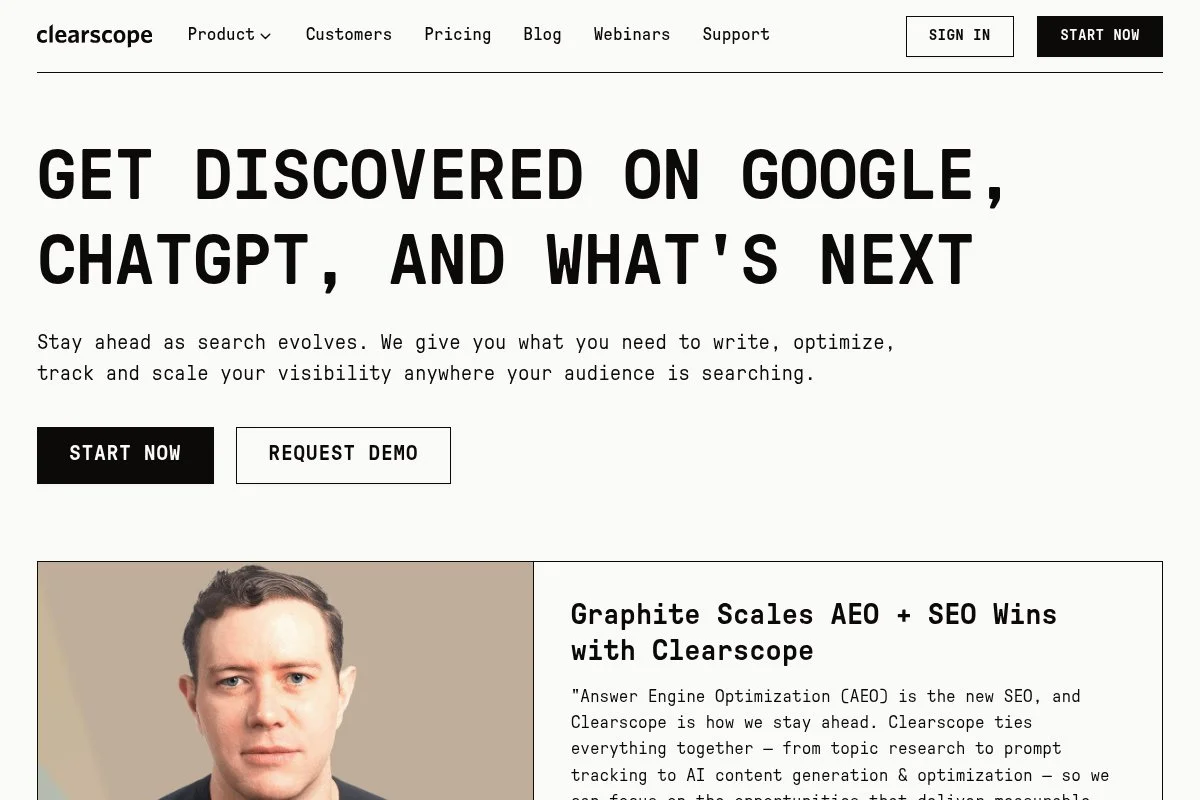
Clearscope is a focused optimization platform built for writers and SEO teams who want clean guidance, strong entity coverage, and simple handoffs. It’s been a go-to for agencies and in-house teams for years, thanks to reliable scoring and a no-frills workflow.
You start on the Essentials plan at $199/month, which lets you generate reports for target keywords and write inside a familiar editor. The experience centers on a content grade, suggested terms, headings, and readability. I rely on its term suggestions and head-to-head competitor view during revisions.
Recent updates improved Google Docs and WordPress add-ons, making it easier to optimize without switching tabs. The research view has also seen steady improvements, which helps align briefs with live SERPs faster.
On higher tiers, Clearscope supports more reports, more users, and collaboration features that agencies need. Shared reports and workflow-friendly exports keep content moving through editing and stakeholder reviews.
I use Clearscope weekly. It’s not flashy, and that’s the point. I get a reliable grade, a realistic term list, and a final draft that doesn’t require three extra meetings.
One small plus: their support team answers with practical fixes and not canned scripts. Documentation is short, clear, and easy to share with freelancers.
How Clearscope works and key features
The editor is straightforward: a live content score on the right, suggested terms with frequency ranges, and competitor examples. You can copy/paste drafts or write from scratch. Templates are light by design; most teams bring their own outlines, then fill gaps using the term list.
Power users can export to Google Docs, push to WordPress with the add-on, and bring in custom workflows. Analytics focus on grades, term coverage, and readability; you’ll still use Search Console for traffic and rankings.
Automation is minimal and intentional. The value is guidance, not auto-writing. You can spin up reports, assign to writers, and track progress inside the app. No bloat.
“It keeps writers aligned without micromanaging every paragraph,” said a content lead I work with on B2B SaaS pages.
Overall, it’s beginner-friendly and still strong for advanced editors who want accurate suggestions rather than heavy AI drafting.
Who Clearscope is for
Best for agencies, B2B SaaS teams, publishers, and consultants who want dependable term guidance and clean collaboration. Great for refresh projects, new long-form posts, and product-led content where precision matters. If you need full-suite keyword research and link tools, you’ll pair it with Semrush or Ahrefs. Writers who want built-in AI drafting may prefer Frase or Scalenut.
Clearscope pricing
Clearscope uses a tiered model based on reports and users. There’s no forever free plan; you pay for access and accuracy. A trial is sometimes available on request.
- Essentials: $199/month, 20 reports, 1 user; content grading, term suggestions, docs/WordPress add-ons
- Business: Custom pricing, higher report volumes, multiple users, collaboration and support SLAs
Compared to peers, it’s pricier than Frase or Scalenut but valued by teams that need consistent guidance at scale. Annual billing can lower the effective monthly rate; ask sales if you’re scaling users or reports.
Pros and cons of Clearscope
Pros
- Accurate term and entity suggestions aligned to live SERPs
- Clean editor with reliable content grading
- Strong Google Docs and WordPress integrations
- Great for agency workflows and refresh projects
Cons
- Higher starting price than many alternatives
- Light templates; expects your own brief process
- No deep keyword research or link tools built-in
If you want accuracy and speed in revisions, pick Clearscope. If you need AI drafting or lower costs, start with Frase or Scalenut.
Clearscope reviews
G2: 4.8–4.9/5 star rating (public listing). Capterra: High-4 star rating (public listing). Listings and counts change; check the latest pages for current numbers.
2. Surfer
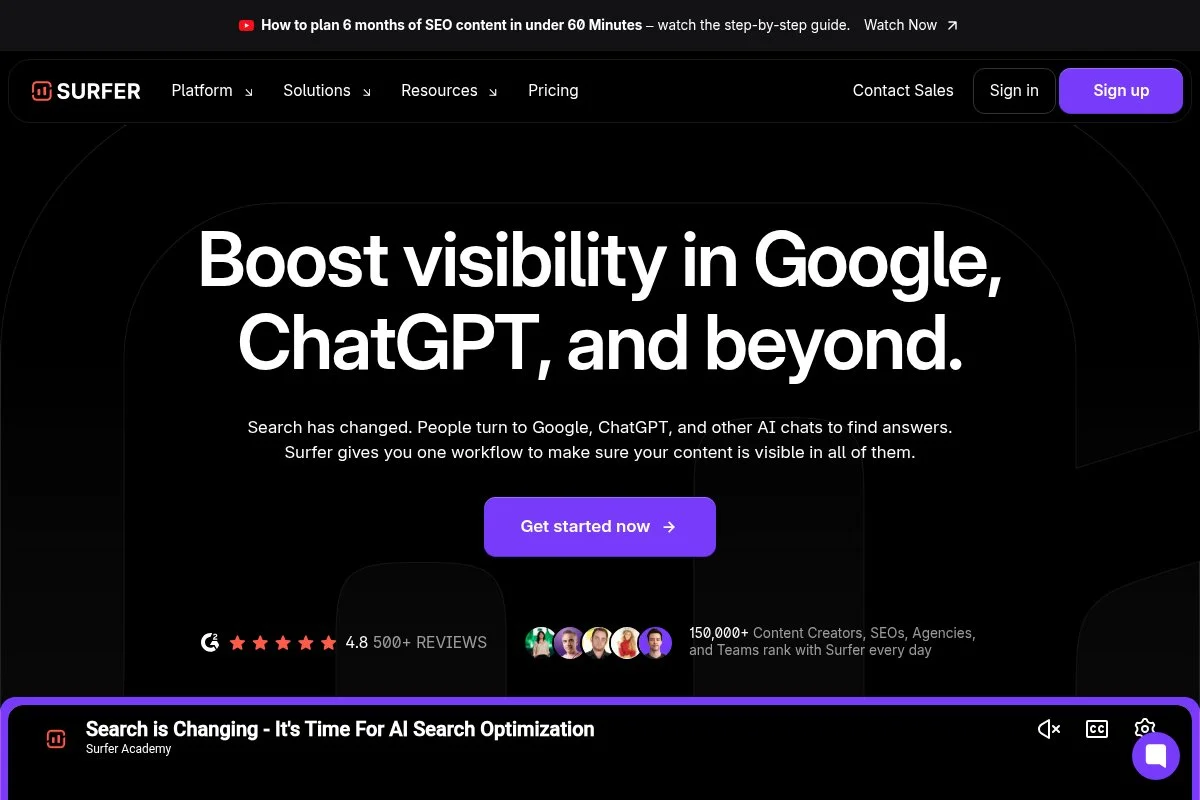
Surfer is an optimization platform known for its content editor, audit, and SERP analyzer. The company grew from a power-user community of SEOs who cared about on-page signals and repeatable workflows.
Entry pricing typically starts at $89/month for the content editor. Setup is quick: create a query, open the editor, and write against a live score with terms, headings, and structure tips. The Audit tool helps fix underperforming pages with specific to-dos.
Recent product cycles tightened integrations and improved outline building. Surfer’s AI writing features help with first drafts, but I mainly use its editor for optimization and the audit to prioritize fixes.
Higher plans add more articles per month, NLP features, and collaboration for teams. The SERP Analyzer remains useful for spotting gaps and competitor structure without leaving the app.
I don’t use Surfer on every project, but it’s a frequent pick for content refresh sprints where the audit shines.
Support is responsive, and the learning resources are practical—lots of “do this next” style guides that help ramp new writers.
How Surfer works and key features
Surfer’s editor offers a live score, term suggestions, and a structure panel. Templates are simple, with outline generation if you want a head start. Advanced users can dig into the SERP Analyzer to compare headings, word counts, and partial term matches.
Analytics include content scores and audit results; you’ll pair with GA4 and Search Console for traffic. Automations can schedule audits and build batch outlines. Surfer also offers integrations with Google Docs and WordPress to keep writers inside their normal tools.
Customer support is solid, and there’s a strong community around real use cases. The overall experience balances beginner-friendly writing with enough depth for technical on-page work.
Who Surfer is for
Great for content teams, niche site builders, agencies, and solo SEOs who want a strong audit plus an editor that scales. Ideal for refresh programs, content hubs, and batch optimization. If you need deeper topic modeling or enterprise controls, consider Clearscope or MarketMuse.
Surfer pricing
Surfer uses tiered pricing based on article credits and features. There’s no permanent free plan for the editor; trials and promos appear from time to time.
- Essential: Starts around $89/month, article credits for the editor, content scoring and terms
- Advanced: Higher monthly article limits, audit features, collaboration
- Max/Enterprise: Custom limits, team seats, priority support
Value lands mid-range: cheaper than Clearscope for heavy use, more than very low-cost tools. Annual billing can reduce monthly cost. Check the current limits before committing if you plan bulk production.
Pros and cons of Surfer
Pros
- Editor with clear scores and term guidance
- Useful audit for refresh and quick wins
- Solid docs and community support
Cons
- Credits can burn fast with large teams
- AI drafts need strong human editing
- Less “enterprise” control than some rivals
Pick Surfer if you want a practical editor plus an audit that finds fixes. If you want ultra-precise term sets, Clearscope is tighter.
Surfer reviews
G2: High-4 star rating (public listing). Capterra: High-4 star rating (public listing). Ratings and counts shift often—check current listings for details.
3. MarketMuse
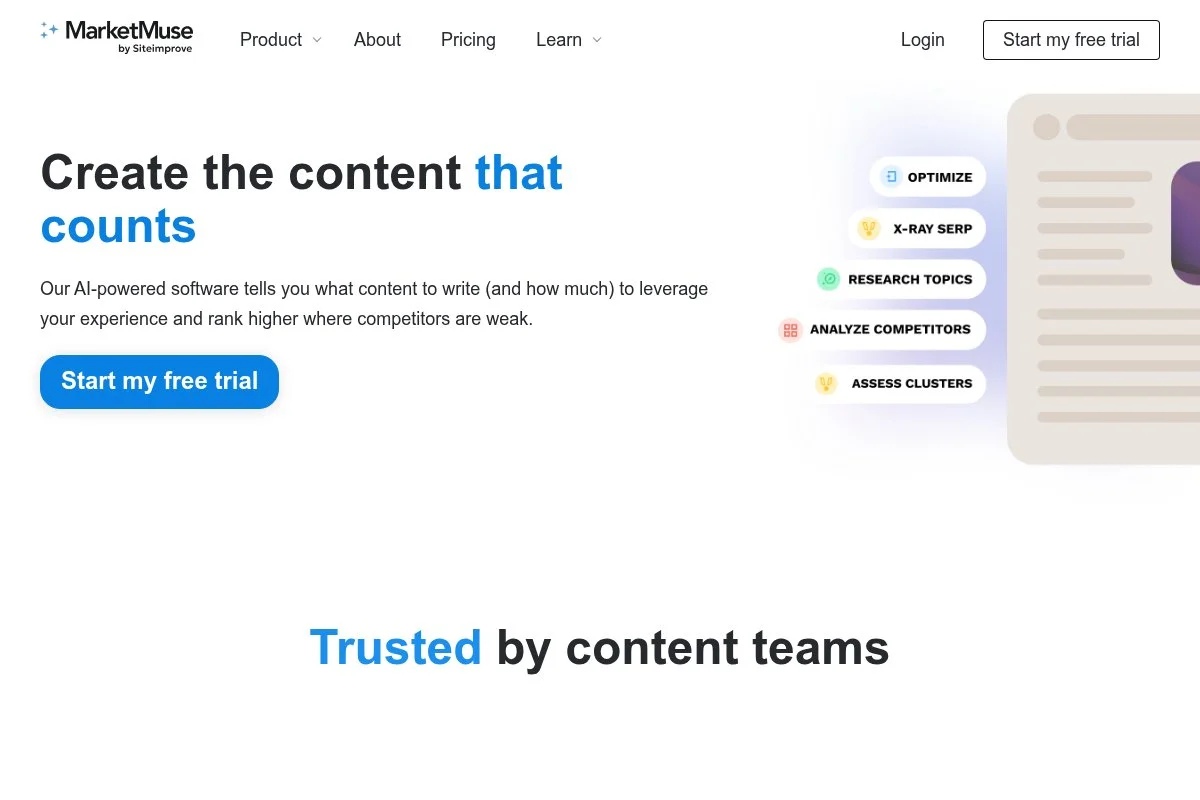
MarketMuse focuses on topic modeling, content inventory, and planning. It’s designed for teams building authority across clusters, not just optimizing single posts. The platform’s been around for years and is known for deep research views.
There’s a limited free tier to test the waters, with paid plans starting at $149/month. Getting started means connecting your site, running an audit, and using the editor to align drafts to topic models. The inventory helps prioritize what to create or update next.
Recent updates improved the projects view and simplified content briefs. The editor guidance has also become more actionable, which helps bring writers along without drowning them in data.
On higher tiers, you get more domains, more users, and richer inventory analysis. This is useful for publishers and enterprises with hundreds of URLs to triage.
I like MarketMuse for content planning and gap analysis. When we’re mapping clusters for a new product category, it surfaces themes I’d miss in a quick manual pass.
Support is personable, and onboarding sessions are worth it if you’re new to topic modeling.
How MarketMuse works and key features
The interface splits between inventory, research, and editor. Templates exist for briefs, but teams often customize. Advanced users tap into topic models, competitive analysis, and content scoring. Integrations help export to docs or CMS, and the platform tracks progress across projects.
Analytics focus on content scores, priority metrics, and gap insights; you’ll still measure traffic and rankings in GA4 and Search Console. Automations can flag pages to refresh and suggest internal links within clusters.
Support includes onboarding and help docs. Overall, it’s powerful for strategy and still usable for writers with a clear brief.
Who MarketMuse is for
Best for publishers, enterprise SEO teams, and agencies managing large libraries. Great for building clusters, setting priorities, and briefing writers on complex topics. If you just need a quick editor and a score, Surfer or Clearscope may be lighter and cheaper.
MarketMuse pricing
Pricing scales by features and usage, with a free tier for limited testing.
- Free: Limited queries and basic features to try the workflow
- Standard: $149/month, expanded queries, content briefs, and editor access
- Team: $399/month, multiple users, higher limits, advanced inventory
- Premium/Enterprise: Custom, higher volumes, domains, and support
Value sits higher than basic editors but adds planning and inventory you won’t get elsewhere. Annual billing often reduces the monthly rate. If you’re managing 500+ pages, the time saved can justify the price fast.
MarketMuse reviews
G2: High-4 star rating (public listing). Capterra: High-4 star rating (public listing). Reviews point to strong planning features and a learning curve.
4. Frase
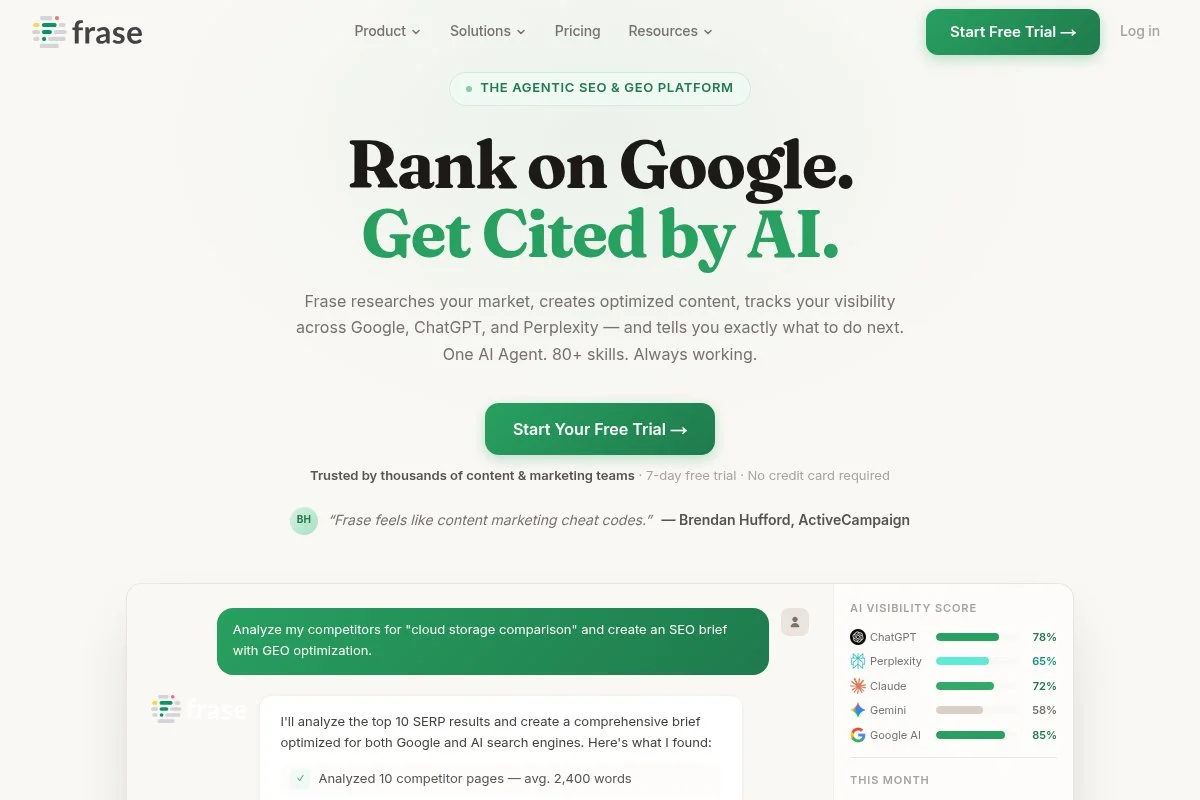
Frase blends SERP research, briefs, and AI-assisted drafting. It’s popular with lean teams that want to go from topic to outline to draft in one place. The company has focused on practical AI features over the last few years.
Plans start at $14.99/month for a single user, which makes it an easy entry point. The interface walks you through research, outline creation, and drafting with a live optimization score. It’s fast to get a publishable first draft that a human can tighten.
Recent releases improved outline generation and added better AI controls. This helps avoid generic drafts and keeps content closer to the brief.
Higher tiers add more documents, team seats, and integrations. If you write a lot of first drafts and want a guided process, Frase hits the sweet spot.
I use Frase for early drafts on time-boxed projects. It’s not magic, but it kickstarts structure so writers can spend energy on expertise and examples.
Docs and community examples are helpful, especially for freelance writers joining a new client account.
How Frase works and key features
Frase’s workspace combines SERP research, outline building, and a WYSIWYG editor with a live score. Templates help with briefs, and you can customize outlines by dragging sections. Power users can add custom prompts and bring in data from other tools.
Reporting highlights content scores and suggested terms. Automations cover outline generation and AI drafts under your control. Frase integrates with Google Docs and offers export options; support is responsive with clear tutorials.
Overall, it’s beginner-friendly and strong for fast drafting, as long as you keep a steady human editor in the loop.
Who Frase is for
Ideal for freelancers, small agencies, and startups who need quick briefs and first drafts. Great for blog posts, how-tos, and listicles. If you need enterprise controls or deep planning, look at MarketMuse. If you need the cleanest term guidance, consider Clearscope.
Frase pricing
Frase uses tiered pricing based on users and document limits. There’s a low-cost entry plan for solos and higher tiers for teams.
- Solo: $14.99/month, 1 user, entry document limits, AI-assisted outlines
- Basic: $44.99/month, 1 user, higher document limits, optimization tools
- Team: $114.99/month, 3 users, team workflows and expanded limits
It’s one of the more affordable paths to AI-assisted briefs and drafts. Annual plans cut costs further. Watch document caps if you scale fast.
Frase reviews
G2: High-4 star rating (public listing). Capterra: High-4 star rating (public listing). Reviewers praise the brief workflow and entry pricing.
5. Semrush SEO Writing Assistant
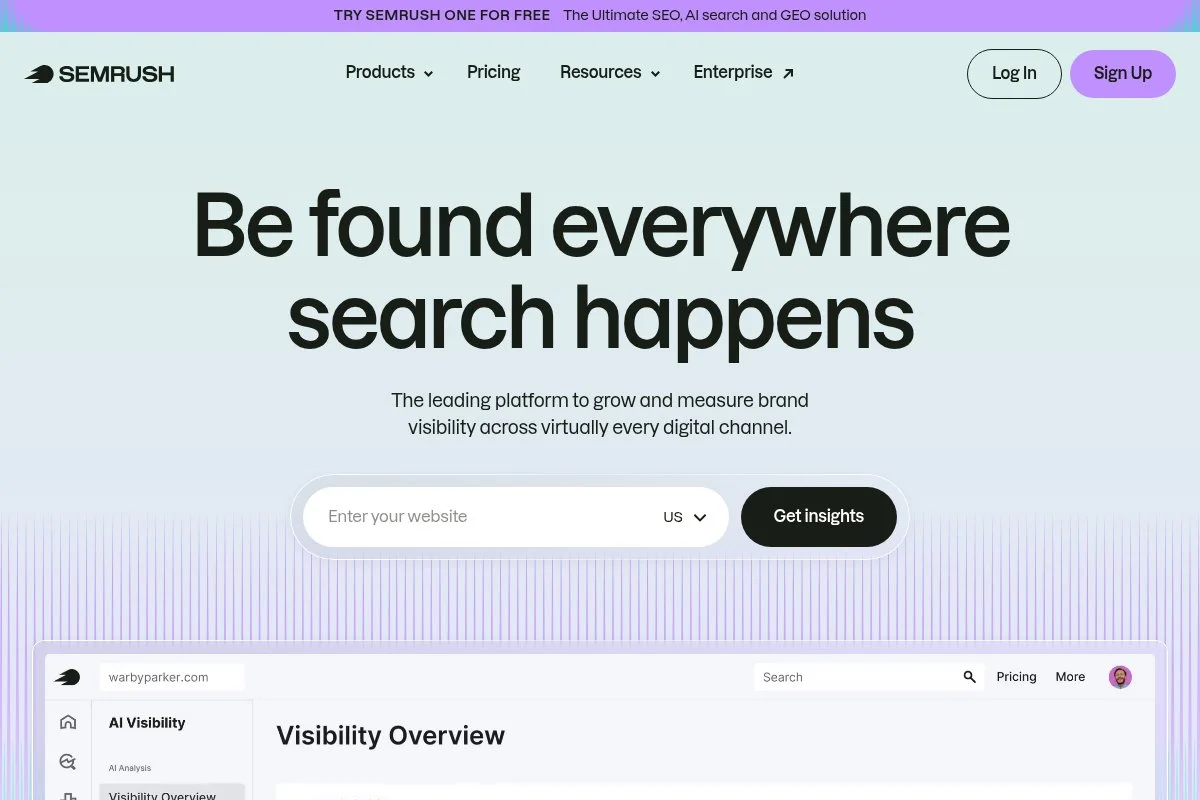
Semrush’s SEO Writing Assistant (SWA) gives optimization checks inside your favorite editors. It builds on Semrush’s keyword and domain data, so it fits teams already using the suite for research and tracking.
You’ll need the Guru plan (listed at $249.95/month) to access the content toolkit. Getting started is simple: generate a recommendation set, then write in Google Docs, WordPress, or the in-app editor with real-time tips on readability, tone, and SEO.
Semrush keeps shipping updates across the suite, and SWA benefits from better keyword data and templates. It’s not the deepest content editor, but the convenience is great for teams living in Semrush already.
Higher tiers add more seats, projects, and content limits. If you’re using Semrush for audits, backlinks, and tracking, SWA becomes an easy add to keep writers aligned.
I reach for SWA inside Docs when collaborating with non-SEO stakeholders. It reduces friction and keeps basic checks in the same window.
Semrush’s help center and chat support are strong, and there are plenty of tutorials to onboard new writers fast.
How Semrush SEO Writing Assistant works and key features
SWA runs as an add-on that shows target keywords, readability, tone, originality checks, and basic SEO tips. Templates can be made from Semrush research, then shared. Advanced users connect projects, import keywords, and tie content to tracking.
Reporting highlights content scores and optimization tasks. Automations are light; the main value is guidance where you write. It pairs with Semrush’s broader tools—Site Audit, Position Tracking, Backlink Analytics—for full-cycle SEO.
Support is reliable, and the experience is best for teams already in the Semrush world. It’s balanced for beginners and pros who want convenience over deep topic modeling.
Who Semrush SEO Writing Assistant is for
Best for teams already paying for Semrush who want basic optimization checks inside Docs and WordPress. Great for editorial teams that need tone/readability plus on-page pointers. If you don’t use Semrush, a standalone editor like Surfer or Clearscope may be a better buy.
Semrush SEO Writing Assistant pricing
SWA is included in Semrush’s content toolkit, available on higher plans. There’s no separate per-seat price for SWA alone.
- Pro: $129.95/month, core SEO features (content toolkit limited)
- Guru: $249.95/month, content marketing toolkit including SWA, more projects and data
- Business: $499.95/month, larger limits, sharing, and advanced features
If you already budget for Semrush, adding SWA is efficient. If you only need an editor, it’s pricey compared to Frase or Surfer. Annual billing discounts are available.
Semrush SEO Writing Assistant reviews
G2 (Semrush suite): High-4 star rating (public listing). Trustpilot (Semrush suite): Mixed to positive (public listing). Ratings cover the full suite, not just SWA.
6. Scalenut

Scalenut is an AI + SEO suite that covers topic research, briefs, AI drafts, and optimization. It’s built for teams that want most steps under one roof, from keyword clustering through to a ranked draft.
Plans start from $39/month, which is attractive for small teams. The workflow moves from keyword planner to content outline, then into an AI-assisted editor with a live score. It aims to reduce tool-switching and speed up first drafts.
Recent versions improved clustering and added better control over AI tone and depth. For teams building content hubs fast, that saves real time.
Higher tiers add more users, documents, and advanced features like topic clusters and NLP terms. It won’t replace your full SEO suite, but it closes gaps many editors leave open.
I use Scalenut for sprint-style content calendars where we need outlines and drafts in days, not weeks.
Support is friendly, and onboarding is guided with templates that help non-technical writers.
How Scalenut works and key features
The interface walks you through keyword research, clustering, and brief creation, then into a guided editor. Templates for articles and briefs are editable, and AI controls let you steer tone and length. Advanced users can export to Docs, add custom prompts, and connect to CMS workflows.
Analytics focus on content scores and topic coverage; use your SEO suite for rankings. Automations handle outline and draft generation at scale. Support includes live chat and a library of short tutorials.
It’s friendly for beginners but has enough settings for experienced editors who want to manage AI carefully.
Who Scalenut is for
Good for startups, ecommerce blogs, agencies, and solopreneurs who want research-to-draft in one place. Strong for hub-and-spoke projects and list posts. If you want the most precise term guidance, Clearscope is tighter. If you want a low-cost brief tool only, Frase Solo is cheaper.
Scalenut pricing
Scalenut uses tiered, feature-based pricing with content limits that rise per plan. A free trial is often available.
- Essential: $39/month, core AI writing and optimization, single user
- Growth: $79/month, higher limits, topic clusters, more SEO features
- Pro: $149/month, multiple users, collaboration, advanced controls
- Enterprise: Custom, custom limits, SSO, and support SLAs
It’s strong value compared to editors that charge per article. Annual discounts are common. Check exact monthly caps if you plan to scale output fast.
Scalenut reviews
G2: High-4 star rating (public listing). Capterra: High-4 star rating (public listing). Users like the research-to-draft workflow and price point.
7. Yoast SEO
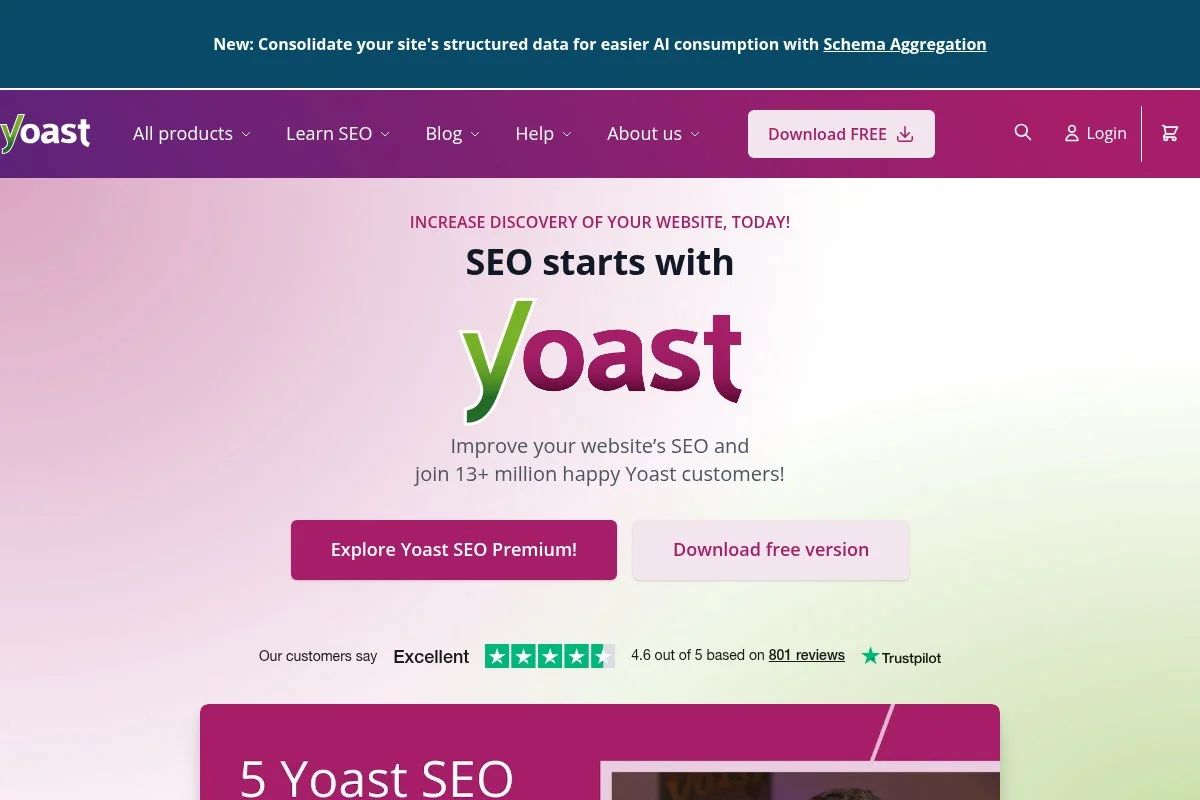
Yoast SEO is the classic WordPress plugin for on-page checks, metadata, and technical helpers. It’s been part of the WordPress playbook for years and remains a reliable safety net for writers and editors.
There’s a free version with core features and a Premium plan at $99/year per site. Setup is fast, and the traffic-light checks inside the editor guide titles, meta, headings, internal links, and readability.
Recent releases improved schema, internal linking suggestions, and integrations. It’s not a full-blown content editor, but it keeps on-page issues from slipping through.
Premium adds multiple focus keyphrases, redirects, and more internal link guidance. For WordPress teams, it’s a low-lift win.
I use Yoast as a last-mile check before publishing on WordPress sites. It won’t write for you, but it saves avoidable mistakes.
Docs are excellent, and the plugin rarely causes editor confusion for non-technical users.
How Yoast SEO works and key features
Yoast lives inside the WordPress editor. It scores SEO and readability, suggests fixes, and lets you control titles, URLs, and schema. Templates are handled through WordPress, and advanced users can tweak schema and indexing settings.
Analytics are light—more like checklists—so you’ll rely on Search Console and GA4 for performance. Automations include redirects in Premium and internal link suggestions. Support comes through docs, forums, and Premium help.
For WordPress, it’s beginner-friendly and a steady helper for pros who want fast checks without leaving the editor.
Who Yoast SEO is for
Perfect for WordPress bloggers, small businesses, publishers, and agencies that need guardrails on titles, schema, and links. Great as a final QA step. If you need topic modeling and deep editors, pair Yoast with Clearscope, Surfer, or Frase.
Yoast SEO pricing
Yoast’s pricing is simple and site-based.
- Free: Core on-page checks, basic schema, readability, XML sitemaps
- Premium: $99/year per site, redirects, multiple keyphrases, internal linking suggestions, Premium support
It’s excellent value as a guardrail. If you manage many sites, costs add up per domain. Pair it with your favorite editor for a complete workflow.
Yoast SEO reviews
G2: High-4 star rating (public listing). WordPress.org: Strong ratings (public listing). Reviews focus on ease of use and helpful checks.
8. Grammarly
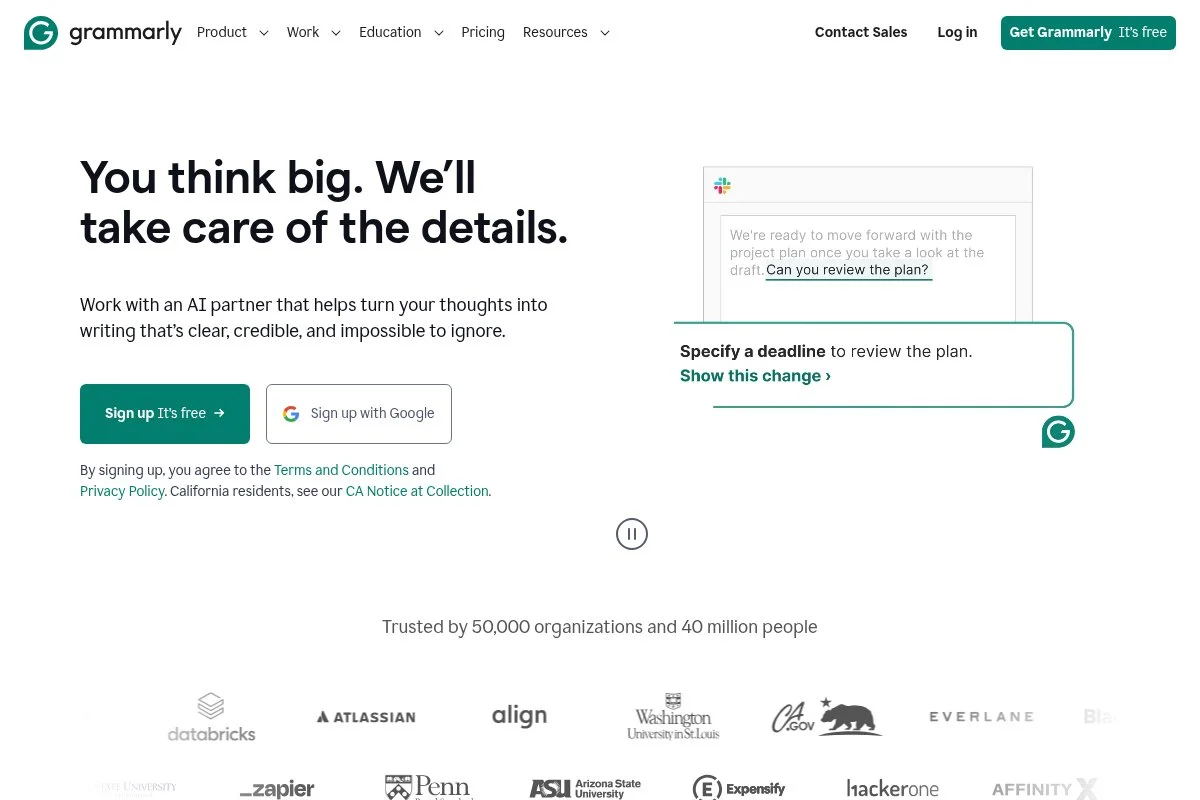
Grammarly isn’t an SEO editor, but it’s part of my optimization stack for clarity, tone, and consistency across drafts. It helps keep expert content readable, which impacts dwell time and conversions.
There’s a free plan for basics and Premium starting near $12/month when billed annually. Setup is as simple as installing the browser extension or using the web editor. You’ll get checks for correctness, clarity, tone, and style.
Recent versions improved tone rewrites and document-level suggestions. Business plans add style guides and team control, which is helpful for larger content groups.
Higher tiers unlock brand voice features and shared guides. I still run every draft through Grammarly before final QA—it catches fatigue errors humans miss at 11 p.m.
Support and docs are straightforward, and the tool stays out of the way once you set it up.
How Grammarly works and key features
Grammarly runs in your browser, Google Docs, Word, and email. It flags issues in a sidebar with one-click fixes and suggestions. Templates aren’t the focus; consistency tools and brand guidelines help teams keep a steady voice.
Reporting shows overall scores and tone breakdowns. Automations include autocorrect and rewrite options. Beyond editing, it offers snippets and style rules for repeated phrases. Support is quick for billing and common issues.
It’s beginner-friendly and still useful for senior editors who want a fast pass on clarity and tone.
Who Grammarly is for
Writers, editors, marketers, and founders who want clear, consistent copy. Great for long-form posts, emails, and landing pages. If you need SEO term guidance, pair it with Clearscope or Surfer. No technical skill needed.
Grammarly pricing
Grammarly’s pricing is simple with free and paid tiers. Annual billing lowers per-month cost.
- Free: Basic correctness and conciseness checks
- Premium: From about $12/month when billed annually; full clarity, tone, and rewrite tools
- Business: From about $15/seat/month (annual), style guides, brand voice, admin controls
It’s strong value as a universal editing layer. If you work across channels, it earns its keep fast. Check current site pricing for exact promos and seat minimums.
Grammarly reviews
G2: High-4 star rating (public listing). Trustpilot: Mixed to positive (public listing). Reviews praise clarity improvements and note subscription costs.
What is the best content optimization tool right now?
My short list: Clearscope, Surfer, and Frase. Those three cover most needs—from precise optimization, to audits, to fast first drafts—without forcing you into bloated workflows.
Clearscope is my top pick. I use it weekly across client sites, and no one paid me to say that. I first tried it during a messy refresh project where drafts kept missing search intent. The term guidance and clean grades let my team course-correct in hours, not days. What sold me was consistency: writers and editors could align fast, even under pressure.
From a value angle, Clearscope looks expensive until you factor in time saved. A $199/month plan that prevents two rewrites pays for itself. Alternatives might be cheaper per month, but missed intent or thin coverage can cost you weeks of traffic and production time.
Surfer is my second choice, especially for refresh sprints. The audit gives a practical to-do list for underperformers, and the editor scales well across teams. Recent improvements to outlines make it better for net-new posts too.
If I were building a content team from scratch inside a startup, I could see picking Surfer first for the audit and editor combo. It’s a great fit when you need lots of reasonable drafts moving fast.
Frase is my third choice for budget-friendly briefs and AI-assisted drafting. The Solo plan is a gentle entry point, and the brief workflow helps non-SEO writers get started without overthinking. It’s the easiest “from idea to draft” path for small teams.
In practice, I often mix tools: Clearscope for final optimization on key pages, Frase to spin up outlines when time is tight, and Yoast as the last-mile WordPress check. That mix keeps costs reasonable while protecting quality.
Choosing between my top two is tough because they both ship results. I stick with Clearscope because my team values precision at the finish line. When the client asks “why did this rank?” I can point to coverage and structure with confidence.
I hope this helped you narrow your choice. If you’re unsure, trial two tools for a week on the same draft and see which one gets you to “publish” faster. Happy optimizing.
Frequently Asked Questions
Q: Do I need a content optimization tool if I already use Semrush or Ahrefs?
Yes, if you want tighter drafts with fewer rewrites. Research suites find opportunities. Optimization tools help you write the page that actually wins the click and the ranking.
Q: What’s the best free option to start with?
Try Frase on its lowest plan or MarketMuse’s free tier for light testing. Pair that with Yoast on WordPress and Grammarly’s free plan for readability checks.
Q: How do I test tools without wasting weeks?
Pick one draft, one refresh, and one outline. Run each through two tools. Time the process and compare results in Search Console after publishing. Choose the workflow that felt fastest and clearest.
Q: Will AI-written content hurt rankings?
Low-quality, unedited AI content can underperform and risk trust. I use AI for outlines and first passes, then add expert insight, sources, and edits. Quality and usefulness still win.
