


I’ve managed email campaigns long enough to know that a “high open rate” means nothing if it doesn’t show up in the pipeline report at the end of the month.
The real education came after a failed migration. Deliverability tanked, our publishing workflow turned into a mess of workarounds, and I was suddenly spending more time troubleshooting the platform than actually writing emails. I needed to fix it fast — clients don’t wait around while you sort out your tech stack.
So I went deep. I looked hard at what operators I respected were actually doing — the ones running tight newsletters, high-volume lifecycle sequences, and ecommerce flows that quietly printed money in the background. The pattern I kept seeing wasn’t complexity. It was discipline in what matters. Simple templates, automated follow-ups, and an almost boring obsession with clicking through the numbers every week.
Finding the right platform STILL took longer than it should have. The feature pages all sound identical until you’re three months in and realize the editor lags on long sends, or the automation logic doesn’t do what you assumed, or your bill doubled because you crossed a contact threshold nobody warned you about.
I’ve now run email across B2B campaigns, media-style newsletters, and ecommerce flows — enough to know where the real differences show up and which ones actually matter for growth.
This guide is what I wish someone had handed me before I started testing.
It’s the platforms that held up, which ones struggled, and how I’d choose if I were starting fresh today.
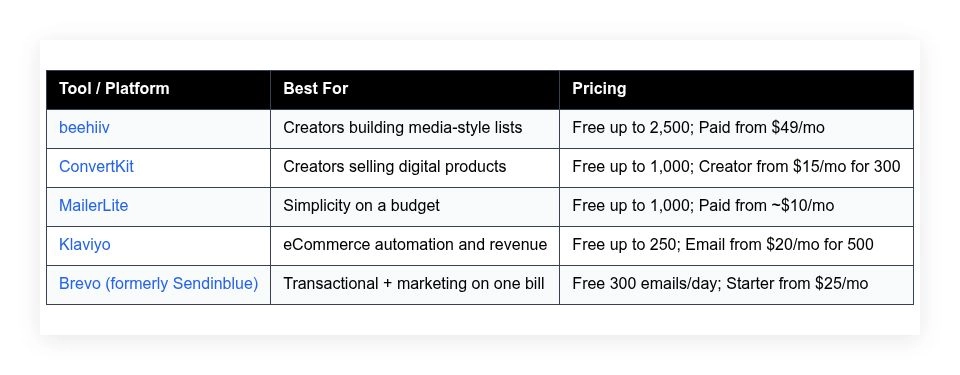
Quick snapshot table is below. Full breakdown follows.
My favorite email marketing platforms in 2026
Scroll for my detailed takes on each option, including which one I personally use and the best free choices for beginners.
What is an email marketing platform?
An email marketing platform is software that lets you collect subscribers, design emails, send campaigns, and automate follow-ups. Its main job is to turn attention into owned audience and revenue.
In marketing we say, “Don’t build your house on rented land.” Social reach can vanish overnight. Your list is permission-based access you control, which protects your pipeline.
For example, a tweet might get 2% engagement. A good newsletter can see 30–50% opens and 3–10% click rates on warm segments. Same message, different outcomes, because inbox attention compounds.
At its core, an email platform helps creators and businesses capture leads from forms and landing pages, segment audiences, send targeted messages, and measure results that drive sales.
People often pair email with SEO content, paid ads, lead magnets, webinars, and CRM tools. eCommerce teams also connect stores to trigger flows from real purchases and browsing.
Not every platform fits every team, though, so picking carefully saves money and headaches later.
How to choose the best email marketing platform
There are a lot of choices. They start to blur together, and it’s easy to overpay for features you won’t use or under-buy and hit walls later.
I wrote this to help you find the right fit for your list size, content style, and growth plan—not someone else’s.
Most write-ups you’ll find are produced by the companies themselves or by media lists stuffed with sponsored placements. I’m not sponsored by any platform on this list. This is my honest take based on real campaigns I’ve run and measured.
Here are some questions you should ask when looking for a platform:
- How generous is the free tier, and what’s locked?
- Can I design and send a clean newsletter in minutes?
- Will it scale smoothly past 5k, 25k, and 100k subscribers?
- How does pricing climb as my audience and sends grow?
- Does it have the automation and segmentation I need?
- Are analytics clear on opens, clicks, and revenue attribution?
- How hard is migration if I outgrow it later?
- What deliverability and testing tools keep quality high?
- Any technical needs like API, webhooks, or custom domains?
It’s a lot, I know. The rankings below reflect these questions so you can match the tool to your goals.
Okay, enough of me rambling, let’s get into the list.
5 best email marketing platforms in 2026
Here are my top picks for the best email marketing platforms:
- beehiiv
- ConvertKit
- MailerLite
- Klaviyo
- Brevo (formerly Sendinblue)
Let’s see which one is right for you.
1. beehiiv
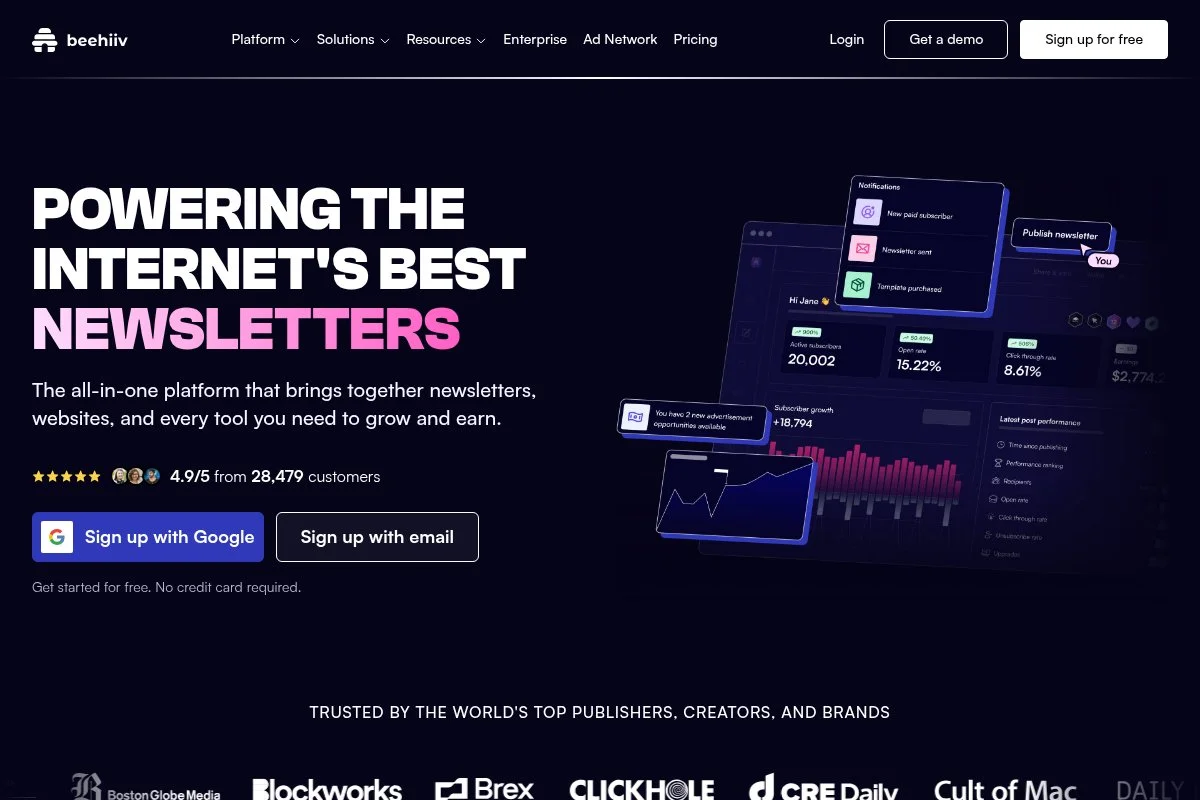
beehiiv is a creator-first, all-in-one newsletter platform built by early Morning Brew growth and product folks. That media DNA shows up in growth features most email tools ignore.
You can start free (up to 2,500 subscribers) and launch a branded publication in under an hour. The editor is fast, clean, and built for long-form posts, not just promos. Daily tasks feel simple: write, schedule, segment, and send.
In the last couple of years, beehiiv has doubled down on monetization: Boosts for paid referrals, an integrated ad network, and automations for onboarding. That shift makes it far more valuable for creators and media-style newsletters.
On higher tiers, you get advanced segmentation, custom domains, audience polls, multi-publication support, and 3D analytics that highlight cohort engagement over time. The built-in recommendation network is something many competitors still lack.
I use beehiiv for content-led lists because growth tools are native. Referrals and Boosts have directly added subscribers at a predictable cost, and setup was painless.
I also appreciate the pacing of product updates. Shipping is consistent, docs are clear, and the community playbook examples help speed up launch for new writers.
How beehiiv works and key features
The editor is minimal and quick, with block-based formatting and built-in image handling. Templates are publication-focused: issue layouts, footers, and sign-off styles you can re-use. Power users can add custom HTML blocks, connect custom domains, and integrate via API and Zapier.
Analytics cover opens, clicks, growth by source, engaged time, and cohort trends. Automations handle welcome sequences, drip onboarding, and link triggers. You also get landing pages, forms, a basic site for your archive, and a referral system without third-party add-ons.
Support is responsive by email on lower tiers and faster on higher plans. “Moving to beehiiv cut my publishing time in half,” one creator told me after migrating a 20k list.
Overall, beehiiv is beginner-friendly yet powerful enough for serious list builders who want growth features wired in from day one.
Who is beehiiv for?
Best for media-style newsletters, solo creators, B2B content teams, and writers building audience-first businesses. It shines for referral-driven growth, sponsorships, and clean publishing workflows. If you need deep eCommerce events or complex multi-channel journeys, a tool like Klaviyo might fit better. No coding skill is required for basic use.
beehiiv pricing
beehiiv prices by features and audience size, with a generous free tier to start and clear upgrades as you scale. There’s a free plan and paid plans with added growth and analytics.
- Free: $0/month, up to 2,500 subscribers, basic editor, basic analytics, limited automation.
- Grow: $49/month, higher limits, custom domain, advanced segmentation, audience polls, referral program.
- Scale: $99/month, larger audiences, advanced analytics, automations, priority support, multiple publications.
- Enterprise: Custom pricing, higher volumes, SSO, advanced security, dedicated support.
Value is strong if you plan to use referrals and ads. Annual billing reduces cost. Compared to Creator-focused tools, you can reach meaningful scale before pricing jumps. If you’re running multiple titles, the multi-publication features can replace several tools.
beehiiv pros and cons
Pros
- Free up to 2,500 makes testing easy.
- Referral, Boosts, and ad network built-in.
- Clean editor and fast publishing workflow.
- Pricing scales fairly for growing publications.
Cons
- Not ideal for advanced eCommerce event logic.
- Template variety is lean compared to legacy tools.
- Fewer third-party plugins than older platforms.
Choose beehiiv if you want creator-first growth features out of the box. If you need heavy-duty store triggers and multi-channel orchestration, consider Klaviyo.
beehiiv reviews
G2: Above 4/5 average rating (review volume growing). Product Hunt: Positive feedback from creators. Third‑party ratings change often; check current listings before you decide.
2. ConvertKit
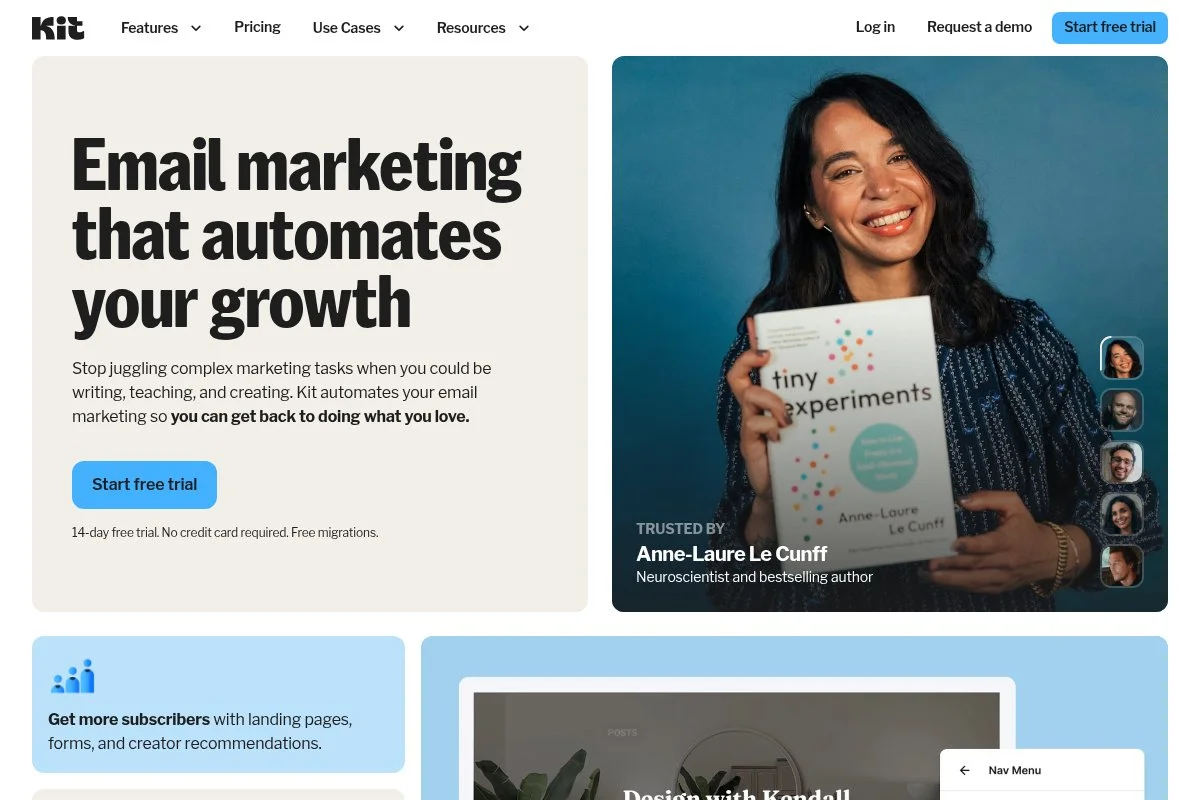
ConvertKit is a creator-focused email and commerce platform started by Nathan Barry. It’s widely adopted by writers, coaches, and course creators who sell digital products.
Getting started is straightforward with a free tier up to 1,000 subscribers. The visual automation builder is the star—easy to map sequences, tags, and triggers. Daily flow: write, tag, segment, and track sales.
Recent updates doubled down on selling: product pages, paid newsletters, tipping, and sponsor tools. Those moves turn ConvertKit into more than email—it’s an audience-to-revenue bridge for solo businesses.
On higher plans you get advanced automations, deliverability controls, referral rewards, and better reporting. Commerce features like checkout, upsells, and embeddable buy buttons remove the need for separate carts for many creators.
I use ConvertKit for creators who monetize with digital products and simple funnels. The visual builder keeps complex logic readable, which saves time in production.
Their educational content is high quality, and migrations from other tools are well-documented, which lowers switching friction.
How ConvertKit works and key features
The editor is focused and readable, with quick styling options. Templates are modern and not fussy. Power users can edit HTML, use API/webhooks, and connect tools through native integrations and Zapier.
Analytics show opens, clicks, subscriber growth, and sales attribution from the built-in checkout. Automations handle tags, sequences, link triggers, and events. You also get landing pages, forms, product pages, and sponsor tools.
Support is strong via knowledge base and email, with faster response on paid plans. A creator told me, “I finally understand my funnel because the map matches how I think.” — Indie course author
Overall, it’s balanced for beginners and experienced creators who want email and simple commerce in one place.
Who is ConvertKit for?
Great for creators, coaches, newsletter writers, podcasters, and indie SaaS founders selling downloads, courses, or memberships. It excels at tagging, sequences, and simple storefronts. If you run a large eCommerce catalog with deep event triggers, Klaviyo is stronger. It’s friendly for non-technical users.
ConvertKit pricing
ConvertKit prices by subscriber count and features. There’s a free plan for smaller lists and paid tiers that unlock automations and advanced tools.
- Free: $0/month, up to 1,000 subscribers, basic landing pages/forms, broadcast sending.
- Creator: From $15/month for up to 300 subscribers, visual automations, sequences, integrations.
- Creator Pro: Higher pricing by list size, advanced reporting, newsletter referral system, priority support.
Value is solid for creators who will use both email and built-in commerce. Annual billing discounts apply. Pricing rises with list size, so keep an eye on growth milestones (e.g., 1k, 5k, 10k) when forecasting.
ConvertKit pros and cons
Pros
- Visual automations are clear and powerful.
- Free up to 1,000 makes testing easy.
- Built-in commerce reduces tool sprawl.
- Strong tagging and segmentation for creators.
Cons
- Costs climb as lists get large.
- Not built for complex eCommerce catalogs.
- Template options are simpler than design-heavy tools.
If you sell digital products and value clean automations, ConvertKit is an easy yes. For heavy store data and multi-channel, look at Klaviyo.
ConvertKit reviews
G2: Above 4/5 average rating (thousands+ reviews). Capterra: Generally positive ratings from creators. Ratings shift; check live listings for current numbers.
3. MailerLite
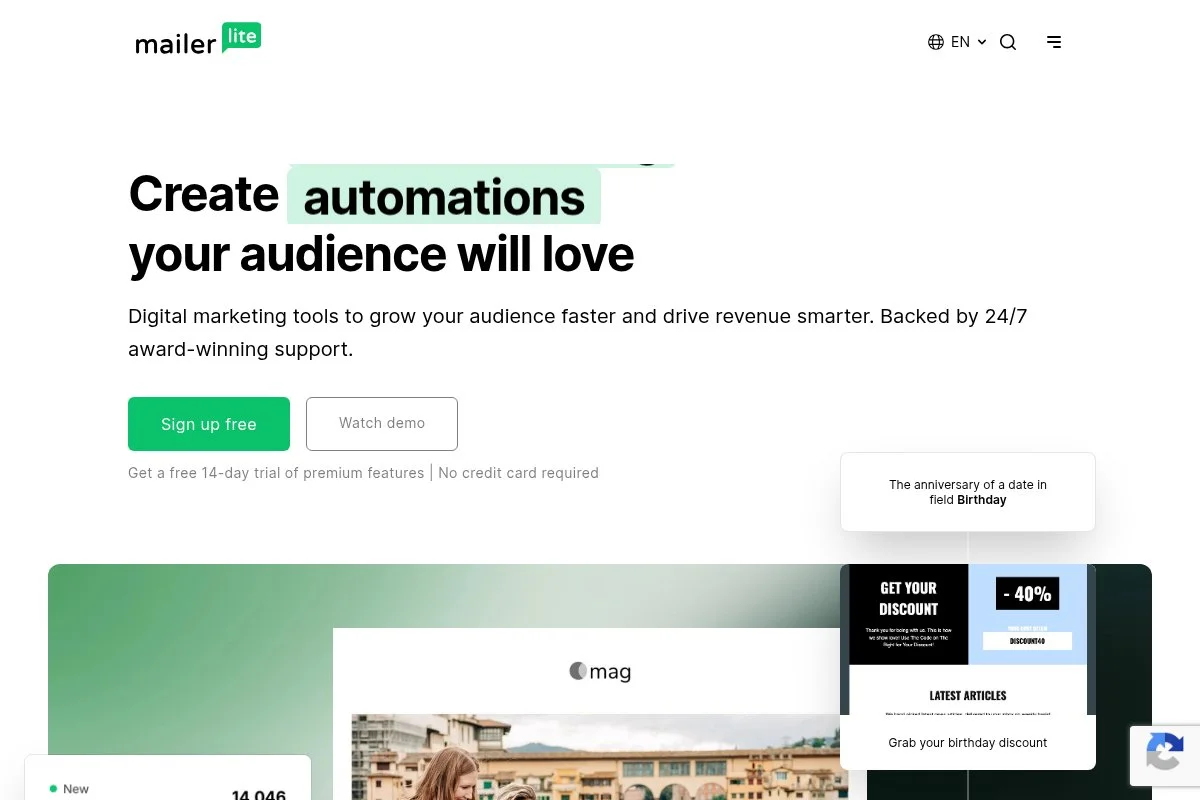
MailerLite is a lean, budget-friendly email platform known for its simple editor and fair pricing. It’s popular with small businesses and creators who want the essentials done well.
Setup is quick with a free plan up to 1,000 subscribers. The drag-and-drop editor is snappy, and prebuilt blocks cover most designs. Day-to-day tasks are painless: write, build, segment, send.
Recent improvements focused on site and landing page tools, plus better automation and deliverability controls. It’s not trying to be a complex suite, which keeps the UX uncluttered.
Higher plans add dynamic content, auto-resend, custom templates, and advanced automation. It also includes simple websites, popups, and forms so you can capture leads without extra tools.
I like MailerLite for client side-projects and newsletters on a budget. It’s the “get it done” tool that avoids bloat.
Support and docs are clear, and the approval process helps protect deliverability for everyone on the platform.
How MailerLite works and key features
The editor is a fast drag-and-drop builder with useful content blocks. Templates are modern and customizable. Advanced users can edit HTML, connect to APIs, and integrate with common tools through native apps and Zapier.
Analytics include opens, clicks, heatmaps, and growth tracking. Automations cover welcome series, drips, and behavior-based triggers. You also get landing pages, basic websites, popups, and embedded forms.
Support is offered via email and chat on higher tiers. A client told me, “MailerLite lets my VA ship campaigns without me babysitting,” which sums up the day-to-day experience well.
It’s beginner-friendly but has enough headroom for most small teams.
Who is MailerLite for?
Best for small businesses, consultants, creators, and nonprofits that want clean newsletters and simple automations. It’s strong for lead magnets and nurture flows. If you need complex multi-branch journeys or deep store events, Klaviyo or ActiveCampaign-like tools are better. No special technical skills required.
MailerLite pricing
MailerLite prices by list size and features, with a generous free tier and low-cost paid options. It’s one of the better values for small lists.
- Free: $0/month, up to 1,000 subscribers, 12,000 emails/month, basic editor and automation.
- Growing Business: From around $10/month (lower lists), more templates, dynamic content, unlimited monthly emails at many tiers.
- Advanced: Higher pricing by list size, advanced automation, promotion tools, priority support.
- Enterprise: Custom pricing for large teams and security needs.
Annual billing saves money. Compared to many competitors, MailerLite stays affordable as you pass 1,000 and 5,000 subscribers, which is where some tools jump sharply.
MailerLite pros and cons
Pros
- Free up to 1,000 with useful features.
- Fast editor and friendly UI.
- Good value as lists grow.
- Built-in landing pages and sites.
Cons
- Automation depth is lighter than enterprise tools.
- Template library is smaller than some rivals.
- Approval step can slow first send for new accounts.
Pick MailerLite if you want a simple, affordable, and capable newsletter tool. Heavy automation needs may require a different platform.
MailerLite reviews
G2: Typically above 4/5 average rating (thousands+ reviews). Capterra: Strong satisfaction scores for ease of use. Always confirm current ratings and features before migrating.
4. Klaviyo
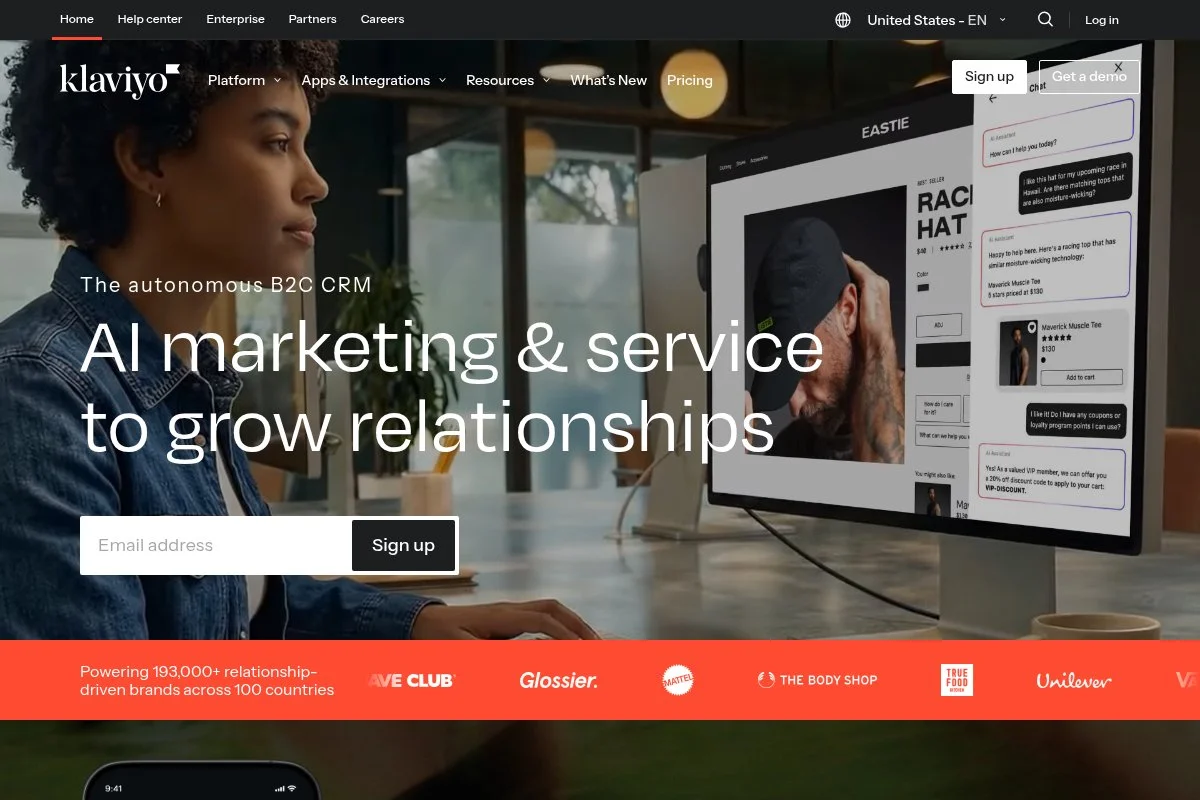
Klaviyo is an eCommerce-focused email and SMS platform used by DTC brands and larger stores. It’s known for deep Shopify and BigCommerce integrations and revenue-focused flows.
You can try it on a free tier (up to 250 contacts). The flow builder is powerful, with real-time segments based on events like viewed product, added to cart, and purchased. Day-to-day feels like operating a CRM for your store.
Recent moves improved attribution, on-site forms, and predictive features like expected next order date. SMS is first-class, which helps unify messaging and measurement.
Higher plans unlock more advanced reporting, profile merging, CDP-like capabilities, and priority support. Multi-channel campaign orchestration across email and SMS is a clear edge.
I recommend Klaviyo for stores serious about lifecycle revenue. It’s not the cheapest, but the depth of events and segmentation can pay for itself quickly.
Docs are strong, the partner ecosystem is mature, and deliverability tooling is solid for high-volume senders.
How Klaviyo works and key features
The interface centers on segments, flows, and campaigns. Templates are flexible, with drag-and-drop plus custom HTML. Technical teams can use APIs, webhooks, server-side events, and custom properties.
Analytics include revenue attribution by flow/campaign, cohort retention, and channel-level performance. Automations cover browse/cart abandonment, post-purchase, win-back, and predictive splits. On-site forms, dynamic product blocks, and SMS management are built in.
Support includes documentation, chat for paid tiers, and a large agency network. The overall experience is powerful for advanced users and manageable for growing teams after a short learning curve.
Who is Klaviyo for?
Best for DTC brands, marketplaces, and omni-channel retailers that need revenue attribution and deep store data. It excels at triggered flows and predictive segments. If you’re a solo creator sending long-form issues, beehiiv or ConvertKit is simpler and cheaper. Some technical fluency helps, but it’s approachable with templates.
Klaviyo pricing
Klaviyo prices by contact count and channel usage (email/SMS). There’s a free tier to test, then paid tiers as you scale.
- Free: $0/month, up to 250 contacts and 500 monthly email sends, basic forms and flows.
- Email: From $20/month for up to 500 contacts, higher pricing as you grow, advanced templates and reporting.
- Email & SMS: Pricing varies by contacts and SMS volume, includes cross-channel orchestration and attribution.
- Enterprise: Custom pricing with advanced support, SSO, and security.
It’s pricier than creator tools, but the ROI case is strong for stores. Annual savings are available. Model your cost at 10k, 50k, and 100k contacts to plan margins.
Klaviyo pros and cons
Pros
- Deep eCommerce events and real-time segments.
- Powerful flow builder and predictive tools.
- Strong attribution and revenue reporting.
- SMS is integrated, not bolted on.
Cons
- Costs rise quickly with contact count.
- Learning curve for smaller teams.
- Overkill for simple newsletters.
If revenue from store automations is your goal, Klaviyo is a top choice. If you just want a weekly letter, it’s more than you need.
Klaviyo reviews
G2: Consistently above 4/5 average rating (thousands+ reviews). Capterra: High marks for eCommerce features. Reviews skew strong but mention pricing at scale.
5. Brevo (formerly Sendinblue)
Brevo combines marketing email, transactional email, SMS, and basic CRM into one platform. It’s a practical pick if you want one vendor for multiple channels.
There’s a free plan with 300 emails per day and unlimited contacts. The editor is visual and friendly, and getting a first campaign out is quick. Daily use is straightforward: design, schedule, and track.
Recent changes focused on CRM features, conversation tools, and better segmentation. If you send both transactional and marketing emails, consolidating on Brevo keeps billing and warmup simpler.
Higher tiers add marketing automation, advanced segmentation, and send-time optimization. Transactional email APIs and SMTP are strong for engineers who want reliable delivery.
I reach for Brevo on projects that need transactional plus marketing in one place, especially for startups watching costs.
Docs are helpful, and support is steady. The platform is reliable for mixed-use cases.
How Brevo works and key features
The drag-and-drop editor is clean, with a decent template gallery. You can customize HTML, connect via API/SMTP, and use webhooks for events. Native integrations cover popular CMS, store, and form tools.
Analytics track opens, clicks, deliverability, and transactional status. Automations handle drips, behavior triggers, and basics like abandoned cart with store connections. You also get landing pages, forms, and a lightweight CRM with deals and tasks.
Support is via knowledge base, email, and chat on paid plans. The overall experience favors practicality over flash, which I respect on tight timelines.
Who is Brevo for?
Best for startups, SaaS with transactional email, small eCommerce shops, and agencies that want one platform for mixed sends. It excels at combining marketing and transactional under one roof. If you need creator-first growth features or advanced AI-driven segmentation, other tools fit better. It’s beginner-friendly with solid engineering options.
Brevo pricing
Brevo uses send-based pricing with unlimited contacts, plus add-ons for channels like SMS and transactional email. A free plan helps you test before paying.
- Free: $0/month, 300 emails/day, unlimited contacts, basic editor.
- Starter: From $25/month for 20,000 emails/month, branding removed, basic reporting.
- Business: Higher pricing by sends, marketing automation, A/B testing, send-time optimization, landing pages.
- Enterprise: Custom pricing, SSO, dedicated support, SLA, advanced security.
It’s strong value if you send moderate volume across channels. Annual discounts are available. Because pricing is by sends, heavy daily campaigns can add up—model your monthly volume first.
Brevo reviews
G2: Above 4/5 average rating (thousands+ reviews). Capterra: Positive ratings for price-to-value. Users like the all-in-one model and transactional reliability.
What is the best email marketing platform right now?
My top three right now are beehiiv for media-style newsletters, ConvertKit for creators selling digital products, and MailerLite for teams that want simple and affordable without fuss.
beehiiv is my personal #1 for content-led lists. I use it, and no one’s paying me to say that. I first tried it after seeing how quickly creators were growing with referrals and Boosts. The built-in growth levers, clean editor, and steady shipping sold me. I could launch, monetize, and scale without duct-taping plugins.
On value, beehiiv lets me grow into advanced segmentation and monetization without scary jumps in price. Alternatives often make you add third-party referral tools, sponsor marketplaces, and landing page builders. Those extra subscriptions stack up. With beehiiv, the growth suite is native, so total cost stays predictable.
ConvertKit is a close second. If your business model is selling downloads, courses, or memberships, its visual automations and built-in checkout are hard to beat. Recent improvements to sponsor tools and paid newsletters make it even stronger for indie creators.
The unique edge for ConvertKit is the way email and commerce live together. You can tag based on buyer actions and push people straight into upsells. If I were optimizing for product sales first, I might pick ConvertKit over beehiiv.
MailerLite is my third pick, especially if you’re early. The free plan is generous, and the editor is fast. If you don’t need a referral engine or a complex storefront, MailerLite saves money while still doing the job well.
I also use Klaviyo for eCommerce clients and Brevo for projects that need transactional and marketing email together. Different tools for different jobs—that’s normal in real workflows.
Deciding between beehiiv and ConvertKit is honestly tough. I stayed with beehiiv because the growth features match how I build media-like lists. If my main revenue were product sales, I’d likely flip that order.
I hope this helped narrow your choice. Pick the one that fits your model today and won’t punish you at 10k subscribers. Happy sending.
Frequently Asked Questions
Q: How big should my list be before I pay for a platform?
I start paying as soon as I need automations, custom domains, or better analytics. For most people that’s around 1,000–2,500 subscribers, or when you’re ready to sell.
Q: Which platform has the best deliverability?
Deliverability depends more on your practices than the tool. Warm your domain, verify SPF/DKIM/DMARC, prune inactives, and send consistent, wanted content. All five here can perform well.
Q: What’s the fastest way to grow an email list?
Lead magnets still work. Pair them with high-visibility content, exit-intent popups, and a referral program. I’ve also seen paid Boosts and partner swaps work nicely on creator platforms.
Q: Is it hard to switch platforms later?
It’s doable. Export subscribers and tags, rebuild key automations, and test warmup sends for a week. I plan migrations in phases so I don’t break onboarding or sponsor commitments.
