

A couple of years ago, I made a bet that most people in SEO thought was a little premature. I bet that getting cited inside AI answers would matter as much as ranking for a blue link. I called it ‘Transformer Response Optimization‘ and started optimizing for it anyway.
The honest reason was competitive paranoia. I kept watching certain brands punch above their weight — showing up in Perplexity responses, getting named in ChatGPT answers, earning the kind of trust signals that traditional rankings don’t fully capture. They were building sources that machines could actually verify and point to.
So, I went looking for tools that could help with that. What I found was mostly disappointing. A lot of platforms were solid for classic SEO but had bolted on “AI visibility” features as an afterthought. Others promised a lot in the demo and delivered dashboards I checked twice before forgetting about.
I got frustrated enough that I built my own. It’s a free Chrome extension that lets you check how a brand appears across AI answers without bouncing between six tabs. I wouldn’t call it a full platform replacement — but it’s the first thing I open when I need a quick read on where a brand stands.
What actually worked — both in the tools and in the strategy — came down to a handful of things done consistently well:
- Clean entity signals.
- Content backed by real sources.
- Structured data that doesn’t make crawlers guess.
- And enough credible third-party citations that an LLM has something to pull from when someone asks a relevant question.
None of that requires an expensive black box. It requires the right small stack and the discipline to use it properly.
This guide covers the six tools that have genuinely moved the needle on LLM citations in real client campaigns at Relevance. Not what looked good on a press page — what held up in the actual work.
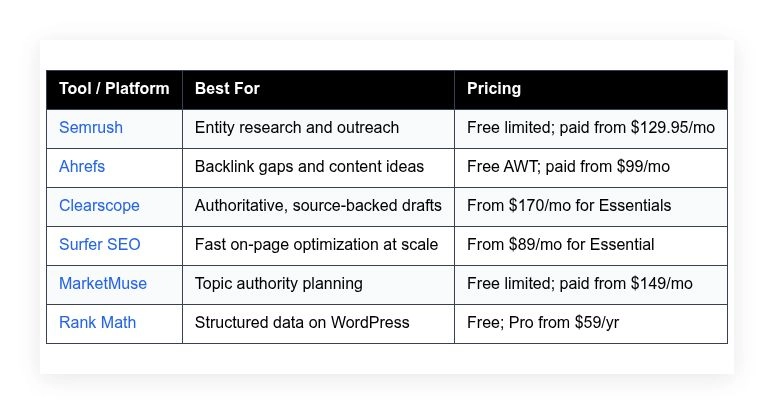
Quick summary table is below. Full breakdown follows.
My top tools for generative engine optimization in 2026
Scroll for my hands-on notes on each pick. I’ll also share which one I rely on most day-to-day, and flag free options if you’re starting out.
What is a Generative Engine Optimization tool?
A Generative Engine Optimization tool is software that helps you earn visibility and citations inside AI answers. It guides research, content creation, structure, and promotion so language models can trust and reference your pages.
In search, we say: meet the user intent with proof. In AI search, the “user” is also a model. Tools that help you show evidence, clarity, and clean structure give you a better shot at being cited.
Think of it this way: ranking for one mid-volume keyword might bring a few hundred visits a month. Being a cited source in a high-traffic AI answer can send that in a week and compound as the answer spreads.
The core job is simple: researchers, SEOs, and content teams use these tools to plan entities, write source-backed content, add structured data, and earn links so AI systems find, understand, and cite their work.
Most teams pair GEO tools with analytics, a CRM for outreach, and a CMS plugin for schema markup. Media databases and digital PR help round out citations from trusted publishers.
Not every tool in this space helps with the parts that matter, though, so choosing well is worth your time.
How to choose the best generative engine optimization tool
There are a lot of platforms promising AI visibility right now. Picking the right fit can feel messy, and the wrong stack burns time and budget fast.
I put this guide together to help you match tools to your situation. Whether you’re building topic authority, fixing structure, or chasing citations, you’ll find a clear path here.
Most lists on this topic are written by vendors or media sites running sponsored placements. I’m not sponsored by any platform on this list. This is my honest take based on client work, testing, and real results.
Here are some questions you should ask when looking for a tool:
- How generous is the free tier, and what limits kick in?
- Can I complete my core task in minutes without a guide?
- Will this scale with my content and team size?
- What happens to cost as queries, pages, or seats grow?
- Does it cover research, drafting, and on-page gaps I care about?
- How strong are the analytics for rankings, links, and entities?
- If I leave, how hard is migration or export?
- Does it have safeguards for data quality and freshness?
- Does it support structured data, entity mapping, and citations?
It’s a lot to weigh, but my ranked picks below reflect these questions. I’ll call out tradeoffs so you don’t get surprised later.
Okay, enough of me rambling, let’s get into the list.
6 best Generative Engine Optimization tools in 2026
Here are my top picks for the best Generative Engine Optimization tools:
- Semrush
- Ahrefs
- Clearscope
- Surfer SEO
- MarketMuse
- Rank Math
Let’s see which one is right for you.
1. Semrush
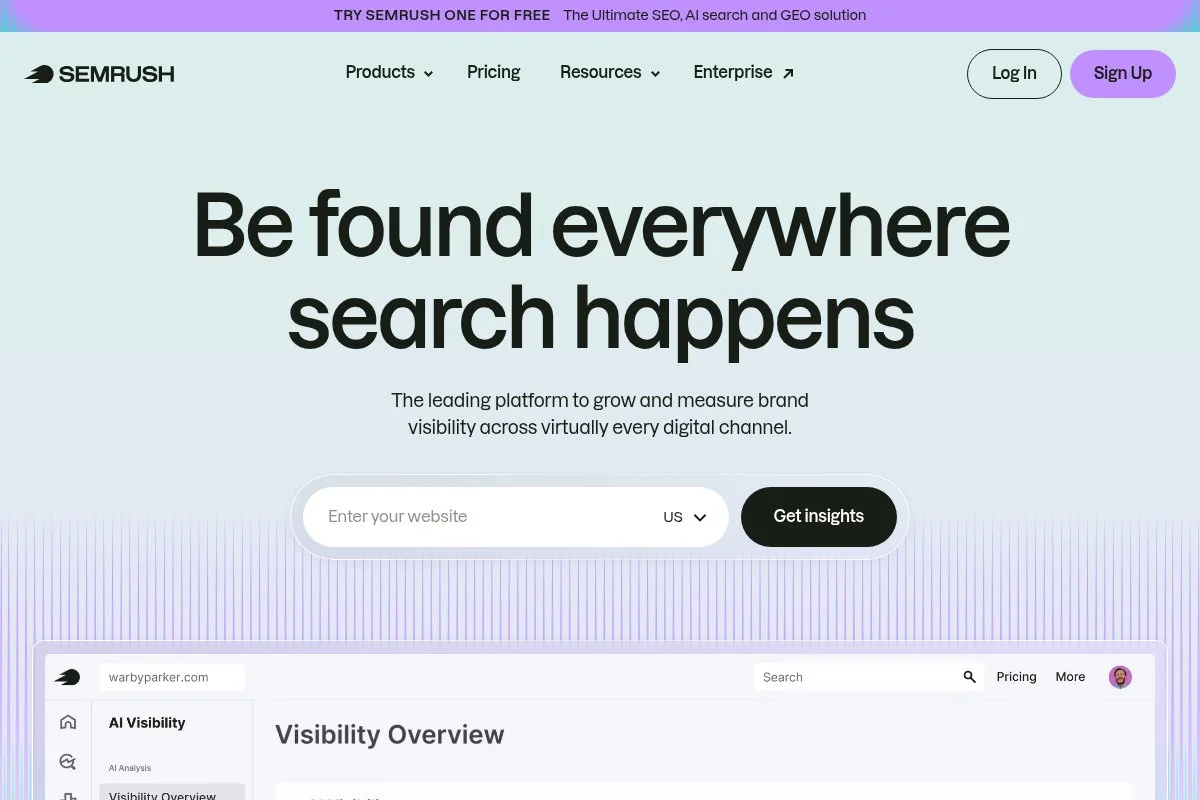
Semrush is an all-in-one SEO and competitive research suite used by large and small teams. The company has been a leader in search marketing software for years and is widely adopted across agencies and brands.
You can start with a free account to try limited tools, then move to paid plans. I onboard writers by building topic clusters, mapping entities, and pulling backlink prospects. The Keyword Magic Tool, Position Tracking, and Backlink Gap are my daily drivers.
Recent updates have pushed more AI assistance into the workflow, plus better content outline generation and faster SERP data. The stronger site audit signals and internal linking ideas help pages become model-friendly sources.
On higher tiers, you get ContentShake AI, extended tracking limits, API access, and advanced PR monitoring. For GEO, the value is stitching data across keywords, entities, and links so you build sources that stand up to model scrutiny.
I use Semrush every week for client campaigns. It’s the hub I trust for finding authority gaps and planning what to publish next.
One more thing I like: the breadth of educational material and templates. It shortens the ramp when I bring new team members into GEO workflows.
How Semrush works and key features
Semrush uses a clean, data-dense interface with left-nav modules. Research flows from domain overviews into keywords, pages, and backlinks. The editor for content templates gives terms, headings, and source ideas.
You’ll find templates for briefs, easy exports, and custom fields for teams. Advanced users can pull API data, push to sheets, and connect GA and GSC for tracking.
Reporting covers rankings, share of voice, link velocity, toxic links, and content audits. Automations include scheduled audits, alerting on position drops, and recurring backlink checks.
Beyond core SEO, you get tools for content ideas, social posting, and basic PR tracking. Support is responsive, with a large help center and regular webinars.
Overall, it’s beginner-friendly but deep enough for power users who need cross-team workflows.
Who Semrush is for
Best for growth leads, SEO managers, content strategists, and PR teams who need one system. It shines for entity research, content briefs, and link prospecting. If you only need on-page scoring, a lighter tool may be cheaper. No coding skill is required.
Semrush pricing
Semrush uses tiered pricing based on features, projects, and limits. There’s a free plan with restricted usage and paid plans that expand tracking and reporting.
- Free: $0/month, limited reports and projects, basic research
- Pro: $129.95/month, entry limits, core SEO tools, basic reporting
- Guru: $249.95/month, higher limits, content tools, historical data
- Business: $499.95/month, large limits, API access, Share of Voice
Value is strong if you use multiple modules daily. Annual billing discounts apply. Teams that only need rank tracking or on-page scoring may find cheaper options, but Semrush replaces several point tools at once.
Pros and cons of Semrush
Pros: Deep competitive data; strong entity and keyword research; wide feature set replaces multiple tools; helpful content templates; good value if used daily.
Cons: Can feel heavy at first; pricing scales with limits; some AI features are basic compared to niche writing tools.
If you want one hub for GEO planning and outreach, pick Semrush. If you just need quick on-page tweaks, consider Surfer instead.
Semrush reviews
G2: 4.6/5 rating (1,600+ reviews). Capterra: 4.7/5 rating (2,000+ reviews). Ratings trend high, with praise for data depth and breadth.
2. Ahrefs
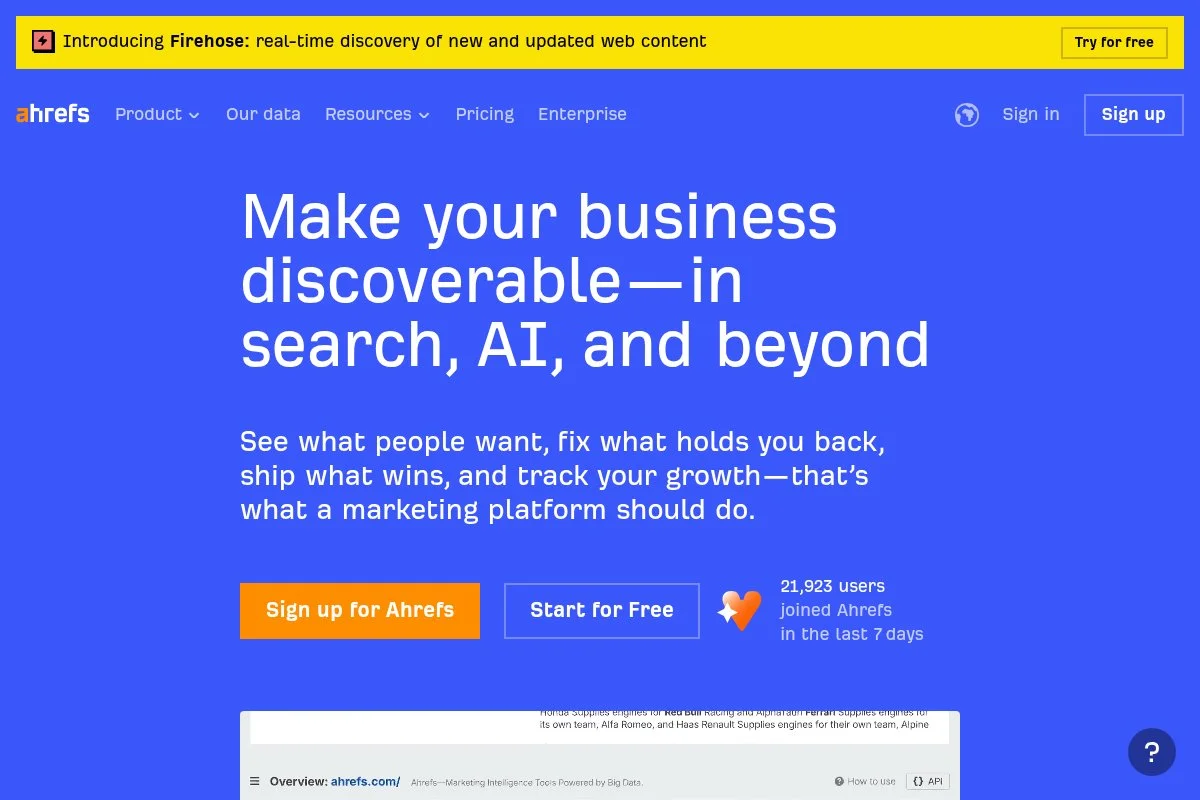
Ahrefs is focused on link data, content research, and technical audits. It’s known for a large backlink index and fast link discovery, which matters a lot for earning citations that models trust.
You can start free with Ahrefs Webmaster Tools for site audits and limited link data. In daily use, I bounce between Site Explorer, Content Gap, and Keywords Explorer. The UI is fast and straight to the point.
Recent changes added more content ideas and better link spam detection. The expanded reports on referring domains and link growth help prove authority to humans and machines.
On higher plans, you get bigger data allowances, workspace sharing, and API credits. For GEO, the advantage is finding credible link opportunities and tracking authority growth with clarity.
I reach for Ahrefs when I want clean backlink insights or when a client is under-linked compared to peers. It highlights simple wins fast.
Support docs are strong, and their blog has clear, test-backed guidance, which matches how I like to work.
How Ahrefs works and key features
Ahrefs centers on a data-first interface. You get WYSIWYG style reports you can sort and filter quickly. Template exports to CSV and Sheets make sharing easy.
You can add custom code via the API or connect to BI tools. Analytics track backlinks, referring domains, anchor text, and content performance by topic.
Automations include scheduled audits, alerts on new and lost links, and rank tracking updates. The toolset also covers site health, internal links, and content gap analysis.
Support is fast via docs and email. The learning curve is short if you’ve used any SEO suite before. It’s powerful for both beginners and pros.
Who Ahrefs is for
Great for SEOs, digital PR teams, content leads, and founders who need backlink clarity. It excels at link gaps, competitor insights, and fast audits. If you need deep on-page AI guidance, pair it with Clearscope or Surfer. No coding needed.
Ahrefs pricing
Ahrefs uses tiered pricing tied to features, credits, and users. There’s a free Ahrefs Webmaster Tools plan for verified sites, plus paid plans.
- Ahrefs Webmaster Tools: $0/month, site audits and limited link data for your sites
- Lite: $99/month, essential research tools, small limits
- Standard: $199/month, larger data limits, historical data
- Advanced: $399/month, more users, advanced features
- Enterprise: Custom pricing, large teams, API and governance
Against peers, Ahrefs is mid-to-high priced but strong value if links are your bottleneck. Annual discounts are available. Costs rise with seats and credits, so plan for growth.
Pros and cons of Ahrefs
Pros: Excellent backlink data; fast content gap analysis; clean UI; useful alerts; free AWT lowers barrier.
Cons: Pricing escalates with usage; fewer on-page writing aids than Clearscope/Surfer; API costs can add up.
If links and authority are your main issue, Ahrefs is a top pick. If you’re focused on page-level guidance, consider pairing it with a writer-friendly tool.
Ahrefs reviews
G2: 4.6/5 rating (500+ reviews). Capterra: 4.7/5 rating (400+ reviews). Users praise the link index and clear reports.
3. Clearscope
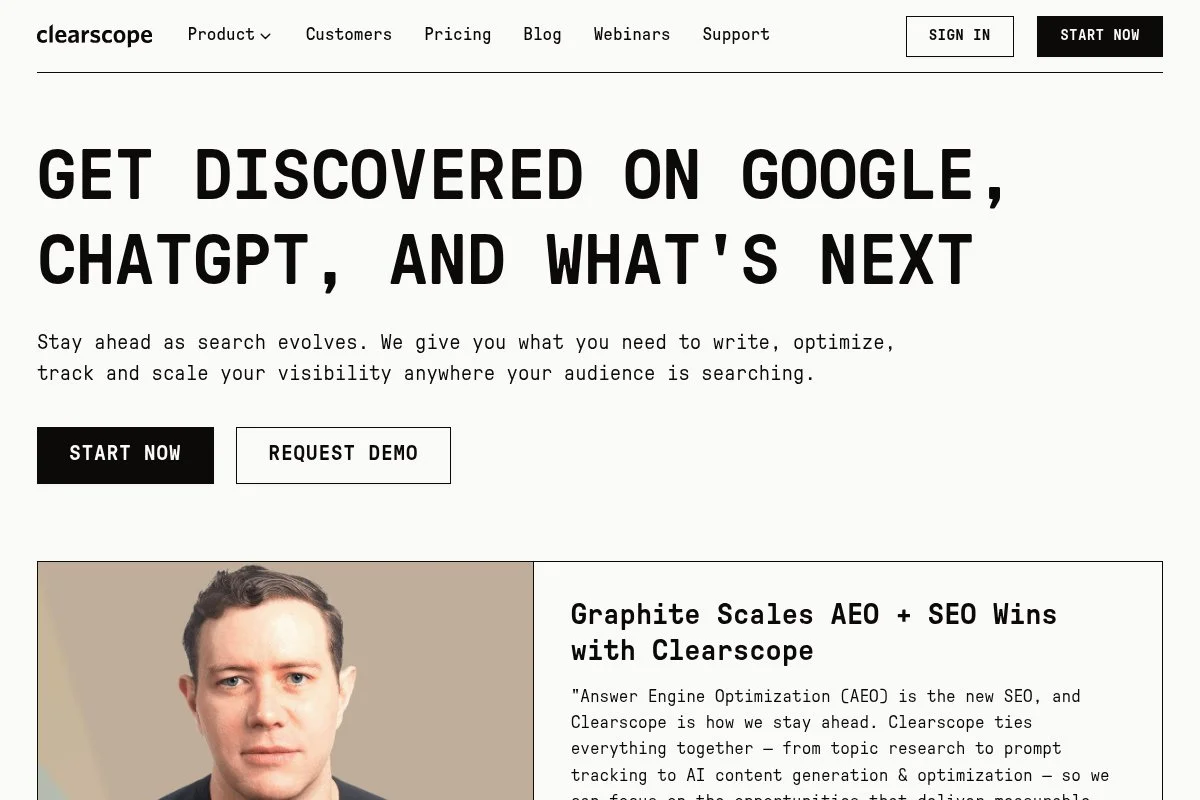
Clearscope is a content optimization platform designed for writers and editors. It’s known for clean scoring, smart term suggestions, and Google Docs integrations that help teams ship quality drafts fast.
Pricing starts at the Essentials tier, and setup is quick. I run a report, open the editor, and get instant guidance on terms, headings, and reading level. It’s focused and distraction-free.
Recent updates improved grading logic and outline tools. The guidance helps align drafts with search expectations while keeping room for expert sources and citations, which matters for AI answers.
On higher tiers, teams get more seats, bulk reports, and integrations. That’s handy when you’re standardizing briefs and output across multiple writers or vendors.
I lean on Clearscope when I want writer adoption with minimal coaching. It gets us to “credible draft” faster without bloating the process.
Support is friendly, and the onboarding materials help non-SEOs feel comfortable in an hour or less.
How Clearscope works and key features
Clearscope’s editor is WYSIWYG and very minimal. You get a target grade, term list, and section suggestions. Templates are light, but the Google Docs add-on and export make collaboration easy.
Advanced users can add custom terms, compare competitors, and track grade improvements over time. Analytics include content grades, term coverage, and rank tracking if connected.
Automations are simple: run reports, share briefs, and update drafts as guidance changes. The tool stays in its lane, which is why writers like it.
Support is responsive with live sessions and docs. “Clearscope gives my writers a clear path to a strong draft,” one editor told me.
Overall, it’s beginner-friendly for writers and strong enough for editors who want consistent output.
Who Clearscope is for
Ideal for content managers, in-house writers, freelancers, and agencies producing expert articles. It shines for briefs, on-page term coverage, and readable drafts. If you need deep technical SEO, you’ll still want a suite like Semrush or Ahrefs. No coding needed.
Clearscope pricing
Clearscope uses tiered pricing based on seats and report volume. There’s no permanent free plan, but you can request a demo.
- Essentials: ~$170/month, single seat, report credits, Docs/WordPress add-ons
- Professional: Higher monthly fee, more seats, bulk reports, advanced options
- Enterprise: Custom, SSO, larger quotas, governance
It’s not the cheapest option, but the writer adoption rate is high. If you want fast, consistent on-page improvements, the value is there. Annual discounts are available for committed teams.
Pros and cons of Clearscope
Pros: Best-in-class writer UX; accurate term guidance; quick adoption; strong integrations.
Cons: Limited technical SEO features; pricing can add up with many seats; no deep outreach tools.
If you manage writers and want reliable, source-backed drafts, Clearscope is a safe bet. If your main challenge is links or audits, look elsewhere.
Clearscope reviews
G2: 4.9/5 rating (100+ reviews). Capterra: 4.9/5 rating (50+ reviews). Feedback highlights ease of use and content quality gains.
4. Surfer SEO
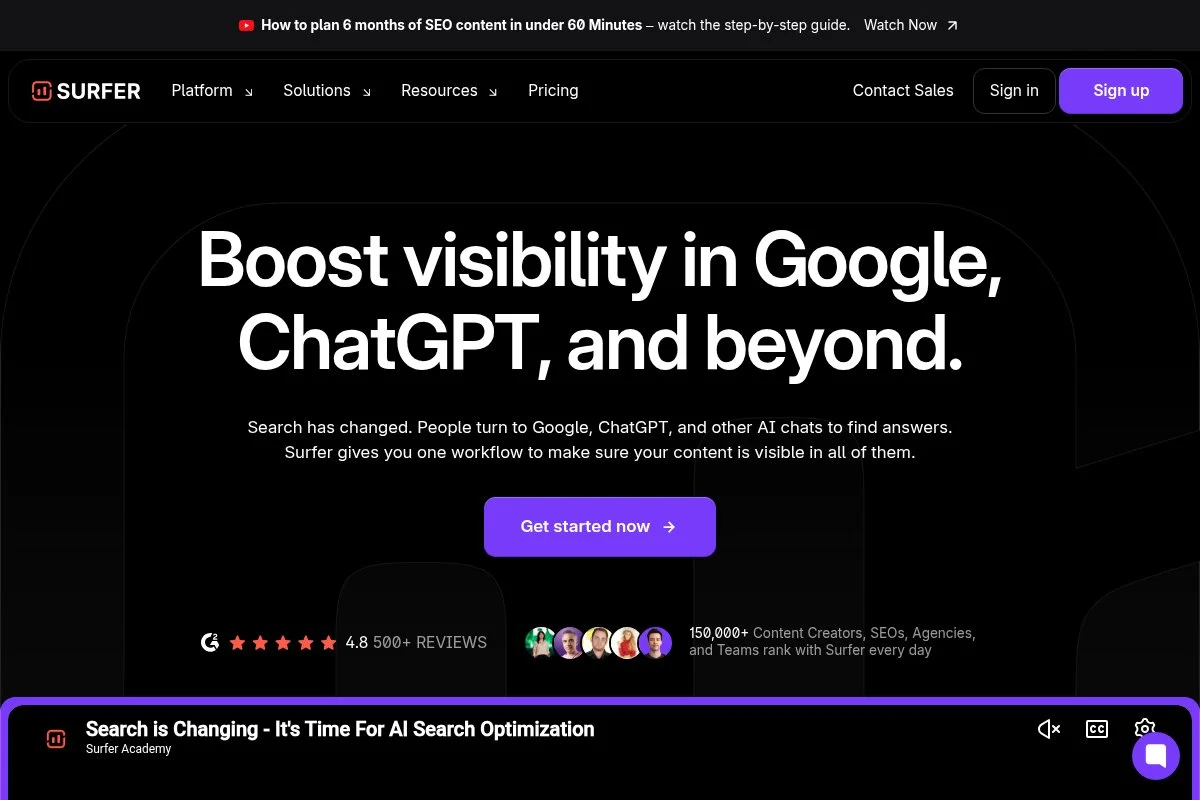
Surfer SEO is a fast on-page optimizer focused on content scoring and quick wins. It’s popular with creators and lean teams that want practical guidance without a heavy suite.
Plans start at the Essential tier. You set up a content editor, get a target score, and see term suggestions and structure tips. The interface is speedy, which keeps writers moving.
Recent updates brought better outline tools and integrations with popular editors. The SERP analyzer helps you see what high-performers include, which supports credible drafting.
Higher plans expand credits, add team features, and provide auditing at scale. For GEO, Surfer is an efficient way to align drafts with what search expects while you add expert citations.
I use Surfer on projects where speed and volume matter. It’s a great complement to Ahrefs or Semrush when you need to tune pages at pace.
Support and documentation are clear, and new writers pick it up the same day.
How Surfer SEO works and key features
Surfer’s editor is clean with instant scoring. Templates are simple to share, and you can customize guidelines for tone and structure. Power users run the SERP Analyzer for deeper term and heading ideas.
It supports basic integrations with Docs and CMS tools. Reports track content scores, changes over time, and improvements after edits.
Automations include audits on existing pages and scheduled content refresh runs. The tool offers content planners, outlines, and some internal linking suggestions.
Support is responsive. “It gave my team a clear to-do list per draft,” a client content lead told me. It’s friendly for beginners and fast for pros.
Who Surfer SEO is for
Best for content teams, solo creators, and agencies that need fast on-page optimization. Great for refreshing posts, shipping briefs, and keeping quality consistent. If you need deep backlink data, pair it with Ahrefs. No technical skills required.
Surfer SEO pricing
Surfer uses tiered pricing based on credits and features. There’s no permanent free plan, but you can try lower tiers and upgrade as volume grows.
- Essential: ~$89/month, entry credits, content editor, basic audit
- Advanced: ~$179/month, more credits, team features, planner
- Max: ~$299/month, high limits, advanced audits, priority support
- Enterprise: Custom, large seats, SSO, governance
Pricing is fair for the speed it delivers. Annual discounts are common. If your plan is heavy on audits and editors, Max often pays for itself with faster output.
Pros and cons of Surfer SEO
Pros: Very fast editor; clear scores; simple team onboarding; strong value on lower tiers.
Cons: Not a link or outreach tool; limited technical SEO; credits can run out on large teams.
If you need quick on-page lifts, Surfer is excellent. If you want a single suite for research and outreach, Semrush or Ahrefs fits better.
Surfer SEO reviews
G2: 4.8/5 rating (700+ reviews). Capterra: 4.8/5 rating (500+ reviews). Users highlight speed and actionable guidance.
5. MarketMuse
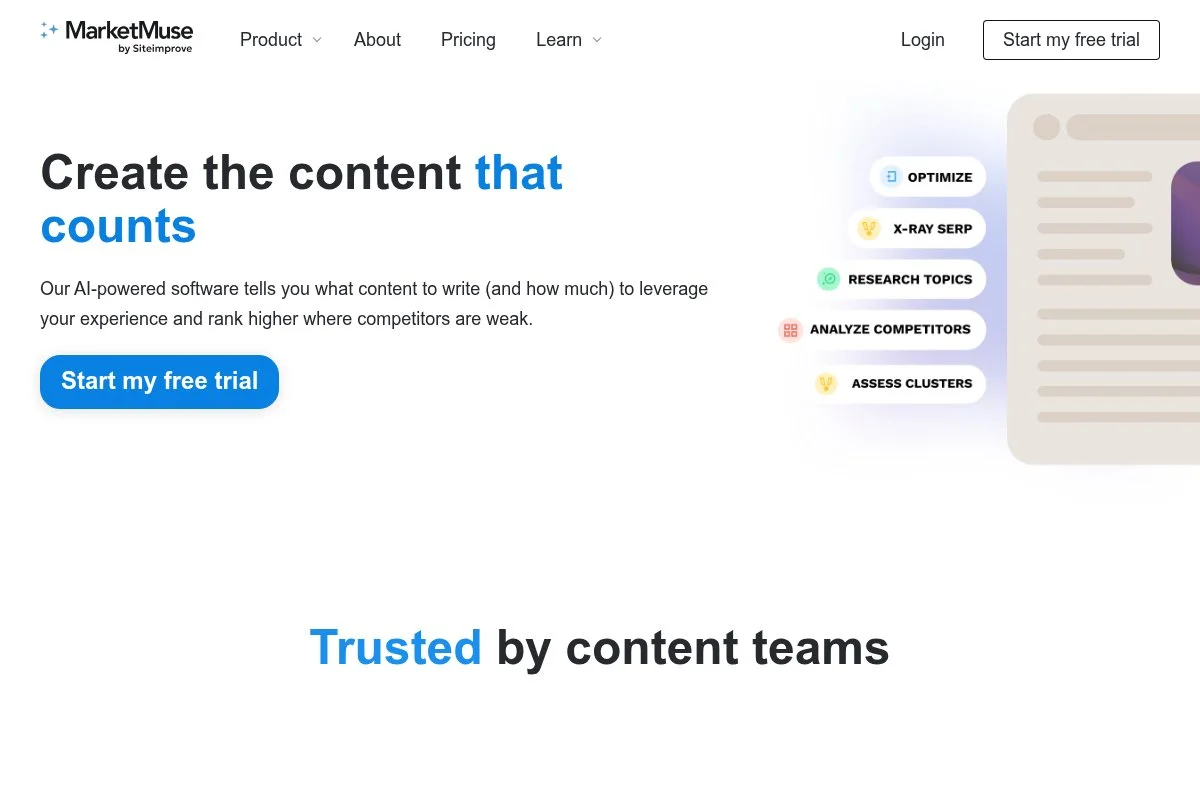
MarketMuse focuses on topic authority planning and content scoring. It helps teams plan clusters and identify where depth is missing across a site, which informs GEO and entity work.
You can start with a free plan to test the workflow. The interface centers on inventories, topic models, and page-level scores. It’s more strategic than tactical.
Recent improvements tightened scoring and recommendations. The platform makes it easier to spot thin content that drags down credibility for both search engines and models.
Higher tiers unlock larger inventories, more users, and bulk analysis. That’s helpful for content-rich sites that need a plan, not just page-level edits.
I use MarketMuse when we’re mapping a year-long content plan by cluster. It’s a planning lens I don’t get from lighter tools.
Their team shares helpful frameworks, which speeds up buy-in with stakeholders.
How MarketMuse works and key features
The interface is data-first with inventories and content briefs. Templates pull in suggested subtopics, questions, and internal link ideas. Customization is strong for large sites.
Advanced users can export inventories, connect data sources, and pull insights into planning decks. Analytics track content strength, gaps by cluster, and page scores.
Automations include scheduled refresh recommendations and brief generation. It also supports internal linking suggestions and page prioritization.
Support is solid, with onboarding and success sessions for teams. The experience is balanced for strategists and editors.
Who MarketMuse is for
Best for content strategists, editors, and SEO managers at content-heavy sites. Great for cluster planning, refresh strategy, and aligning stakeholders. If you only need a lightweight editor, Surfer or Clearscope may fit better. No coding required.
MarketMuse pricing
MarketMuse uses a freemium and tiered model driven by inventory size and features. Teams can try the platform before scaling up.
- Free: $0/month, limited queries and basic insights
- Standard: $149/month, more queries, briefs, and page analysis
- Team: $399/month, multiple users, bulk workflows, higher limits
- Premium/Enterprise: Custom, large inventories, SSO, governance
Pricing is mid-tier for planning software. If cluster planning is your bottleneck, it’s worth it. Annual savings are available for longer commitments.
Pros and cons of MarketMuse
Pros: Strong topic authority planning; helpful briefs; good for large sites; free tier to try.
Cons: Less writer-friendly than Clearscope; can feel heavy for small blogs; value shows most on bigger sites.
If you need a strategic view of authority and clusters, MarketMuse fits. If you need quick on-page edits, use Surfer instead.
MarketMuse reviews
G2: 4.6/5 rating (100+ reviews). Capterra: 4.7/5 rating (50+ reviews). Users like the planning insights and content briefs.
6. Rank Math
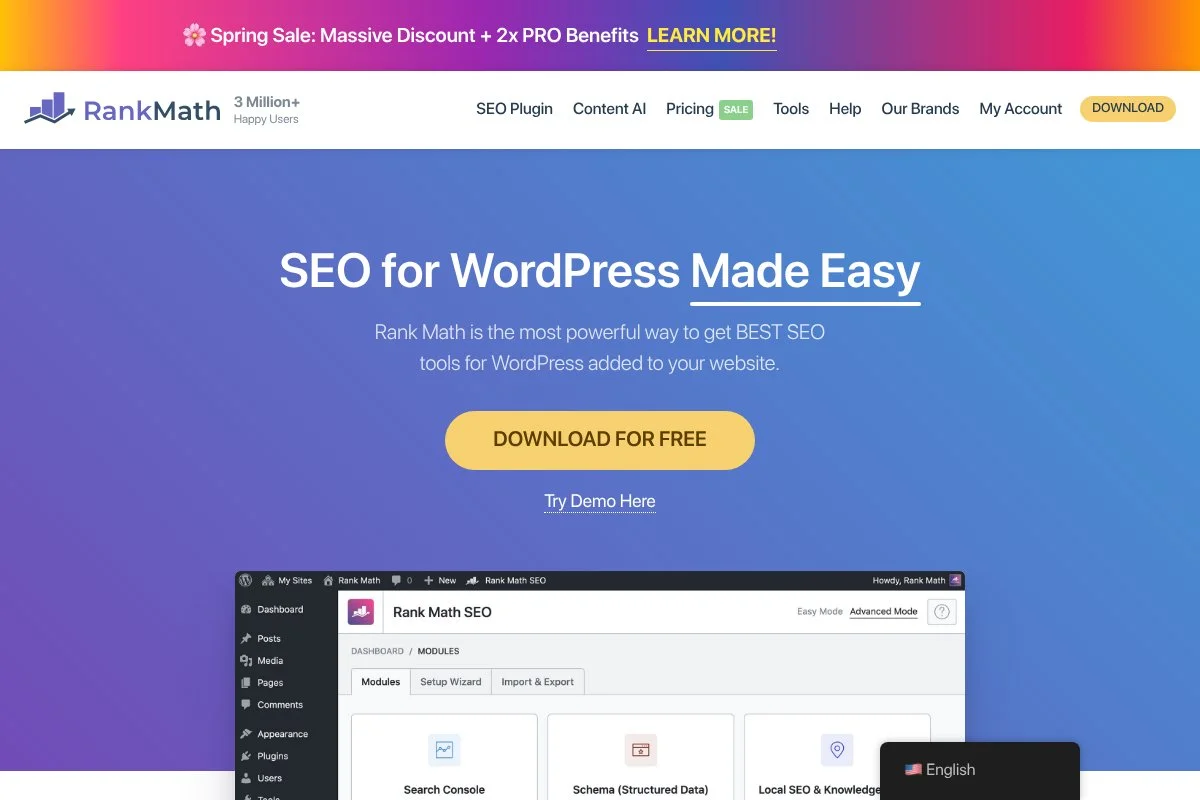
Rank Math is a WordPress SEO plugin focused on on-page controls and structured data. It helps you make your content machine-readable, which is gold for AI answers.
There’s a generous free version. Setup takes minutes with a guided wizard. I use it to add schema types, manage titles and descriptions, and improve internal links.
Recent updates improved schema support and integrations. That means cleaner JSON-LD and better control of entities and attributes across post types.
Pro tiers unlock more schema types, WooCommerce SEO, and advanced analytics in the dashboard. If your site runs on WordPress, it’s a simple way to nail structure without custom code.
I recommend Rank Math for most WordPress builds. It reduces developer time and keeps schema consistent as content grows.
Docs are clear, and their support team is active, which helps non-technical editors move faster.
How Rank Math works and key features
Rank Math lives inside WordPress with a tidy sidebar panel. Editors can toggle schema types, add FAQs, and adjust meta data with a few clicks. Templates roll out defaults sitewide.
You can extend with custom schema, filters, and hooks if you’re technical. Analytics pull in Search Console data for clicks, impressions, and positions.
Automations include bulk schema application, redirection rules, and internal link suggestions. It also adds tools for sitemaps and breadcrumbs.
Support includes step-by-step guides and a responsive forum. It’s beginner-friendly and flexible for developers who want to fine-tune.
Who Rank Math is for
Great for editors, site owners, and agencies running WordPress. It shines for schema markup, on-page controls, and WooCommerce product data. If you’re on a headless stack, look elsewhere. No coding required, but options exist for developers.
Rank Math pricing
Rank Math uses a freemium model with low-cost annual plans. Pricing scales by sites and features rather than usage credits.
- Free: $0/year, core on-page features, basic schema
- Pro: $59/year, 1 site, advanced schema, analytics, more modules
- Business: $199/year, multiple sites, client features, priority support
- Agency: $499/year, many sites, white-label options, advanced support
The value is excellent for WordPress shops. Annual pricing keeps costs predictable. If you need enterprise governance or a non-WordPress stack, pair a CMS-agnostic schema tool instead.
Pros and cons of Rank Math
Pros: Strong free tier; easy schema; quick setup; great price for Pro.
Cons: WordPress-only; advanced setups still need developer review; analytics depend on GSC data quality.
If your site runs on WordPress and you care about structured data, start here. If you’re on another CMS, consider platform-native schema tools.
Rank Math reviews
WordPress.org: 4.9/5 rating (6,000+ reviews). Users highlight ease of use and schema controls.
What is the best Generative Engine Optimization tool right now?
My top choices right now are Semrush, Ahrefs, and Clearscope. If I had to pick one suite to anchor a GEO program, I’d go with Semrush. For link-first programs, I’d choose Ahrefs. For writer-led teams, Clearscope is a favorite.
I use Semrush daily. No sponsorship, no backroom deals. I first tried it years ago for classic SEO, then leaned in as they added better content and link workflows. The thing that sold me was how fast I can go from a seed topic to entities, briefs, and outreach lists without jumping tools.
From a scaling view, Semrush replaces several subscriptions. A Pro or Guru plan may look pricey alone, but it can stand in for a rank tracker, a basic PR monitor, and parts of a content planner. Alternatives pieced together often cost more and slow you down.
Ahrefs is a close second. When the goal is authority and links, its index and alerts are hard to beat. Recent link spam insights and clearer referring domain views make it perfect for PR-led GEO programs.
What I love about Ahrefs is the clarity. It shows where you’re weak and where to earn links that matter. If I ran a smaller stack focused on outreach and updates, I might have picked it as my primary tool.
Clearscope is my third pick because it drives writer adoption. If your bottleneck is getting credible drafts out the door, Clearscope pays for itself by reducing edits and missed terms. It doesn’t try to be a suite; it nails its lane.
I often use more than one: Semrush for planning and tracking, Ahrefs for link gaps, and either Clearscope or Surfer for on-page edits. Rank Math handles structured data on WordPress builds. MarketMuse comes in when we plan large clusters.
Choosing between Semrush and Ahrefs is honestly hard. I stuck with Semrush as my anchor because it covers more bases under one login for my team. But if your biggest gap is links, start with Ahrefs and don’t look back.
I hope this helped you narrow your choice. Ship credible sources, add clean structure, and earn citations. That’s how you get cited in 2026. See you in the SERPs and the AI answers.
Frequently Asked Questions
Q: What exactly helps a page get cited by AI models?
In my experience: clear entities, trustworthy sources, and structured data. Publish expert-backed content, earn links from credible sites, and use schema so machines can parse facts.
Q: Do I need all six tools to see results?
No. Start lean. I’d pick one suite (Semrush or Ahrefs), one on-page tool (Clearscope or Surfer), and a schema tool (Rank Math if you’re on WordPress). Add more as gaps appear.
Q: How long does it take to earn an AI citation?
It varies. I’ve seen first citations within weeks after publishing a strong, sourced page and landing a few links. Topic authority and crawl frequency also matter.
Q: Are “AI content” tools enough for GEO?
Not by themselves. Drafts are helpful, but citations come from real expertise, sources, and structure. Use AI to speed research and outlines, then add proof only your team has.
