

A couple of years ago clients started asking me a question I didn’t have a clean answer to: “Are we showing up when someone asks ChatGPT about our industry?”
I could pull rankings, traffic trends, AI Overview data. But what was actually happening inside Perplexity responses or ChatGPT answers when someone asked a question our client should have owned — I was genuinely guessing. And clients can tell when you’re guessing.
What made it urgent was watching a competitor of one of our SaaS clients become the default answer in AI responses for their category. Not the top Google result. The source that ChatGPT kept naming when someone asked which tool to use. That kind of positioning compounds quietly and then all at once — and by the time you notice it, they’ve already built a trust gap that’s hard to close.
So I went looking for tools that could actually track this. What I found was mostly frustrating. Brand monitoring platforms were built for web and social mentions, not AI-generated answers. The tools claiming LLM tracking were either doing manual spot checks dressed up as a dashboard, or running scrapes brittle enough that I didn’t trust the data.
What eventually clicked was treating LLM visibility the same way I’d approach any SEO experiment. Define the prompts that matter for your category. Track which sources get cited and how often. Tie changes back to specific content updates and see what moves. It’s not magic — it’s just measurement applied to a new surface.
You don’t need an expensive platform to start doing this well. A solid workflow that runs weekly checks, flags when your brand gains or loses citation share, and connects back to what you published is most of the battle.
This guide covers the tools I actually use to track brand presence in ChatGPT and Perplexity on live client work at Relevance. What each one does well, where it falls short, and how I combine them.
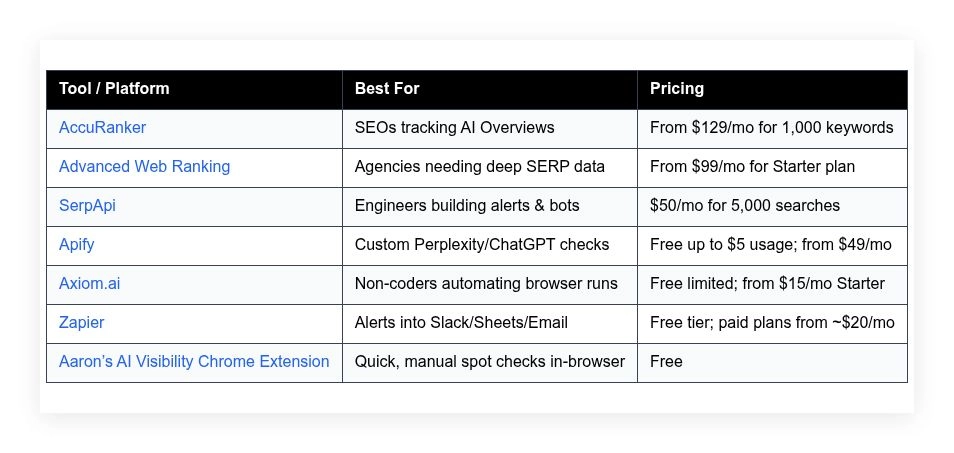
I don’t do sponsorships, so please don’t ask. Let’s start with a quick comparison before we dive into details.
AI visibility and LLM brand tracking tools in 2026
Scroll down for my detailed take on each option, including which one I personally rely on day to day and the best free path for beginners.
What is an AI visibility and LLM brand tracking tool?
An AI visibility and LLM brand tracking tool is software that checks whether your brand, domain, or content is cited or favored in AI-generated answers, and logs those results over time.
I live by the saying: what gets measured gets managed. In AI search, that means knowing if models choose your content as a source. If you own that surface area, you control more demand, not just clicks.
Here’s a practical comparison: earning a citation in a high-intent Perplexity answer for a head term can outperform ranking #5 on Google for the same query, even at lower raw traffic, because trust is higher and conversion is faster.
At its core, this category helps SEOs, content teams, and growth marketers run prompts on defined cadences, capture citations and answer share, tie them to pages or topics, and trigger actions to improve visibility.
Teams often pair these tools with rank trackers, content optimization suites, analytics dashboards, and link intelligence to close the loop from insight to execution.
Not all tools do the same job, so it pays to be picky about how each fits your workflow.
How to choose the best AI visibility and LLM brand tracking tool
There are a lot of ways to watch ChatGPT and Perplexity. Picking a stack can feel overwhelming because features overlap and pricing models vary.
I wrote this to help you pick the right setup for your brand, your team size, and your tolerance for scripting or no-code automation.
Most content on this topic is either from vendors selling software or media lists driven by sponsorships. I’m not sponsored by any platform on this list. This is my honest view based on running real campaigns and needing proof fast.
Here are some questions you should ask when looking for a tool:
- How generous is the free tier, and what counts against it?
- Can I run my core checks in minutes, not hours?
- Will this scale from a dozen prompts to hundreds?
- What will it cost as I add prompts, runs, or seats?
- Does it capture sources, snapshots, and share of answer?
- Are analytics exportable to Sheets, BI, or Slack alerts?
- How hard is it to migrate my prompts and history later?
- Is it reliable under schedules, with retries and logging?
- Can it handle Perplexity and ChatGPT’s changing UIs or APIs?
It’s a lot, but I’ll map these questions to real tools below so you don’t have to test everything yourself.
Okay, enough of me rambling, let’s get into the list.
7 best AI visibility and LLM brand tracking tools in 2026
Here are my top picks for the best AI visibility and LLM brand tracking tools:
- AccuRanker
- Advanced Web Ranking
- SerpApi
- Apify
- Axiom.ai
- Zapier
- Aaron’s AI Visibility Chrome Extension
Let’s see which one is right for you.
1. AccuRanker
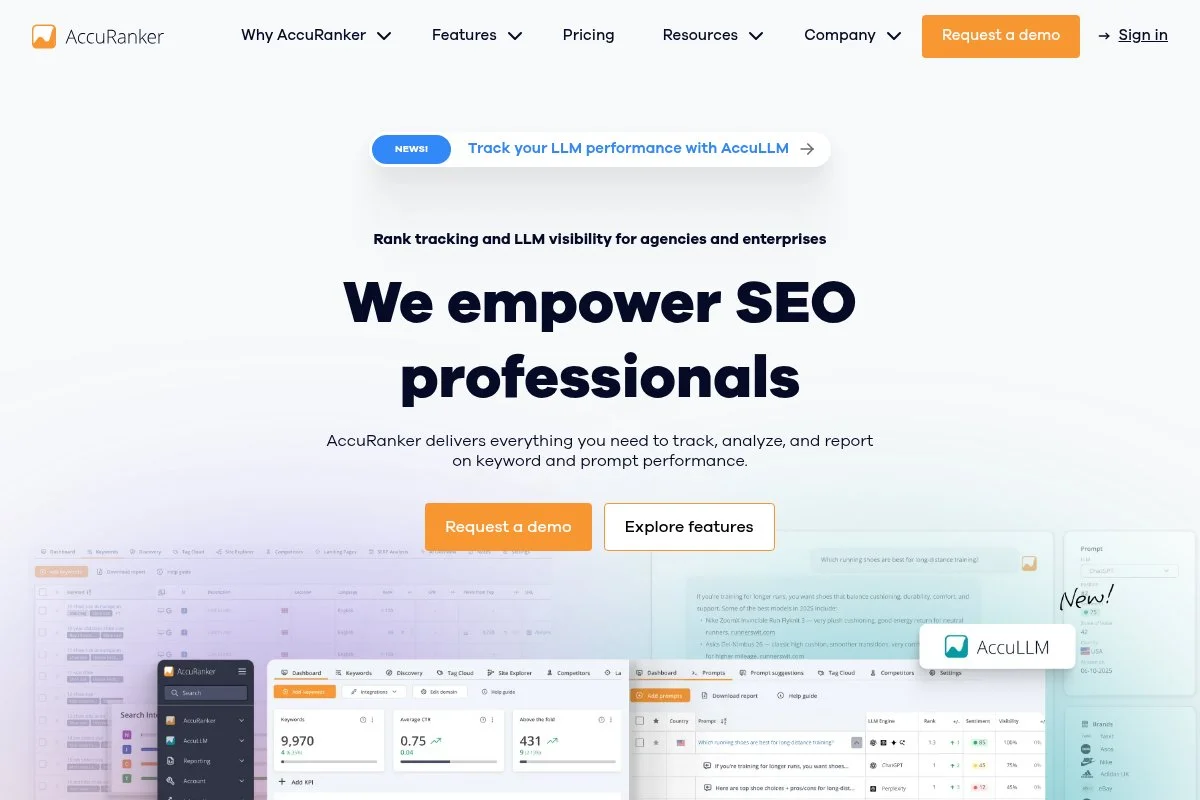
AccuRanker is a fast, data-rich rank tracker designed for agencies and in-house SEO teams. The company is known for reliable daily updates, share-of-voice reporting, and features that support large keyword sets.
You can start at a plan sized for 1,000 keywords. Setup is quick: add domains, keyword lists, and competitors. The interface makes it easy to segment by tags and track Google AI Overviews appearance across queries alongside classic rankings.
Recent updates include tracking for Google’s AI Overviews in supported markets, which helps tie LLM-style answer presence to keyword themes. That gives me a strong signal on which topics to rework for better AI citations.
Higher tiers unlock more users, bigger keyword allowances, and advanced reporting. I lean on share of voice, cannibalization insights, and device/location splits when I’m prioritizing which content to refresh first.
I use AccuRanker as my daily “are we visible” dashboard. It doesn’t run ChatGPT or Perplexity queries directly, but its AI Overview tracking is the best north-star metric I’ve found for LLM-friendly topics.
Support has been responsive, and the product docs are clear. I also like how export-friendly everything is for Sheets and Looker Studio.
How AccuRanker works and key features
AccuRanker’s interface is clean and fast. Import keywords, tag by theme, and monitor daily positions with AI Overview indicators where available. You can customize segments, filters, and competitor sets.
Templates for dashboards cover share of voice, winners/losers, and landing page impact. Power users can integrate with Google Analytics and BigQuery, and export CSVs on a schedule for BI stacks.
Analytics include rank distributions, pixel depth, volatility charts, and AI Overview presence flags. Automation options cover scheduled reports and alerts when positions or visibility change by set thresholds.
Beyond rank tracking, I use its landing page reports to spot which pages already earn AI Overview exposure and which need content or link work. Support is available via chat and email with helpful playbooks.
Overall, it’s beginner-friendly for basics and strong enough for large-scale monitoring.
Who AccuRanker is for
Best for SEO leads, agencies, B2B content teams, ecommerce SEOs, and growth marketers who need daily data and AI Overview signals. It shines when you manage many keywords and markets. If you only track a few prompts or want direct Perplexity/ChatGPT runs, pair it with a no-code bot or API option. No coding is required for core use.
AccuRanker pricing
AccuRanker uses tiered pricing based on keyword volume and features, with a free trial available.
- 1,000 Keywords: $129/month, daily updates, essential reports and dashboards
- 5,000 Keywords: Higher tier, adds more seats and advanced reporting
- Enterprise: Custom, priority support, large volumes and integrations
For the speed and AI Overview flags, the value is strong compared to other trackers. Annual billing reduces costs. If you manage tens of thousands of keywords, the per-keyword economics tend to beat piecing together smaller tools.
AccuRanker pros and cons
Pros
- Reliable daily data with fast UI and exports
- AI Overview indicators help guide LLM-focused content
- Great dashboards for share of voice and landing pages
- Good value at scale for agencies
Cons
- Doesn’t run ChatGPT/Perplexity checks directly
- Costs can add up for small sites with few keywords
- AI Overview support varies by market
If you want dependable SERP and AI Overview insight, choose AccuRanker. If you need automated LLM prompt runs, combine it with a bot or API tool below.
AccuRanker reviews
G2 and Capterra list strong user ratings for AccuRanker with praise for speed and accuracy. Public reviews note reliable daily updates and helpful support.
2. Advanced Web Ranking
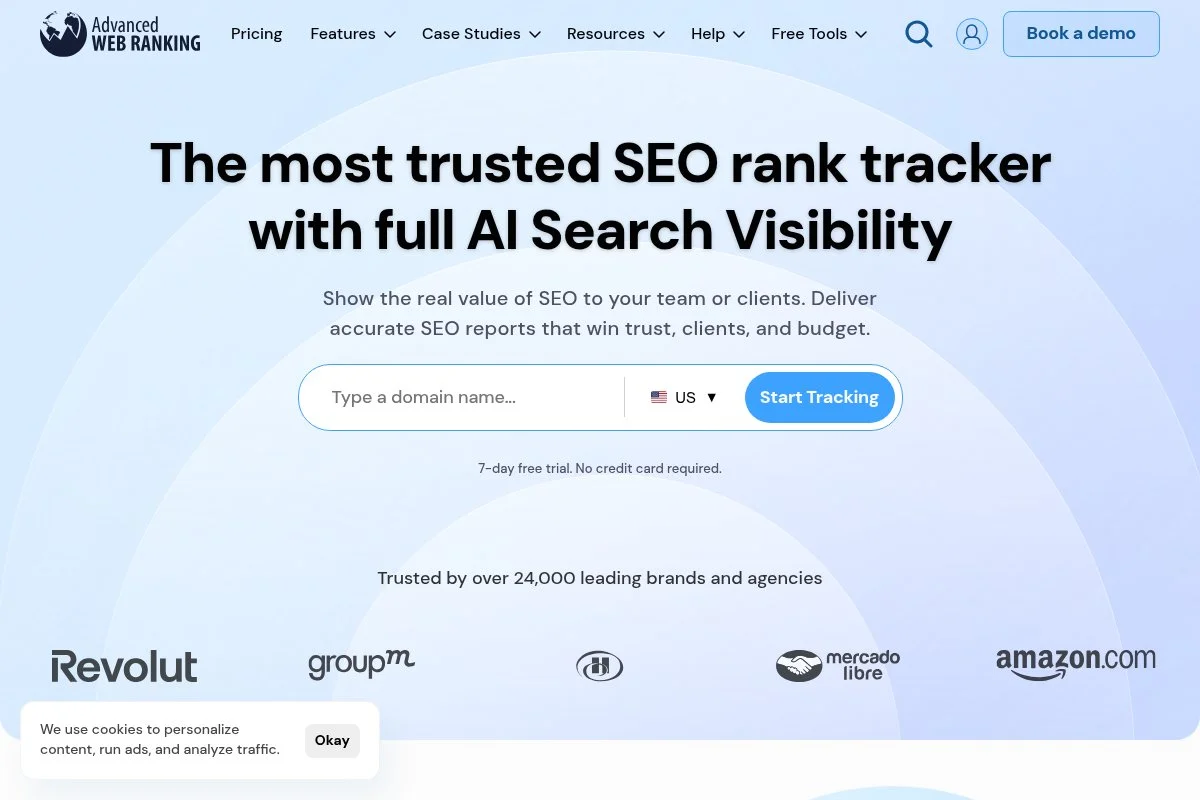
Advanced Web Ranking (AWR) is a long-running rank tracker focused on deep SERP research. It’s known for historical data, custom reporting, and flexible API access that agencies love.
Plans start at a lower entry point than many enterprise tools. Setup is straightforward: add projects, import keywords, and define locations/devices. AWR includes AI Overview tracking in supported regions alongside classic SERP features.
Recent updates have improved speed and expanded SERP feature coverage. That includes more granular AI-related flags, which I’ve used to prioritize content refreshes for topics that trigger synthesized answers.
Higher plans unlock more keywords, users, and white-label reporting. The API access and data exports are a big draw for teams that build their own dashboards.
We don’t run my full program in AWR, but we sometimes use it to cross-validate results from other trackers. That second source helps me avoid chasing ghosts from one-off anomalies.
Documentation is solid, and support has been helpful on timezone and location-specific questions.
How Advanced Web Ranking works and key features
AWR’s interface organizes projects, keyword groups, and competitor sets. The reports section has customizable widgets for rank trends, visibility, and SERP features, including AI Overview signals where available.
You can tailor dashboards with filters and segments, then schedule PDF/CSV exports. Technical teams can use the API to pull data into a warehouse. Analytics cover position changes, volatility, and landing page impact.
Automation includes scheduled checks and alerting. AWR also supports multi-engine tracking and local packs, which helps if your prompts map to local-intent terms.
Support is offered via email and help center articles, with onboarding help for agencies. Overall, it suits both beginners and data-heavy users.
Who Advanced Web Ranking is for
Ideal for agencies, consultants, and in-house SEOs who need flexible exports, AI Overview coverage, and white-label reporting. Great for cross-checking multiple markets. If you need direct Perplexity or ChatGPT runs, pair it with an automation tool. Non-technical users can start quickly; analysts will like the API.
Advanced Web Ranking pricing
AWR uses tiered plans by keyword volume and features, with a trial available.
- Starter: From $99/month, sized for smaller projects, core reports
- Pro/Agency: Higher tiers, more keywords/users, white-label
- Enterprise: Custom, API-heavy usage and large datasets
Pricing is fair given the depth and export options. Annual billing brings savings. If you need heavy white-label and data pulls, it’s often cheaper than enterprise suites.
Advanced Web Ranking pros and cons
Pros
- Detailed SERP data with AI Overview tracking
- Strong exports, API access, and white-label
- Good entry price for agencies and consultants
Cons
- Doesn’t natively run LLM prompts
- Interface can feel dense at first
- AI Overview coverage varies by region
Pick AWR if you want flexible reporting and cross-validation. Pair with automation if you need direct LLM checks.
Advanced Web Ranking reviews
AWR holds positive ratings on G2 and Capterra, often praised for reporting and data depth. Users highlight reliable exports and helpful support.
3. SerpApi
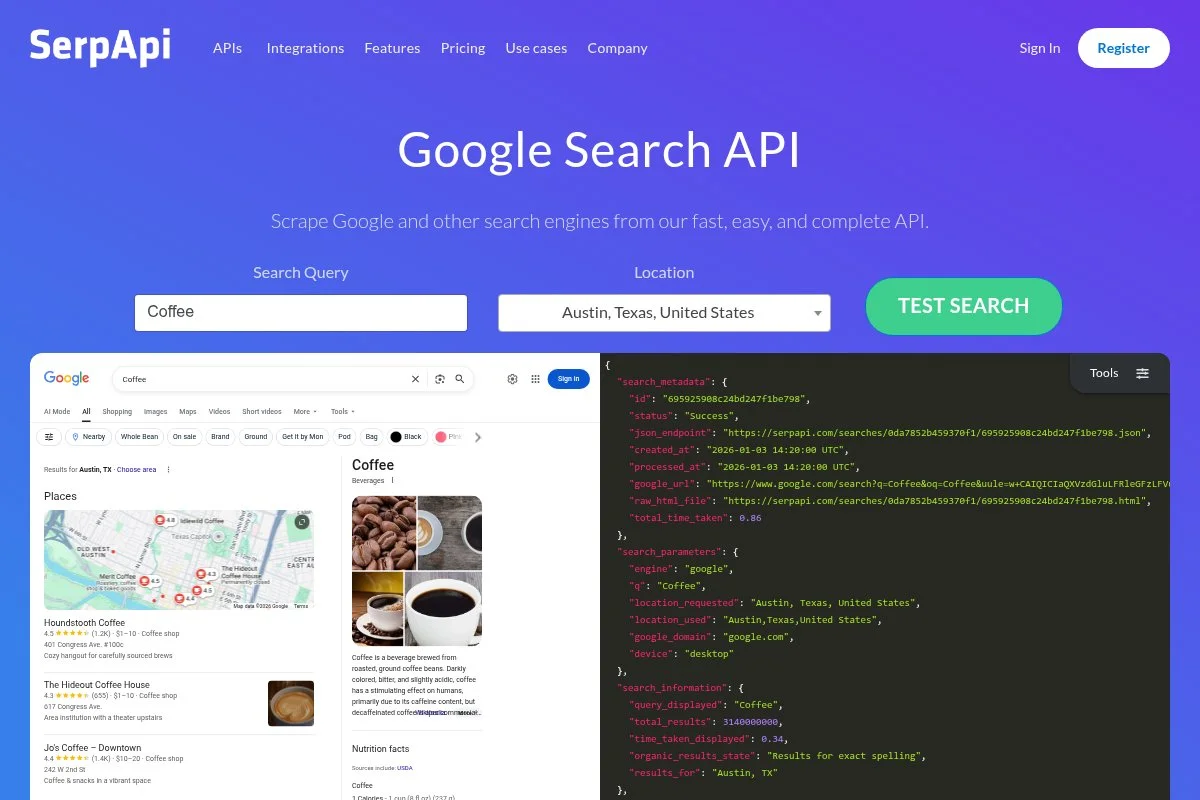
SerpApi is a developer-first API for search results. It returns structured Google and other engine data in JSON, including many SERP features. It’s popular with engineers who need reliable, legal data access.
Plans start at a low per-month search volume, and setup takes minutes. Request endpoints for your target queries and parse the response for AI-related blocks where available, then store snapshots to compare runs over time.
Over the last year, SerpApi expanded support for more SERP elements and regions. That coverage helps me monitor the presence of AI-style summaries where they appear in test markets.
Higher tiers add more searches, team seats, and priority limits. Webhooks and client libraries in many languages make it easy to slot into existing pipelines.
I use SerpApi to build alerts and dashboards for engineers and analysts. It’s a glue layer that keeps my checks consistent and reproducible.
Docs are clean, examples are plentiful, and support is quick on technical questions.
How SerpApi works and key features
You call SerpApi with query parameters, and it returns structured JSON of the results. The interface is the API itself, with a web dashboard for keys, usage, and logs. Templates and sample code help you get started fast.
You can customize location, device, and engine. Advanced users tie results to databases and add custom logic to flag brand citations or appearance in summary blocks. Analytics live in your BI tool after you ingest the data.
Automation is straightforward: schedule calls with cron or serverless jobs, then fire Slack or email alerts on state changes. SerpApi doesn’t run Perplexity or ChatGPT, but it’s excellent for the Google side.
Support is through docs, chat, and email, with an active changelog. For developers, it’s fast and reliable.
Overall, it’s a powerful choice if you’re comfortable building lightweight scripts or dashboards.
Who SerpApi is for
Best for engineers, technical SEOs, data teams, and tool builders who need structured SERP data and flexible automation. Great for AI Overview monitoring in test markets. If you don’t want to code, consider Axiom or Apify. Minimal technical skill required if you use their samples.
SerpApi pricing
SerpApi has tiered pricing by monthly search credits with a free trial.
- Starter: $50/month, 5,000 searches, standard limits and support
- Business tiers: Higher volumes, priority limits, team features
- Enterprise: Custom, SLAs and dedicated support
The starter plan is cost-effective for pilots. Annual billing discounts are available. If you’re running heavy daily checks at scale, the per-request model stays predictable.
SerpApi pros and cons
Pros
- Structured JSON for quick ingestion
- Good coverage of SERP features and regions
- Clear docs and client libraries
Cons
- API-first: requires light coding
- Doesn’t run ChatGPT/Perplexity checks
- Usage-based costs for very large jobs
Choose SerpApi if you want flexible, developer-friendly SERP data to feed your AI visibility pipeline.
SerpApi reviews
Developers rate SerpApi highly on trust sites for speed and reliability. Public reviews highlight accurate data and helpful examples.
4. Apify
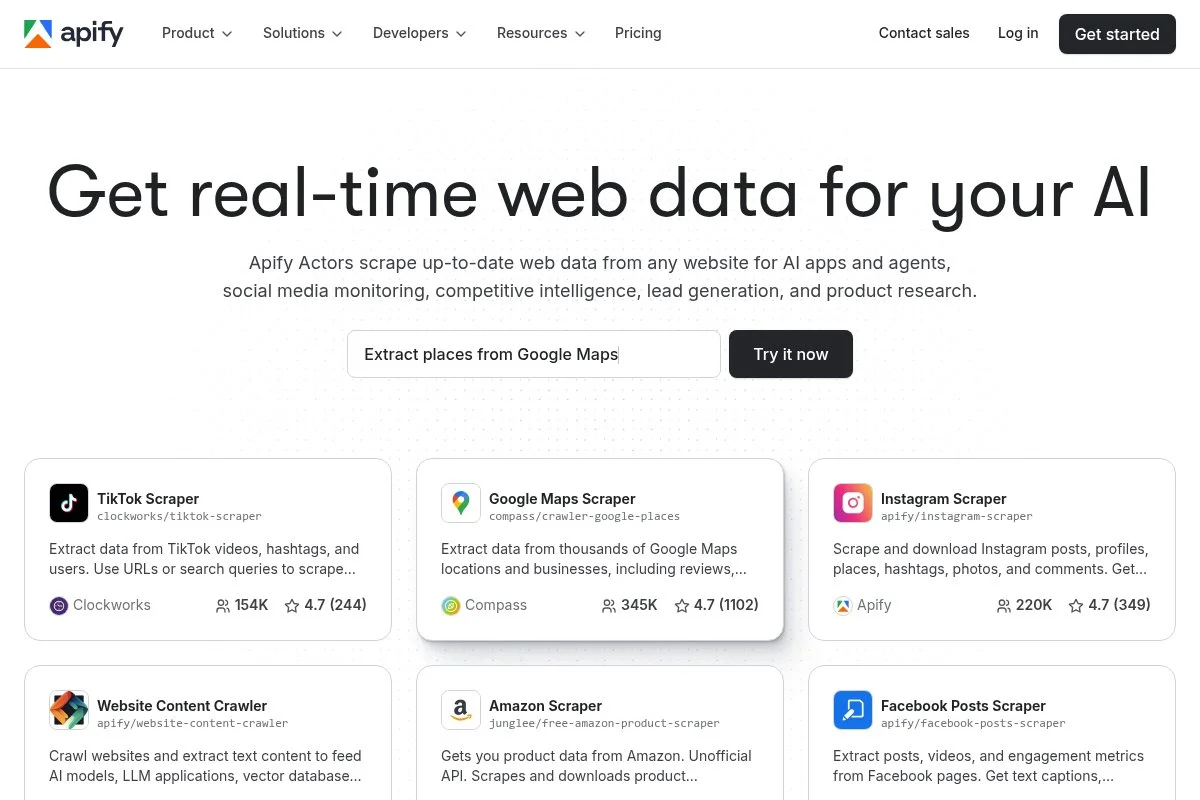
Apify is a platform for building and running web automation and scraping “actors.” It’s widely used to collect structured data and power workflows that the web doesn’t expose by default.
You can start free with usage credits. In my setup, I run headless browser actors that open Perplexity, execute a prompt list, and store the answer plus sources. The run logs and datasets make it easy to diff changes week to week.
Recent improvements include faster headless runs and better scheduling. That’s helpful for weekly checks across 50–200 prompts without babysitting the process.
Paid plans add higher limits, concurrency, and team features. I also like the store of ready-made actors, which can cut build time if someone has published a similar workflow.
I use Apify whenever I need custom checks that don’t exist as an off-the-shelf feature. It bridges the gap between manual spot checks and a full internal tool.
Their docs and examples are thorough, and support has been responsive on tricky selectors or anti-bot issues.
How Apify works and key features
Apify gives you a browser-like environment in the cloud. You script actions with Playwright/Puppeteer or choose a no-code template. The interface includes datasets, key-value stores, and logs for each run.
Templates and open-source actors help you customize quickly. Advanced users can add proxies, retries, and custom headers. Integrations include webhooks, Make/Zapier, and direct exports to S3 or Sheets.
Analytics live in your destination tool after export. Automation is native: schedule runs, set concurrency, and notify on failures. You can also chain actors for multi-step flows.
Support includes docs, community, and paid help for complex builds. In practice, it’s powerful once you lock in stable selectors and pacing.
Overall, Apify balances power and approachability if you’re okay with a bit of scripting.
Who Apify is for
Great for technical marketers, data engineers, analysts, and SEOs who need custom Perplexity/ChatGPT checks at scale. Perfect for scheduled prompt runs with saved snapshots. If coding isn’t your thing, consider Axiom. Beginners can start with templates; advanced users can build full pipelines.
Apify pricing
Apify pricing is usage-based with tiers and a free credit to start.
- Free: Usage credit to test actors, limited concurrency
- Personal: From $49/month, higher limits and scheduling
- Team/Enterprise: Larger quotas, SSO, support, and SLAs
Value is strong if you batch weekly checks. Annual savings are available. For 100–300 prompts on a weekly cadence, I’ve kept costs predictable with careful scheduling.
Apify pros and cons
Pros
- Custom flows for Perplexity/ChatGPT in the browser
- Schedules, retries, and structured datasets
- Good docs and a store of ready-made actors
Cons
- Requires light coding for the best results
- Occasional maintenance as UIs change
- Need to manage pacing and anti-bot friction
If you want flexible, repeatable checks on LLM outputs, Apify is a workhorse.
Apify reviews
Apify earns positive reviews on developer-focused sites for flexibility and support. Users often praise the scheduling and dataset approach.
5. Axiom.ai
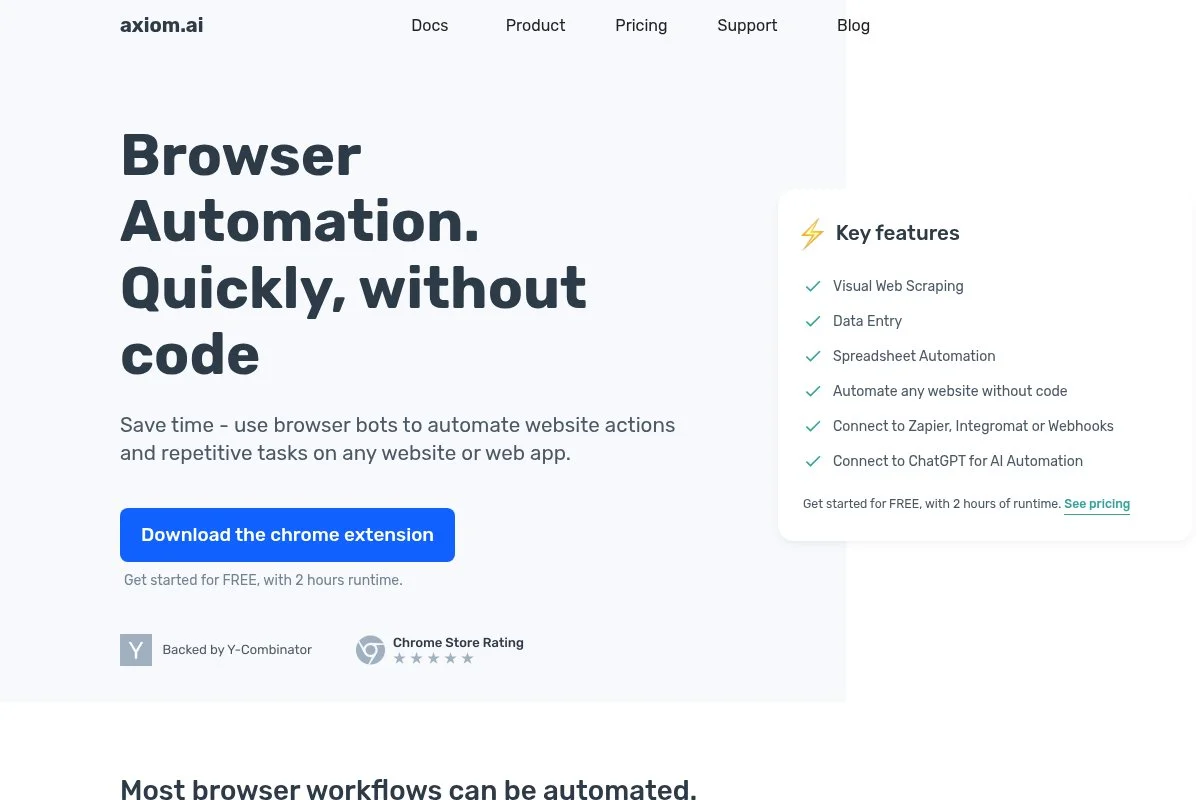
Axiom.ai is a no-code browser automation tool. You create bots by recording steps or dragging actions. It’s ideal if you want Perplexity or ChatGPT checks without writing scripts.
There’s a free tier with limited runs, so you can test quickly. I’ve built bots that open Perplexity, run a list of prompts, capture the sources, and drop results into Google Sheets for week-over-week tracking.
Recent enhancements improved reliability and schedule options. That matters because consistent runs are the difference between trustable logs and random screenshots.
Paid tiers add more runs, concurrency, and cloud execution. I also like that you can mix CSV inputs and conditional logic to handle larger prompt sets.
I use Axiom when non-technical teammates need to own the workflow. It trades some power for speed of setup, which is the right call for many teams.
Support articles and templates are helpful, and the editor feels friendly even for first-timers.
How Axiom.ai works and key features
Axiom runs inside your browser or in the cloud. You build flows with actions like click, type, wait, extract, and write to Sheets. The UI is visual and step-based, with run logs and error messages for troubleshooting.
Templates help you target sites quickly. You can pass in CSVs of prompts, loop over them, capture the answer and citations, and timestamp results. Advanced options include branching and variable storage.
Analytics live where you export them—Sheets, databases, or BI tools. Automation includes scheduling and triggers. Support covers docs and in-app help.
For most marketers, it’s a friendly path to consistent LLM checks without code.
Who Axiom.ai is for
Best for content marketers, SEOs, PMMs, and founders who want automated Perplexity/ChatGPT checks without scripting. Useful for weekly “source present/not present” logs and screenshots. If you need heavy customization or headless scale, pick Apify. No technical skill required for basic flows.
Axiom.ai pricing
Axiom offers a free plan with limited runs and paid tiers that unlock more capacity and cloud execution.
- Free: Limited runs, local execution, basic actions
- Starter: From ~$15/month, more runs and scheduling
- Pro: From ~$50/month, cloud execution and higher limits
- Business: Higher tiers for teams and priority support
It’s one of the most affordable ways to automate checks. Annual billing reduces costs. If you scale to hundreds of prompts, consider mixing Axiom for spot checks with Apify for heavier runs.
Axiom.ai pros and cons
Pros
- No-code setup with helpful templates
- Quick path to scheduled Perplexity checks
- Low cost to get started
Cons
- Less control than code-based actors
- Cloud runs and higher limits require paid tiers
- Complex flows can be fragile as UIs change
If you want speed and simplicity, Axiom is a smart pick. For heavy-duty use, step up to Apify.
Axiom.ai reviews
Users on no-code communities report positive experiences, citing quick setup and helpful templates. Public reviews often mention good value at entry tiers.
6. Zapier
Zapier is an automation platform that connects apps without code. I use it to turn LLM checks into alerts and dashboards so the team actually sees changes and acts on them.
You can start on a free plan. My typical flow: a scheduled trigger runs a function or webhook, which kicks off a Perplexity check (via Apify/Axiom), then posts results into Slack and appends to Google Sheets with a timestamp.
Zapier’s AI actions and code steps have matured. That makes it easier to parse results, score them, and only alert on meaningful changes like “brand lost source on X prompt.”
Paid plans add more tasks, paths, and team features. Versioning and shared folders keep client projects tidy.
I rely on Zapier as the communication layer. A check you don’t see is a check that didn’t happen.
Support and docs are extensive, and the editor is friendly for non-technical teammates.
How Zapier works and key features
Zapier uses a visual editor to build multi-step “Zaps.” Triggers kick off actions like sending Slack messages, updating Sheets, or calling webhooks. You can insert code steps to transform JSON and add filters.
Templates help you start fast. Advanced users build branching paths to route alerts by team, topic, or severity. Analytics track task usage and errors, and logs make debugging simple.
Automation is the whole point here: schedule runs, batch writes, and gate alerts so you don’t spam channels. Support includes docs, community, and chat.
It’s beginner-friendly, with enough power for most AI visibility alerting needs.
Who Zapier is for
Great for marketers, SEOs, PMs, and ops folks who want LLM visibility alerts in Slack, Sheets, or email with no code. Pairs well with Apify and Axiom. If you need heavy data transformation, you may still want a small script or a data warehouse.
Zapier pricing
Zapier pricing is tiered by tasks, features, and users, with a free plan.
- Free: Basic automations with monthly task limits
- Starter/Professional: Paid tiers from around $20–$50/month, more tasks and paths
- Team/Company: Higher limits, SSO, user management, and shared workspaces
For alerts and logging, Starter or Professional usually covers it. Annual billing offers savings. As volumes grow, watch task usage and optimize filters to control costs.
Zapier pros and cons
Pros
- No-code alerts into Slack/Sheets/Email
- Good filters, paths, and basic code steps
- Large template library and strong docs
Cons
- Usage costs can climb with noisy alerts
- Complex transformations may need scripts
- Rate limits on some connected apps
Zapier is ideal as your alerting and reporting hub once you have checks running.
Zapier reviews
Zapier holds strong ratings on G2 and Capterra and is widely used across teams. Reviews often mention reliability and ease of use.
7. Aaron’s AI Visibility Chrome Extension
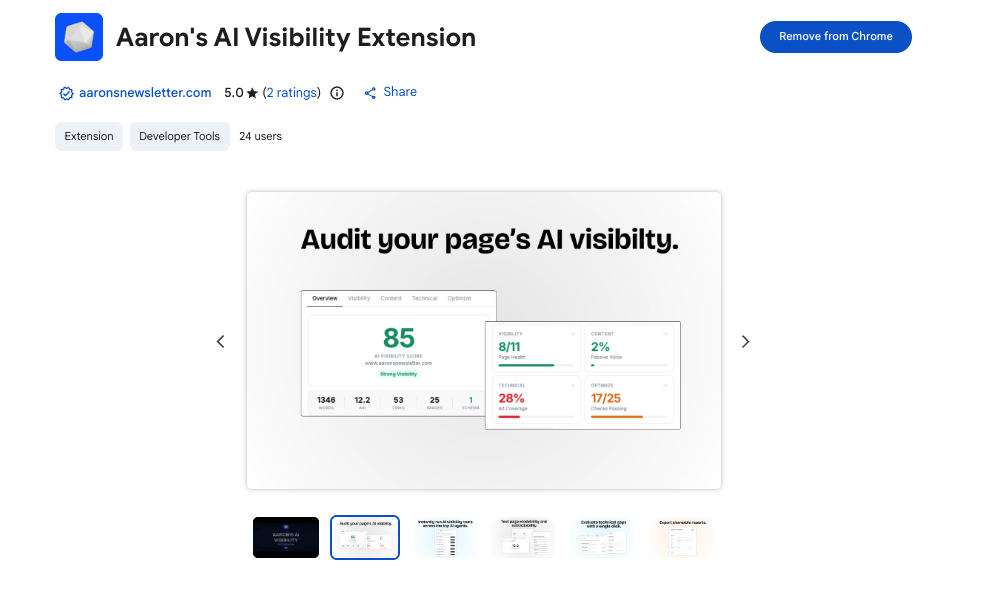
This is the free Chrome extension I built for quick AI visibility spot checks. It’s a lightweight helper for browser-based workflows, designed for fast, human-in-the-loop monitoring.
Install it in seconds from the Chrome Web Store. When I’m reviewing ChatGPT or Perplexity answers, I use it to speed up on-page checks and log what I’m seeing into my working docs.
I update it as I refine my workflow. The goal is simple: help me confirm if my brand or target domains appear and grab the details while it’s fresh.
It’s not meant to replace full automation. It complements your stack by reducing friction during reviews and audits.
I use it daily when I’m triaging wins and losses before deciding which prompts deserve scheduled checks.
I’ve kept the UX clean and fast so it never slows me down while I’m testing.
How the extension works and key features
The extension runs fully in your browser. I use it while viewing ChatGPT or Perplexity results to speed up manual checks and capture notes. You can copy sources, add a quick tag, and paste into your sheet or doc.
There’s no cloud account or server-side storage. It’s intentionally lightweight and privacy-conscious. For automation, I pair it with Axiom or Apify after I’ve validated the prompts worth tracking.
Support is just me—quick updates and a simple help page. It’s a practical add-on for hands-on reviewers.
Overall, it’s beginner-friendly and handy for fast triage.
Who the extension is for
Good for SEOs, content leads, founders, and PMMs who do regular manual reviews of ChatGPT and Perplexity answers. It helps log what you see faster. If you need scheduled runs or dashboards, use it alongside Axiom, Apify, or a rank tracker. No technical skill needed.
Extension pricing
It’s free.
- Free: Install from the Chrome Web Store, no account
Value is in speed. I reach for it during audits, live demos, and quick checks before I commit prompts to automation.
Extension pros and cons
Pros
- Free and fast for manual spot checks
- No setup, no account, privacy-friendly
- Great complement to automation tools
Cons
- No scheduling or dashboards
- Manual by design
Use it to move faster during reviews, then graduate prompts to scheduled automation.
Extension reviews
This is a free utility I maintain for my workflow. There isn’t a third-party review page for it; I improve it based on user emails and field testing.
What is the best AI visibility and LLM brand tracking tool right now?
If I had to pick today, my top three are AccuRanker, Apify, and SerpApi. They cover strategy, execution, and data plumbing without locking me into one vendor’s view of the world.
AccuRanker is my number one because I use it every day. This isn’t sponsored. I discovered its AI Overview tracking while building client dashboards, and it clicked. The speed, share-of-voice lens, and clean exports sold me. It shows me where LLM-style answers tend to appear, so I know which topics to fight for with content and links.
From a value angle, AccuRanker scales well. At the 1,000-keyword level, I get daily data and AI signals without buying a heavy enterprise suite. If I tried to stitch the same visibility from smaller tools, I’d spend more time and probably more money chasing gaps.
Apify is my close second. When I need actual Perplexity or ChatGPT runs on a schedule, Apify handles it with headless browsers, retries, and datasets. Recent performance gains made weekly checks across 100–300 prompts painless. If your team is comfortable with light scripting, it’s hard to beat.
The unique strength of Apify is control. I can decide exactly how I capture sources, how I pace runs, and how I store snapshots. If I worked only on custom checks and didn’t need daily SERP context, I might put Apify first.
SerpApi is my third pick because it keeps my data consistent and exportable. For Google-side monitoring, I can pull structured results, flag AI-style summaries, and route alerts through Zapier or a simple Cloud Function. If you’re technical and want clean JSON without building a crawler, it’s a great base layer.
I also mix tools. On most accounts, I track AI Overviews in AccuRanker for direction, run weekly Perplexity checks with Apify, pipe signals into Slack and Sheets with Zapier, and do quick spot checks with my Chrome extension.
Choosing between AccuRanker and Apify is a real toss-up. I stick with AccuRanker as my anchor because it guides strategy across thousands of keywords, while Apify executes the custom runs. Together, they cover both “where to fight” and “did we win?”
Hope this helps you pick a setup you trust. If you try any of these, start small, build your prompt list, and track weekly. See you in the sources.
Frequently Asked Questions
Q: How do I know which prompts to track for my brand?
I start with revenue terms, head topics from SEO, and competitor comparisons. Then I add questions real buyers ask in sales calls. Keep the list small at first—20–50 prompts—then expand based on wins.
Q: Can I get alerts when Perplexity drops my domain from sources?
Yes, with a simple workflow: run scheduled checks via Apify or Axiom, parse the sources, compare to last week, and send alerts through Zapier to Slack or email when status changes.
Q: Do I need an enterprise tool to track AI Overviews?
No. AccuRanker and Advanced Web Ranking both include AI Overview signals in supported regions. For smaller teams, that’s enough to guide content updates without heavy software.
Q: What’s the fastest way to start for free?
Use my free Chrome extension for manual checks, log results in a Google Sheet, and set a weekly calendar reminder. When you’re ready, automate with Axiom’s free tier or a small Apify plan.
