

Link outreach is one of those things that sounds straightforward until you’re three weeks into a tough niche with a client who wants to see movement and a prospect list that keeps bouncing.
I learned that the hard way early on — trying to run outreach out of spreadsheets, inbox rules, and a scraper I half-trusted. It held together for a while. Then we landed a fintech client going up against competitors who had been building domain authority for a decade, and the duct tape started showing.
That campaign forced me to get serious about the stack. We needed clean prospecting that didn’t surface the same recycled targets everyone else was hitting, personalization that didn’t read like it came out of a mail merge, and enough deliverability discipline that we weren’t torching domains halfway through a campaign.
I tested a lot of tools during that stretch. Some slowed us down more than the spreadsheets did. A few quietly became things the team would fight to keep. The difference usually wasn’t the feature list — it was whether the tool actually enforced good process or just made it optional.
One thing I’ve noticed about the teams that consistently earn good links: they’re not running the most sophisticated setup. They keep the workflow tight, they treat reply rates like revenue numbers, and when they personalize an email it’s because they found something genuinely useful to say — not because a field populated automatically.
This guide covers the outreach and link-building tools I actually use at Relevance for prospecting, personalization, deliverability, and reporting. What each one does well, where it falls short, and who it’s best suited for.
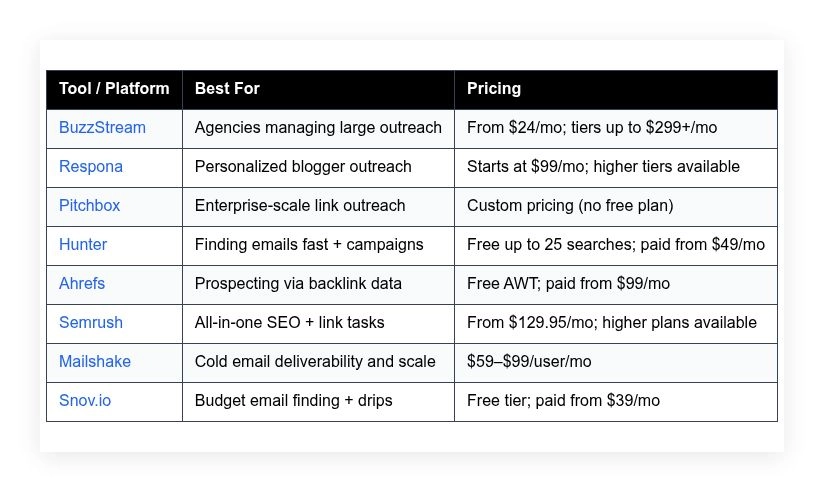
Comparison table is right below if you want the quick version first.
Best link-building tools in 2026
Scroll for my hands-on take on each, where I’ll share which one I use most and the best free options for beginners.
What is a link-building tool?
A link building tool is software built to find prospects, discover emails, send personalized outreach, and track replies for earning backlinks and brand mentions. Its main purpose is to help you win relevant links at scale without losing quality.
In SEO we say: traffic follows links that people trust. These tools matter because they give you direct access to editors and site owners, not just rankings in a vacuum. That increases control, accountability, and ownership of your growth.
Think of it this way: a single high-quality link can impact rankings like dozens of low-engagement social shares. I’ve seen one DR 70 link produce more lift than 50 low-authority mentions on smaller blogs.
At their core, these tools help marketers, PR teams, and founders identify real outreach targets, enrich them with contact data, write and send pitches, and measure responses to secure coverage and links that improve visibility.
Most teams pair link building tools with SEO suites for prospecting (Ahrefs, Semrush), email deliverability add-ons (custom domains, warmup), and project trackers (Sheets, Notion, or a CRM).
Not every option is equal, though, so choosing wisely will save you budget, time, and inbox reputation.
How to choose the best link building tool
Picking a link outreach tool can feel overwhelming. There are lots of claims, overlapping features, and pricing that scales in surprising ways once you add seats or volume.
I wrote this to help you find the right fit for your situation—solo founder, in-house SEO, or agency with multiple clients and tight timelines.
Most “best of” lists are written by the companies themselves or by media sites selling placements. I’m not sponsored by any platform on this list. This is my honest view from running campaigns where the outcome is measured in rankings, citations, and revenue.
Here are some questions you should ask when looking for a tool:
- How generous is the free tier or trial, and what’s limited?
- Can I do core tasks quickly—prospecting, finding emails, sending sequences?
- Will it scale to multiple mailboxes, domains, and clients without pain?
- How does pricing change with more contacts, seats, or credits?
- Does it cover the experience I want—personalization, follow-ups, scheduling?
- Are analytics good enough to guide strategy, not just report sends?
- How hard is it to export data or migrate if I outgrow it?
- What does it do for deliverability and quality control?
- Any technical needs covered—custom tracking domains, SPF/DKIM help, integrations?
It’s a lot, I know. I ranked the tools below with these questions in mind so you can choose with confidence.
Okay, enough of me rambling, let’s get into the list.
8 best link-building tools in 2026
Here are my top picks for the best link building tools:
- BuzzStream
- Respona
- Pitchbox
- Hunter
- Ahrefs
- Semrush
- Mailshake
- Snov.io
Let’s see which one is right for you.
1. BuzzStream
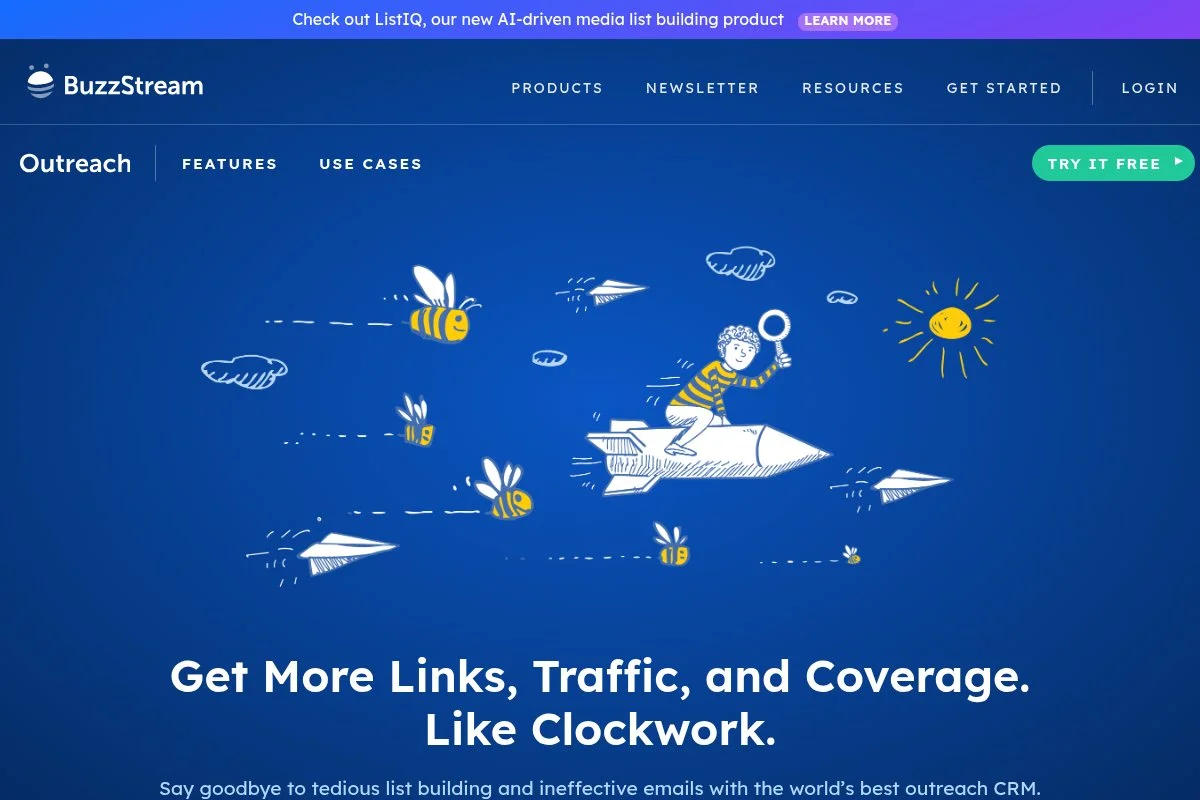
BuzzStream is an outreach CRM built for link builders and digital PR teams. It’s been around for years and is widely used by agencies because it handles high-volume prospecting and conversations without chaos.
You can start on a lower-cost plan and be sending campaigns the same day. The interface centers on prospect lists, email sequences, and relationship tracking. I rely on its contact discovery, automatic email tracking, and custom fields for personalization at scale.
Recent updates have focused on workflow speed—better list deduping, quality controls, and subtle UX improvements that shave minutes off repetitive tasks. That adds up when you’re managing hundreds of prospects per client.
On higher tiers, shared inboxes, advanced permissions, and reporting help agencies align multiple teammates and clients. Link monitoring and templating make follow-ups more consistent across campaigns.
I use BuzzStream daily at Relevance. It’s not flashy; it’s reliable. When we need to scale polite, relevant emails without losing context, it’s the hub we trust.
Support has been steady in my experience, and their documentation covers real outreach scenarios rather than generic email advice. Little things, like automatic thread detection, make it feel built by people who send a lot of pitches.
How BuzzStream works and key features
BuzzStream’s main view is a list-based CRM with inline editing. You can add prospects from imports or its browser extension, then customize fields, tags, and stages. Templates support variables, and sequences schedule polite follow-ups.
It doesn’t try to be a full SEO suite; it integrates with what you already use. You can add custom fields for metrics like DR, traffic, or notes from editors. Analytics show sends, opens, clicks, and reply rates by template and campaign.
Automation handles follow-ups, thread detection, and deduping. You can manage multiple inboxes and assign ownership. There are tools for notes, tasks, and light reporting that make client updates faster.
A customer once summed it up: “It feels like an outreach CRM, not a sales CRM pretending to be one.” — In-house SEO lead
Overall, it’s friendly for beginners and strong enough for experienced teams who live in spreadsheets and need structure without friction.
Who BuzzStream is for
Best for agencies, in-house PR/SEO teams, consultants running multiple client campaigns, and content teams doing consistent outreach. It shines for guest posting, digital PR, and broken link building. If you need heavy analytics or prospecting from backlink databases in one tool, pair it with Ahrefs or Semrush. You don’t need deep technical skills to be productive.
BuzzStream pricing
BuzzStream uses tiered pricing that scales by features and capacity. There’s a lower-cost entry plan for solo users and higher plans for growing teams. A free trial is available.
- Starter: $24/month, entry-level capacity, includes basic outreach, email tracking, and simple prospecting tools
- Growth: $124/month, expanded limits, multi-user support, and more automation options
- Professional: $299/month, larger databases, reporting, permissions, and team features
- Custom/Enterprise: Quote-based, tailored limits and support
Value-wise, it’s fair for agencies that need structure. Annual billing reduces costs. Compared to Pitchbox, BuzzStream often lands at a lower total price for small and mid-size teams while covering most of the same outreach workflows.
BuzzStream pros and cons
- Pros: Outreach-first CRM design; strong sequencing; reasonable entry price; good team features; reliable deliverability controls.
- Cons: Not a backlink database; reporting is practical but not fancy; templates can feel basic without smart snippets.
If you live in outreach, pick BuzzStream. If you want prospect discovery inside the same tool, consider Respona or pair it with Ahrefs/Semrush.
BuzzStream reviews
G2 and Capterra list strong user ratings for BuzzStream with feedback praising organization and workflow speed. Ratings and counts change often—check current listings for the latest numbers.
2. Respona
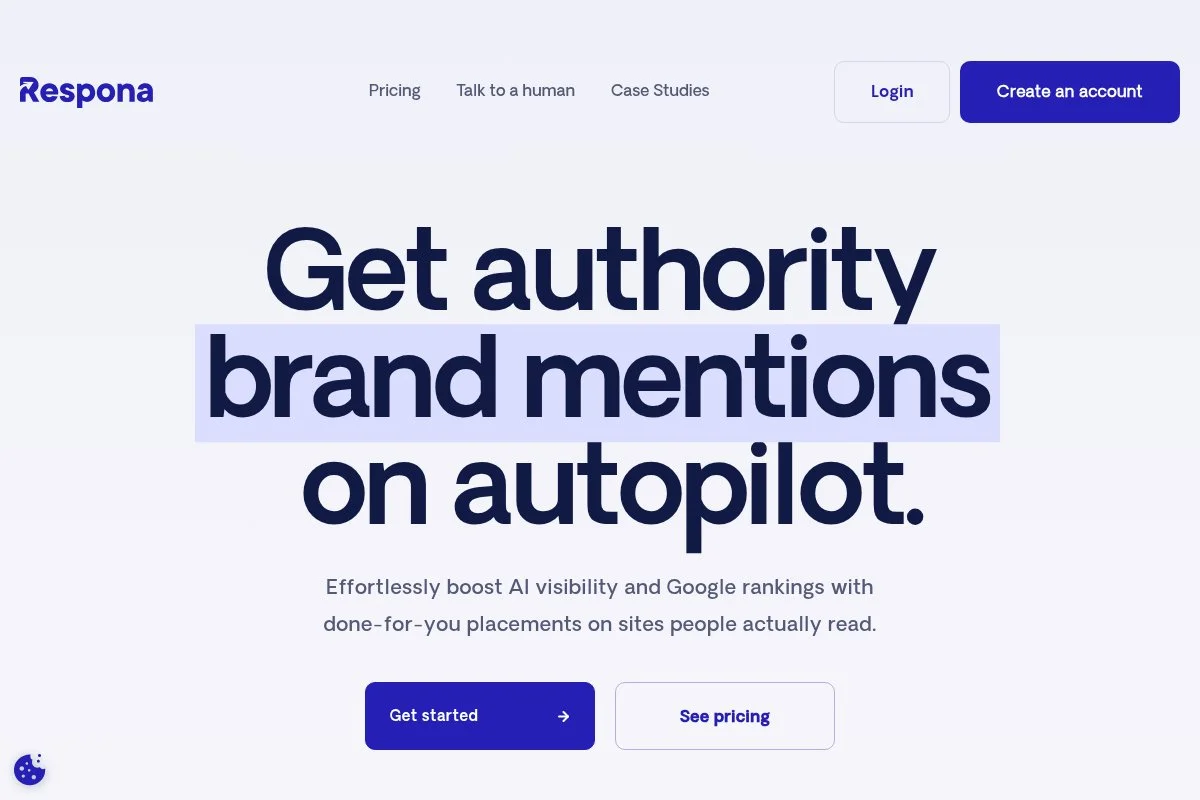
Respona is an all-in-one outreach platform built by the Visme team, designed to streamline prospecting, email finding, and pitching in one place. It’s earned attention for making personalization faster without junk automation.
Getting started is quick. The UI guides you from target queries to contact discovery to sequencing. Daily tasks include building prospect lists from Google results, scraping author info, and running multi-step follow-ups.
Respona has leaned into AI-assisted snippets and intent filters. Recent product cycles improved search operators, inbox management, and collaboration—useful when multiple people touch the same campaign.
Higher tiers add more credits, workspaces, and advanced automation, including better deduping and team review flows. Built-in link prospecting saves time versus hopping between tools.
I use Respona when I need fast prospect discovery plus lightweight personalization in one window. It’s especially handy for resource page outreach and fresh content promotion cycles.
Documentation and onboarding templates are solid. The product feels focused on practical use cases rather than generic cold email tricks.
How Respona works and key features
Respona centers on a guided workflow: search for prospects, qualify, find emails, personalize, and send. The editor supports templates with variables and AI-assisted lines pulled from page content or author bios.
Templates are flexible, and you can insert dynamic fields from scraped data. Advanced users can tweak search operators, export data, and connect multiple inboxes. Reporting tracks sends, opens, replies, and campaign-level performance.
Automations cover follow-ups, time windows, and exclusion rules. Extra tools include link prospecting, author detection, and a built-in verifier. Support includes live chat and helpful tutorials.
It strikes a balance: fast enough for beginners, with enough depth for power users who care about query logic and personalization quality.
Who Respona is for
Great for content marketers, solo SEOs, and small teams who want prospecting and outreach together. It excels at guest post outreach, resource pages, and skyscraper-style campaigns. If you manage multiple large accounts with strict reporting needs, BuzzStream or Pitchbox may fit better. No heavy technical skill is required.
Respona pricing
Respona offers tiered plans based on credits, features, and users. A free trial is available, and you can scale up as campaigns grow.
- Starter: $99/month, entry credits, includes search, email finding, and sequences
- Higher tiers: Pricing increases with more credits, workspaces, and team features
It’s good value if you want prospecting and outreach in one place. Compared to stacking an email finder plus a separate outreach CRM, Respona can be cheaper and simpler for smaller teams. Annual billing usually offers savings.
Respona pros and cons
- Pros: Built-in prospect discovery; AI-assisted personalization; clean workflow; fair entry price.
- Cons: Credits can run out fast on big campaigns; reporting is lighter than agency-focused tools; advanced permissioning is basic.
If you want a single window from search to send, Respona is a strong pick. If you need deep team controls, BuzzStream or Pitchbox will suit you better.
Respona reviews
Respona maintains positive ratings on platforms like G2 and Capterra, with users praising its unified workflow. Check the listings directly for the latest scores and review counts.
3. Pitchbox
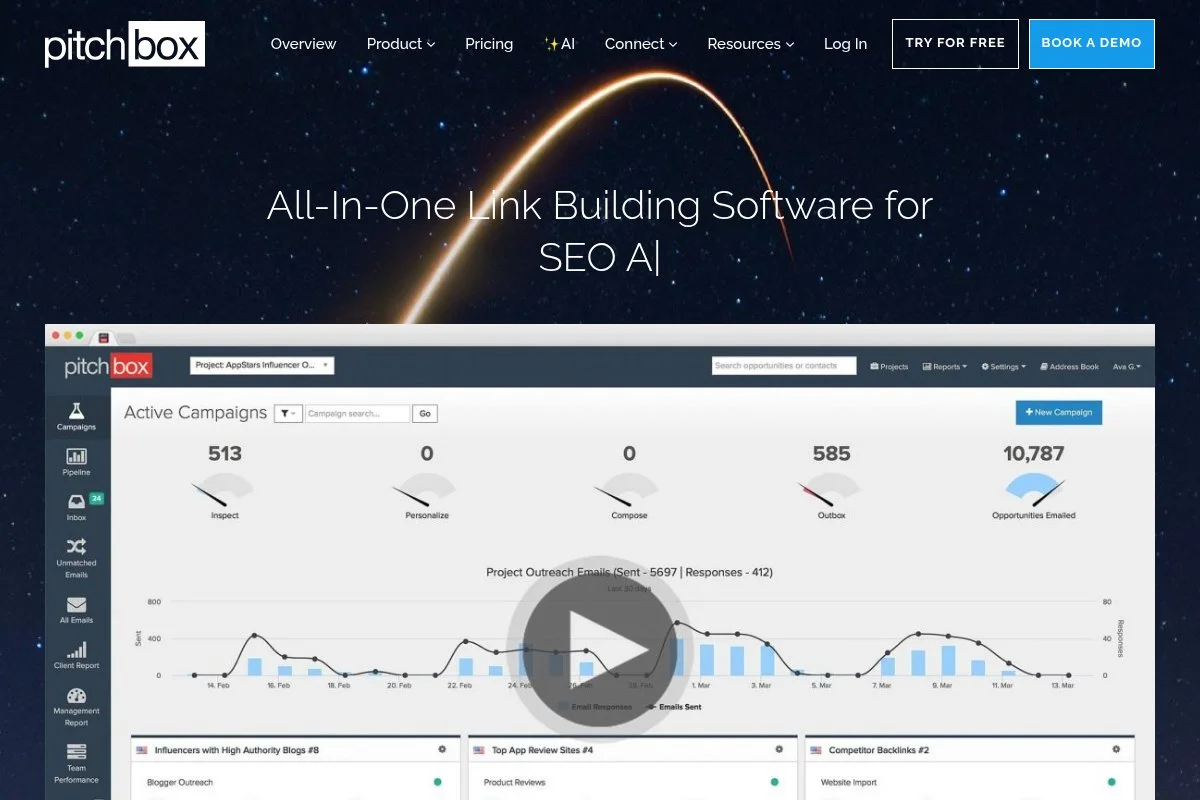
Pitchbox is an enterprise-grade outreach platform built for teams that need scale, compliance, and visibility across many campaigns. It’s been trusted by large agencies and in-house programs for years.
You’ll go through a demo to get started. Once set up, workflows center on campaign creation, templates with variables, and pipeline views. Daily users rely on bulk prospecting, deduping, and multi-step sequences.
Recent product work has improved reporting and team governance. Agencies can standardize templates, control access, and export data for clients more easily than in leaner tools.
Premium features shine: advanced reporting, client workspaces, granular permissions, and compliance controls. It’s built to keep large teams in sync while reducing errors.
I don’t use Pitchbox every day, but I’ve run client campaigns in it and appreciated the structure. It’s not the cheapest, but it’s built for serious throughput.
Account support is strong. They understand agency pain and help with onboarding, process design, and best practices.
How Pitchbox works and key features
Pitchbox provides campaign templates for common tactics, from guest posts to broken link building. The interface is more CRM-like, with stages and task workflows. Templates support variables and conditional logic.
You can import prospects, use built-in discovery tools, and connect inboxes for tracking. Reporting covers outreach volume, response trends, and team performance. Automation handles follow-ups, time windows, and scheduling rules.
It includes tools for team collaboration, approvals, and QA. Support is consultative, and enterprise onboarding is hands-on. It’s powerful for teams that need control and audit trails.
Overall, it’s best for advanced users managing bigger programs rather than casual senders.
Who Pitchbox is for
Ideal for enterprise SEO, large agencies, and teams with strict reporting and compliance needs. Great for scale-heavy guest posting, PR, and link reclamation. If you’re a solo operator or on a tight budget, BuzzStream or Respona will feel friendlier. Some technical onboarding is helpful, but not required.
Pitchbox pricing
Pitchbox uses custom, quote-based pricing aligned to seats, usage, and support level. There’s no free plan; teams typically start after a guided demo.
- Business/Agency: Custom pricing, includes outreach automation, discovery, and reporting
- Enterprise: Custom pricing, adds advanced permissions, client workspaces, and premium support
Compared to mid-market tools, Pitchbox is usually pricier but designed for scale and governance. If you need enterprise-level control and reporting, the premium makes sense. Annual agreements may include savings.
Pitchbox pros and cons
- Pros: Enterprise workflows; strong reporting; granular permissions; reliable at scale.
- Cons: Higher cost; steeper learning curve; no free plan.
Pick Pitchbox if you prioritize auditability and team control. If you’re starting out, it’s more than you need.
Pitchbox reviews
Pitchbox is reviewed on platforms like G2 and Capterra with favorable feedback from agencies. Ratings and counts vary—check current profiles for up-to-date details.
4. Hunter
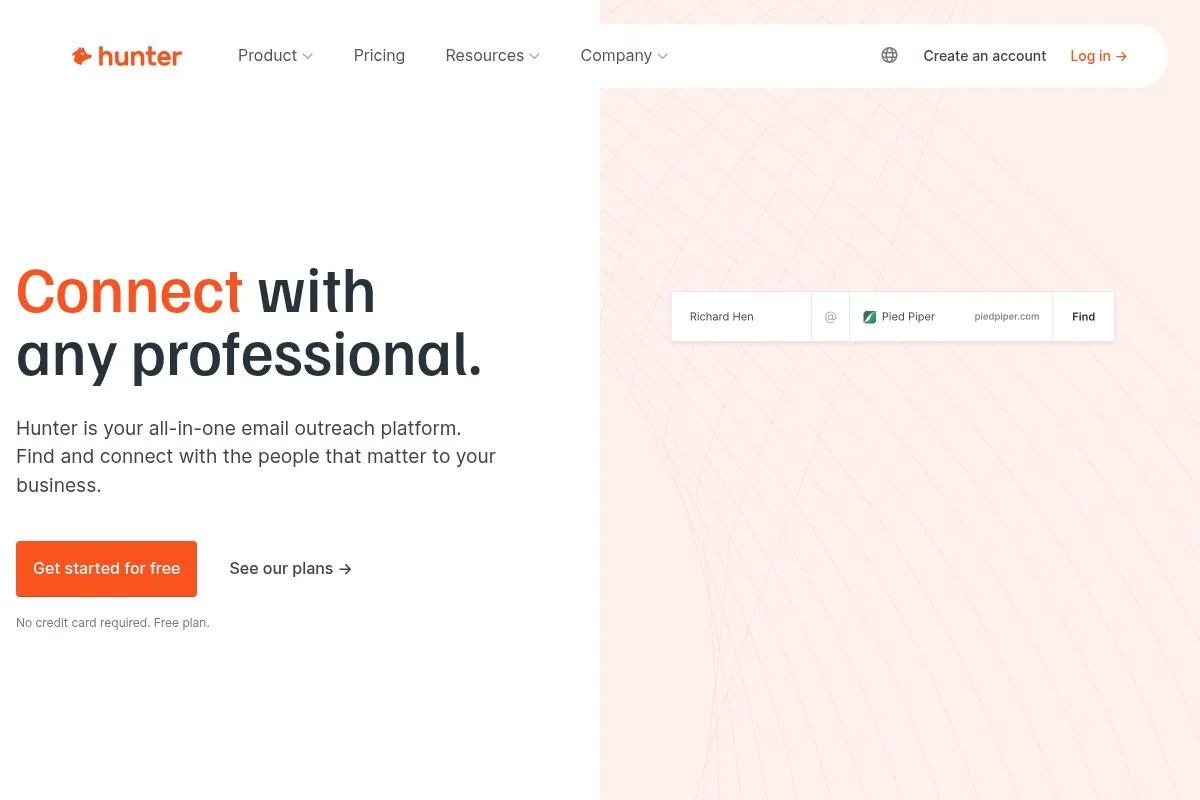
Hunter is best known for fast, accurate email finding and verification. Over time, it added Campaigns for simple outreach, so you can go from discovery to sending without switching tools.
You can start free with limited searches. The interface is clean and quick. Daily tasks include domain search, author lookup, verification, and launching short email sequences.
Hunter keeps expanding integrations and improving verification accuracy, which matters a lot for deliverability. Recent product polish made Campaigns smoother for light outreach.
Paid tiers add higher limits, bulk features, and team sharing. If you already have a favorite outreach CRM, Hunter still fits as your finder/verifier of record.
I rely on Hunter when speed matters and I want verified emails with confidence. It’s a great sidekick to BuzzStream, Respona, or Mailshake.
Docs are clear, and support has been responsive. The Chrome extension is one of the fastest ways to grab contacts on the fly.
How Hunter works and key features
Hunter’s interface focuses on three jobs: find, verify, and send. Domain Search and Author Finder pull addresses with sources. The Email Verifier checks deliverability signals before you pitch.
Campaigns supports templates, variables, and scheduled follow-ups. There’s not much fluff—just the tools you actually use. Bulk features help you process big lists, and exports make it easy to pipe into other platforms.
Reporting covers send and reply basics. Automation is light but sensible for short sequences. Support articles are direct, and the extension is a time saver.
Overall, it’s beginner-friendly and a dependable building block for any outreach stack.
Who Hunter is for
Perfect for SEOs, content marketers, founders, and assistants who need verified emails fast. Great for guest post outreach, PR list building, and partner research. If you need deep CRM features, pair Hunter with BuzzStream or Mailshake. No technical skill required.
Hunter pricing
Hunter uses a freemium model with tiers that scale limits and features. You can test with a free plan and upgrade as campaigns grow.
- Free: 25 searches/month, limited verifications, basic Campaigns
- Starter: $49/month, higher limits, bulk features, and integrations
- Growth: $149/month, expanded searches/verifications and team sharing
- Pro: $499/month, large-scale usage and priority features
- Business: $999/month, enterprise limits and support
It’s great value as your primary email finder. Annual billing offers savings. If you only need sending, Mailshake may be cheaper; if you need discovery plus sending, Respona could reduce tool sprawl.
Hunter pros and cons
- Pros: Fast email discovery; strong verification; generous free start; simple Campaigns.
- Cons: Light CRM features; sequence logic is basic; team reporting is minimal.
Use Hunter as your discovery backbone. Add a dedicated outreach platform if you need advanced workflows.
Hunter reviews
Hunter holds positive ratings on G2 and Capterra, with users calling out speed and accuracy. Check current listings for exact scores and review counts.
5. Ahrefs
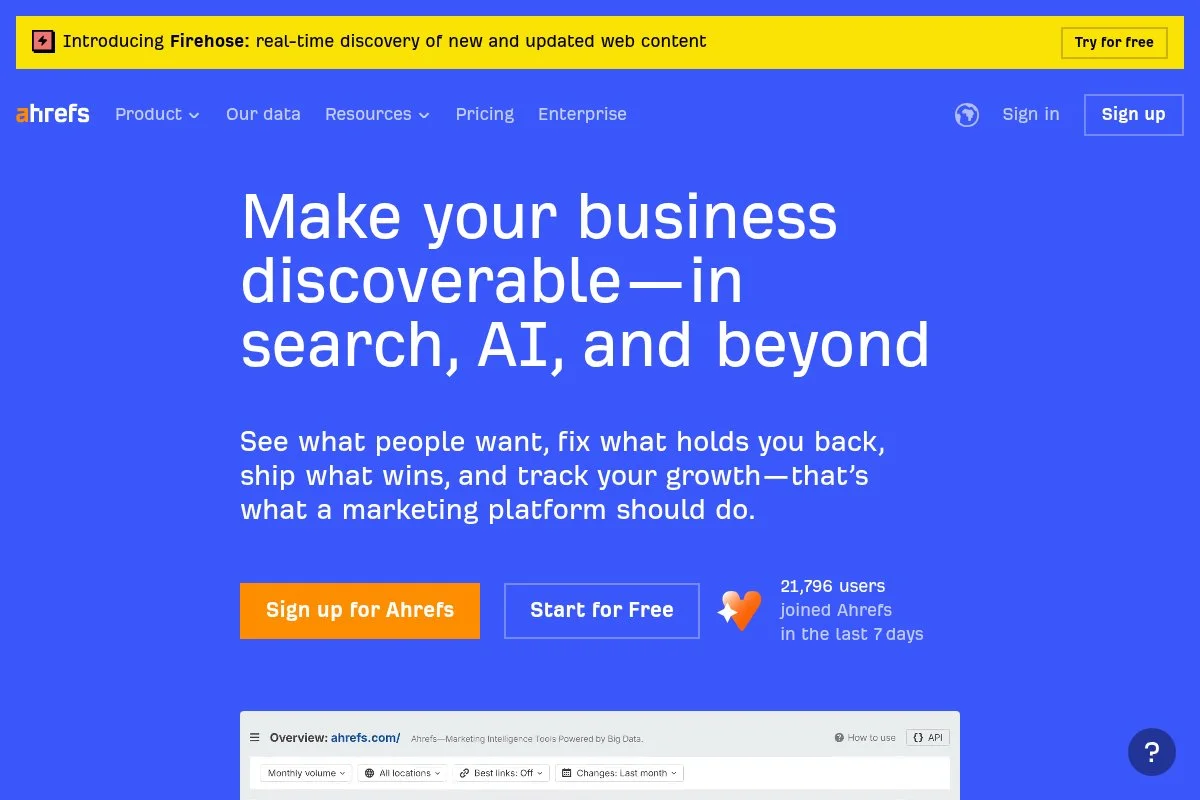
Ahrefs isn’t an outreach sender, but it’s my go-to for prospecting. Its backlink index and competitive reports help me find real link opportunities faster than manual searches.
Starting is simple with Ahrefs Webmaster Tools for free site audits and limited data. Paid plans unlock Site Explorer, Content Explorer, and advanced filters that power broken link building, unlinked mentions, and competitor gap research.
Ahrefs continues to improve data freshness and SERP analysis, which matters when prioritizing targets. Better link context and traffic estimates help you send fewer, better emails.
Advanced users love features like link intersect, best by links, and lost links. Pair Ahrefs with any outreach tool for a complete workflow.
I use Ahrefs daily to build smarter lists. The time saved on qualification pays for itself on most campaigns.
Docs and community guides are abundant, and support has been dependable for me.
How Ahrefs works and key features
The interface is data-first. Site Explorer and Content Explorer reveal backlinks, referring domains, anchors, and traffic. Filters narrow targets by DR, language, platform, and more.
Templates and customization aren’t the focus; exports are. You can push lists into Sheets, then into your outreach tool. Reporting covers keyword movement, link growth, and tech health if you use the full suite.
Automation lives in Alerts: new backlinks, lost links, and brand mentions. Additional tools include rank tracking, site audit, and content gap. Support content is top-tier in SEO education.
It’s best for users who want powerful research to guide targeted outreach.
Who Ahrefs is for
Great for SEOs, link builders, digital PR, and analysts who build lists from competitive data. Excels at broken link building, unlinked mention campaigns, and partner research. If you only need sending, it’s overkill. Some SEO familiarity helps.
Ahrefs pricing
Ahrefs offers a free tier (Ahrefs Webmaster Tools) and paid plans that scale by features and usage.
- Ahrefs Webmaster Tools: Free, limited site data and audits
- Lite: $99/month, core tools for small teams
- Standard: $199/month, expanded data and features
- Advanced: $399/month, larger limits and additional tools
- Enterprise: Custom pricing, high limits and SSO
For prospecting quality, Ahrefs is worth it. Annual billing reduces cost. If your budget is tight and you need sending plus light research, consider Respona or Semrush’s link tools.
Ahrefs pros and cons
- Pros: Excellent backlink data; strong filters; time-saving alerts; trusted by SEOs.
- Cons: No email sending; pricing can add up; learning curve for non-SEOs.
Use Ahrefs to build smarter target lists, then send via your outreach tool of choice.
Ahrefs reviews
Ahrefs holds high ratings across G2 and other review sites for data quality. Exact scores and counts change—check the listings for current details.
6. Semrush
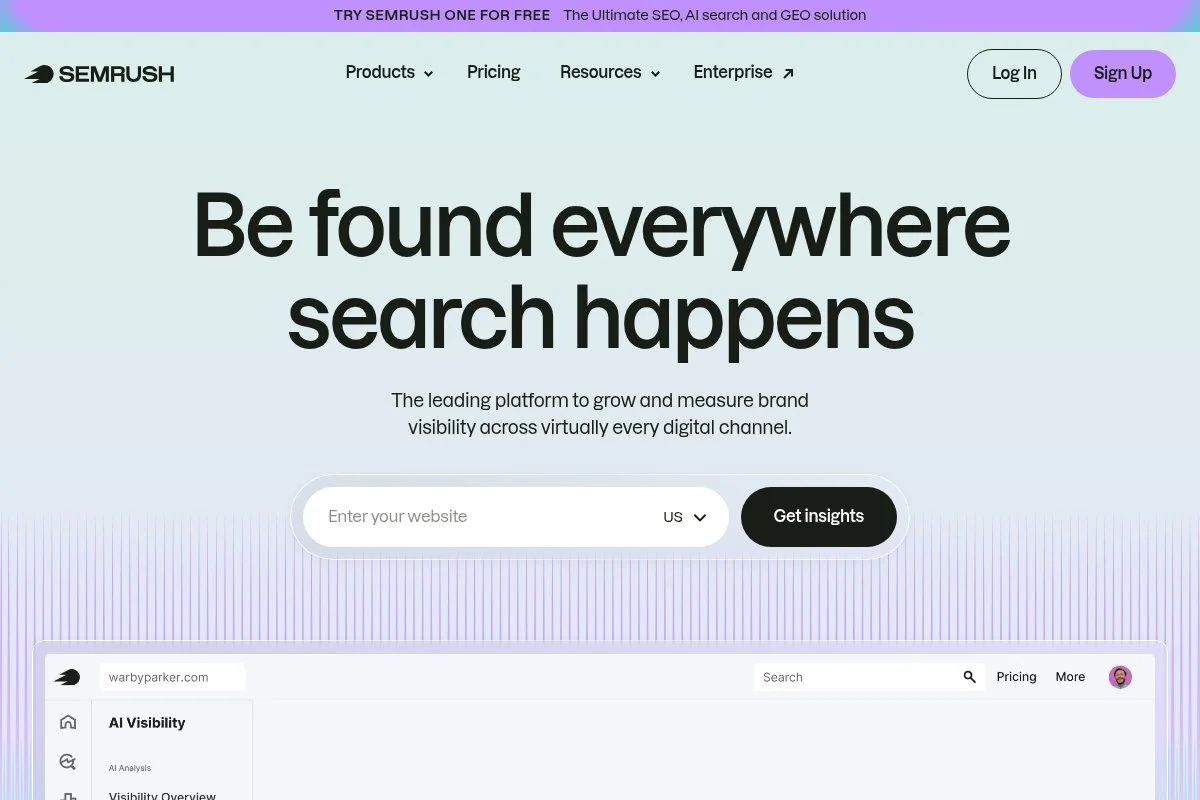
Semrush is an all-in-one SEO suite with a capable Link Building Tool, Backlink Gap, and Brand Monitoring. It’s a strong alternative if you prefer an integrated dashboard for multiple SEO tasks.
You can start on the base plan and use its prospecting flows to collect targets and export. The UI is friendly and supports multi-channel research, from keywords to PR monitoring.
Recent work has improved UX and data coverage across link and keyword modules. For some teams, that centralization beats stitching together separate tools.
Higher plans add more projects, users, and data limits. While Semrush isn’t a dedicated outreach sender, it pairs well with Mailshake or BuzzStream.
I keep Semrush in my stack alongside Ahrefs for cross-checking data and grabbing prospects Semrush surfaces first.
Learning resources are extensive and support has been responsive in my experience.
How Semrush works and key features
Semrush’s interface is modular. The Link Building Tool suggests prospects by keywords and competitors. Backlink Gap compares profiles to find targets. Brand Monitoring helps catch mentions to convert into links.
Templates aren’t the focus; exports are. You’ll build lists and push them to your outreach platform. Analytics spans backlinks, referring domains, and authority metrics across projects.
Automation includes scheduled reports and alerts. Additional tools cover keyword research, site audit, rank tracking, and content research. Support and academy content are deep.
It’s balanced for beginners and useful for advanced users who like an integrated SEO hub.
Who Semrush is for
Good for in-house SEOs, generalist marketers, and teams that want a single SEO platform for research plus light link prospecting. Strong for brand monitoring and competitor-based link ideas. If you need advanced sending, pair it with Mailshake or BuzzStream. No special technical skill needed.
Semrush pricing
Semrush has tiered pricing based on features, projects, and limits. A free account with limited capabilities is available.
- Pro: $129.95/month, core SEO tools for small teams
- Guru: $249.95/month, content features and higher limits
- Business: $499.95/month, advanced limits and sharing
As a research suite, Semrush is well-priced for what you get. Annual billing offers savings. If your focus is outreach sending, you’ll still need a dedicated email tool.
Semrush pros and cons
- Pros: Solid prospecting modules; strong all-in-one SEO value; great learning resources.
- Cons: Not a sending tool; link index differs from Ahrefs; costs rise with add-ons.
If you want research plus light prospecting under one roof, Semrush delivers. You’ll still export to a sender for outreach.
Semrush reviews
Semrush is widely reviewed on G2, Capterra, and others with strong scores. For current ratings and counts, check their profiles.
7. Mailshake
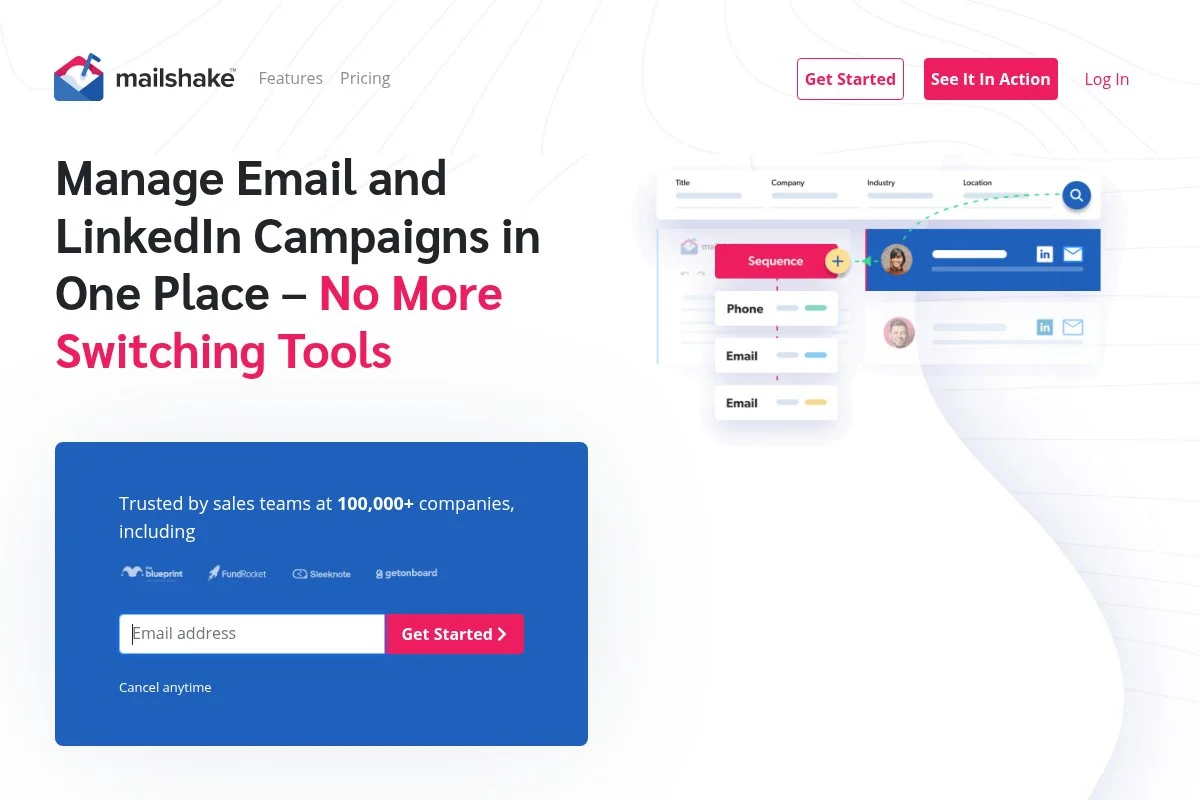
Mailshake is a cold email platform that many link builders use for sending at scale with solid deliverability controls. It’s lighter than a full outreach CRM but faster for launching sequences.
Setup is quick. You connect inboxes, import lists, and build sequences with delays and conditions. Daily work includes template testing, warm follow-ups, and managing replies in Lead Catcher.
Recent improvements have focused on deliverability guidance and quality guardrails. It stays current with sending best practices, which helps protect domains.
Premium plans add more sequence options, A/B testing, and integrations. If you already manage prospects elsewhere, Mailshake is a smooth sender.
I like Mailshake for fast-moving link sprints when we’ve pre-qualified targets in Ahrefs or Semrush. It’s a dependable launcher.
Docs are practical, and onboarding checklists keep teams from making rookie deliverability mistakes.
How Mailshake works and key features
Mailshake uses a sequence builder with steps, delays, and conditions. The editor supports variables, custom fields, and A/B tests. You can pull in CSVs, map fields, and start sending quickly.
Templates are simple to customize. Advanced users can connect webhooks and integrate CRMs. Reporting includes sends, opens, clicks, replies, and variant performance. Lead Catcher organizes responses and next steps.
Automation handles follow-ups and basic branching. There are extra tools for dialer and LinkedIn tasks on higher tiers, though most link builders stick to email. Support guides are helpful, especially on warming and DNS setup.
It’s beginner-friendly with enough depth for experienced senders.
Who Mailshake is for
Ideal for marketers, founders, and agencies who already have qualified lists and want reliable sending. Great for guest post pitches and link reclamation. If you need a full outreach CRM with relationship tracking, use BuzzStream or Pitchbox. Minimal technical skill required.
Mailshake pricing
Mailshake uses per-user pricing with two main tiers. A free trial is available.
- Email Outreach: $59/user/month, includes sequences, A/B testing, and Lead Catcher
- Sales Engagement: $99/user/month, adds more channels and advanced features
Pricing is straightforward. If you only need email sending, the lower tier is usually enough. Annual plans save money. Compared to building your own stack, Mailshake’s deliverability guardrails can justify the cost fast.
Mailshake pros and cons
- Pros: Fast to launch; strong deliverability guidance; fair pricing; Lead Catcher keeps replies tidy.
- Cons: Limited CRM features; prospecting not included; branching logic is basic.
Choose Mailshake when you need to send great sequences at speed. If you want deeper contact management, pair it with BuzzStream.
Mailshake reviews
Mailshake earns positive ratings on review sites like G2 and Capterra, with users highlighting ease of use. Check profiles for up-to-date scores and review counts.
8. Snov.io
Snov.io combines email finding, verification, and drip campaigns with a budget-friendly price. It’s a practical starter option for link builders who want an all-in-one without a big bill.
You can start on the free tier and experiment with credits. The interface covers domain search, LinkedIn sourcing, verification, and a simple sequence builder for outreach.
Recent updates have focused on UX and integrations. It’s not the fanciest tool, but it keeps improving where it counts for small teams.
Higher tiers add more credits, multiple senders, and lightweight CRM features. If you need strict team permissions and reporting, you’ll outgrow it—but it’s a helpful on-ramp.
I recommend Snov.io to founders and freelancers testing outreach before committing to a larger platform.
Help guides are straightforward, and support has been responsive in my experience.
How Snov.io works and key features
Snov.io’s interface revolves around credits. Use them to find and verify emails, then build short email drips. The editor supports variables, and you can manage basic lead stages.
Templates are easy to tweak. Technical users can integrate via API and webhooks. Analytics include sends, opens, clicks, and replies with simple reporting. Automation handles follow-ups and delays.
Extras include a Chrome extension, list cleanup, and a light CRM. Support content is helpful for getting started without prior experience.
Overall, it’s beginner-friendly and a good value for early-stage outreach programs.
Who Snov.io is for
Best for freelancers, founders, VAs, and small teams who need email finding plus simple drips on a budget. Works well for guest post outreach and quick validation projects. If you need advanced team controls or reporting, move to BuzzStream or Pitchbox. No special technical skills required.
Snov.io pricing
Snov.io uses a freemium, credit-based model. Plans scale by credits, users, and features.
- Free: Limited credits and basic features to test
- S: $39/month, more credits, email finder, verifier, and drips
- M: $79/month, higher limits and team sharing
- L: $169/month, larger credit pools and multi-sender support
- XL: $289/month, high-volume outreach and priority support
It’s one of the most affordable ways to validate outreach before upgrading. Annual billing discounts apply. If you scale hard, dedicated tools like BuzzStream may be a better long-term home.
Snov.io pros and cons
- Pros: Low-cost entry; finder + verifier + drips; simple UX; useful extension.
- Cons: Credit limits; light reporting; fewer team controls.
If you’re testing the channel or working solo, Snov.io is a smart start. Larger teams should pick a platform built for collaboration.
Snov.io reviews
Snov.io appears on major review sites with generally positive feedback about value. Check G2 and Capterra for current ratings and review counts.
What is the best link building tool right now?
If you want the short answer before the full breakdown: BuzzStream for most teams, Respona if you want prospecting and sending under one roof, and Hunter if you just need a reliable email finder to plug into whatever you’re already running.
BuzzStream is what I use every day and it earned that spot the hard way. I first picked it up while trying to rescue a derailed outreach pipeline for a B2B SaaS client — contacts scattered everywhere, follow-ups falling through the cracks, nobody on the team sure who had talked to who. What sold me wasn’t any single feature. It was how fast I could go from a messy prospect list to organized sequences without losing the thread of any conversation. For agency work especially, the team coordination piece — assignments, shared notes, consistent follow-ups across multiple people — is genuinely hard to replicate elsewhere without spending a lot more.
Respona is a close second and honestly, under different circumstances it might have been my top pick. If I were running a lean in-house team or a solo program, collapsing research and sending into one window would probably outweigh everything else. Less tool switching, solid AI-assisted snippets, and a cleaner flow from first search to sent pitch. The reason I landed on BuzzStream over it comes down to client collaboration and reporting — when you’re managing multiple programs across multiple accounts, that stuff matters more than having prospecting in the same tab.
Hunter is the third pick for a simple reason: everything downstream depends on finding the right email address. If your lists are dirty your deliverability suffers, your reply rates drop, and you start blaming the copy when the real problem is the data. Hunter plugs cleanly into most stacks, the accuracy is consistently good, and the free tier is genuinely useful for quick checks before you commit to a prospect.
In practice I run all three together — BuzzStream as the outreach hub, Hunter for verification, and Ahrefs or Semrush for prospecting. It’s not the leanest setup but it keeps the lists tight and the sending clean.
If you want more of what I’m testing and the templates I actually use, I write about it over at aaronsnewsletter.com. And if you haven’t grabbed the free AI Visibility Chrome Extension yet — it shows you exactly which sources LLMs are citing so you can stop guessing and start optimizing.
Good luck with the outreach.
Frequently Asked Questions
Q: Which link building tool should I start with on a small budget?
Start with Snov.io or Hunter. Use the free tiers to validate your pitch and list quality. If outreach sticks, move to BuzzStream or Respona for better organization and scale.
Q: How do I protect deliverability when sending link outreach?
Use a separate domain, set up SPF/DKIM/DMARC, and warm new inboxes. Keep lists clean with verification (Hunter or Snov.io), throttle sends, and prioritize value-first personalization.
Q: Do I need both Ahrefs and Semrush for prospecting?
No. I like using both to cross-check data, but you can get far with one. Pick the index and workflows you prefer, then export to your outreach platform.
Q: What’s the best way to personalize pitches at scale?
Write tight base templates, then add one helpful line from the prospect’s page or recent post. Tools like Respona can assist, but your human edit is what gets replies.
